
Known Participant
June 13, 2024
Answered

Path separated by ":" in one Mac OS, and in another Mac OS shows "/"

  • June 13, 2024
  • 2 replies
  • 507 views

Hi All,

I am developing a script in InDesign for take the path, it is working in my laptop (Sonoma 14.5, InDesign 2024 (19.3)).


for (var i = 0; i < app.activeDocument.links.length; i++) {
var link = doc.links[i];
alert(link.filePath);
}

Path separated by ":" (see below for example)
"Macintosh HD:Users:aimim-78:Library:CloudStorage:Box-Box:FY22 Q4 - Opal - In-Geo Confidential Workshop:Design:Channel:Channel Automation Team:1_WIP:D7X:_Resource:Assets:_Lockups:r1598_Type_blk_042122.ai"


But I run the same script in another system (Sonoma 14.3.1, InDesign 2024 (19.4), Apple M1 ultra)

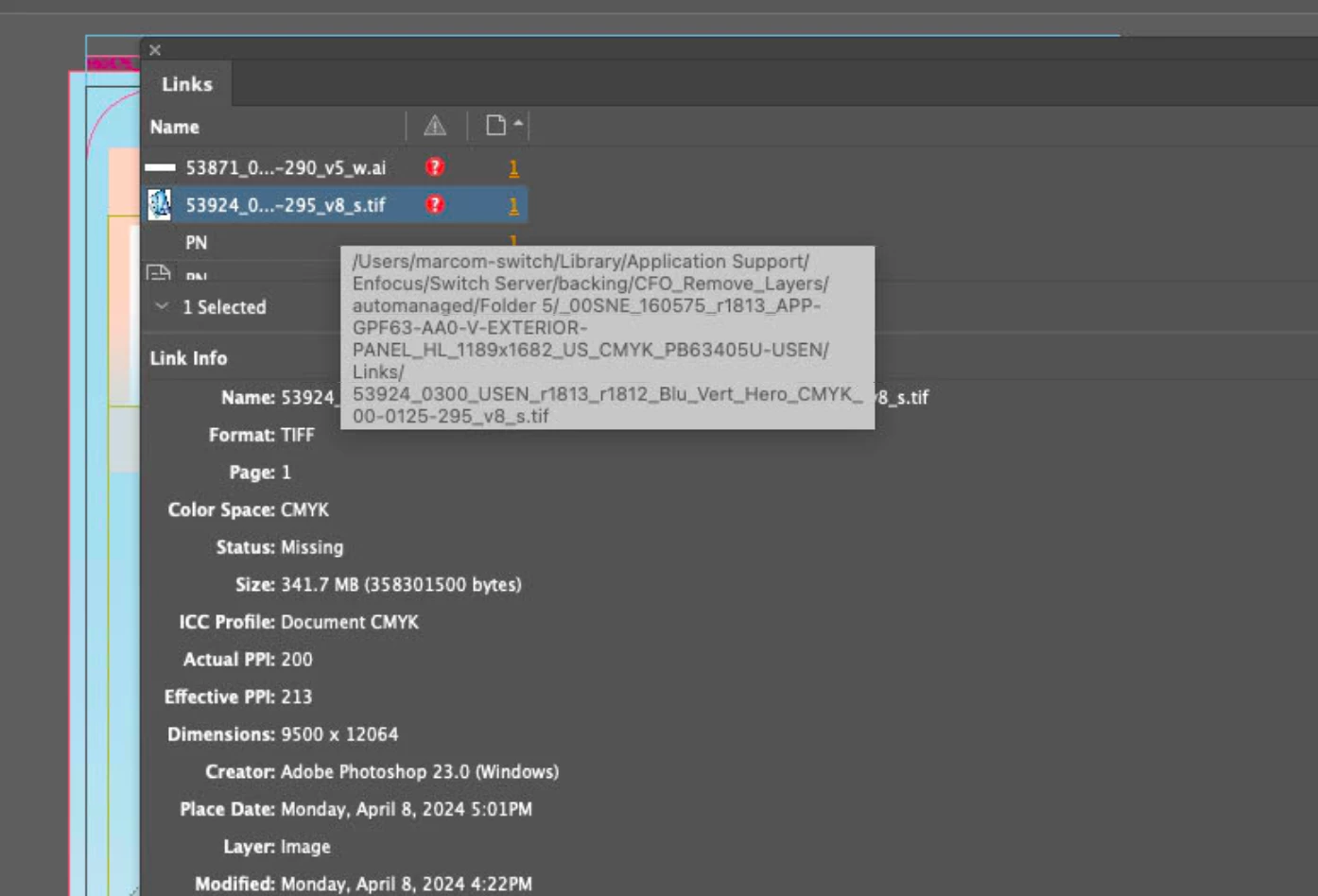
Path separated by "/" (see below for example). If I check it as manual it also shows "/" for path separation (see below screenshot).


"/Users/marcom-switch/Library/Application Support/Enfocus/Switch Server/backing/CFO_Remove_Layers/automanaged/Folder 5/_00SNE_160575_r1813_APP-GPF63-AA0-V-EXTERIOR-PANEL_HL_1189x1682_US_CMYK_PB63405U-USEN/Links/53871_0200_USEN_r1812_r1813_Logo_CMYK_00-125-290_v5_w.ai"

Please advise, what is an issue and how to fix this.
Thanks
Asuvath

This topic has been closed for replies.
Correct answer Fourteen

Adobe changed the way paths are used on Macs in 19.4. Up until 19.3 they used colons (:) after the update they use slashes (/). So what you are experiencing is the expected behavior between the two versions.

2 replies

Community Expert
June 13, 2024

Hi @Asuvath  ,

see also this helpx page that relates to it:


Data merge not working for absolute paths on macOS
Last updated on Apr 26, 2024

Data merge doesn’t work when referencing assets via an absolute path, that is, when assets aren’t placed parallel to the data source file in macOS.


Workaround

Quit InDesign.
In macOS, go to <Install Dir>\Resources\Cookies\ENABLE_POSIX_PATH.
Delete or Rename ENABLE_POSIX_PATH.
Launch InDesign.


Source:
https://helpx.adobe.com/indesign/kb/data-merge-not-working-absolute-paths-macos.html


Regards,
Uwe Laubender
( Adobe Community Expert )

Fourteen
FourteenCorrect answer
Inspiring
June 13, 2024

Adobe changed the way paths are used on Macs in 19.4. Up until 19.3 they used colons (:) after the update they use slashes (/). So what you are experiencing is the expected behavior between the two versions.