

Prefac Communication
Participating Frequently
June 3, 2020
Answered

Pdf export from InDesign gone wrong

  • June 3, 2020
  • 2 replies
  • 2554 views

Hi everyone!

I'm working on a catalogue in InDesign (120 pages) and I came across something that I can't seem to figure it out.

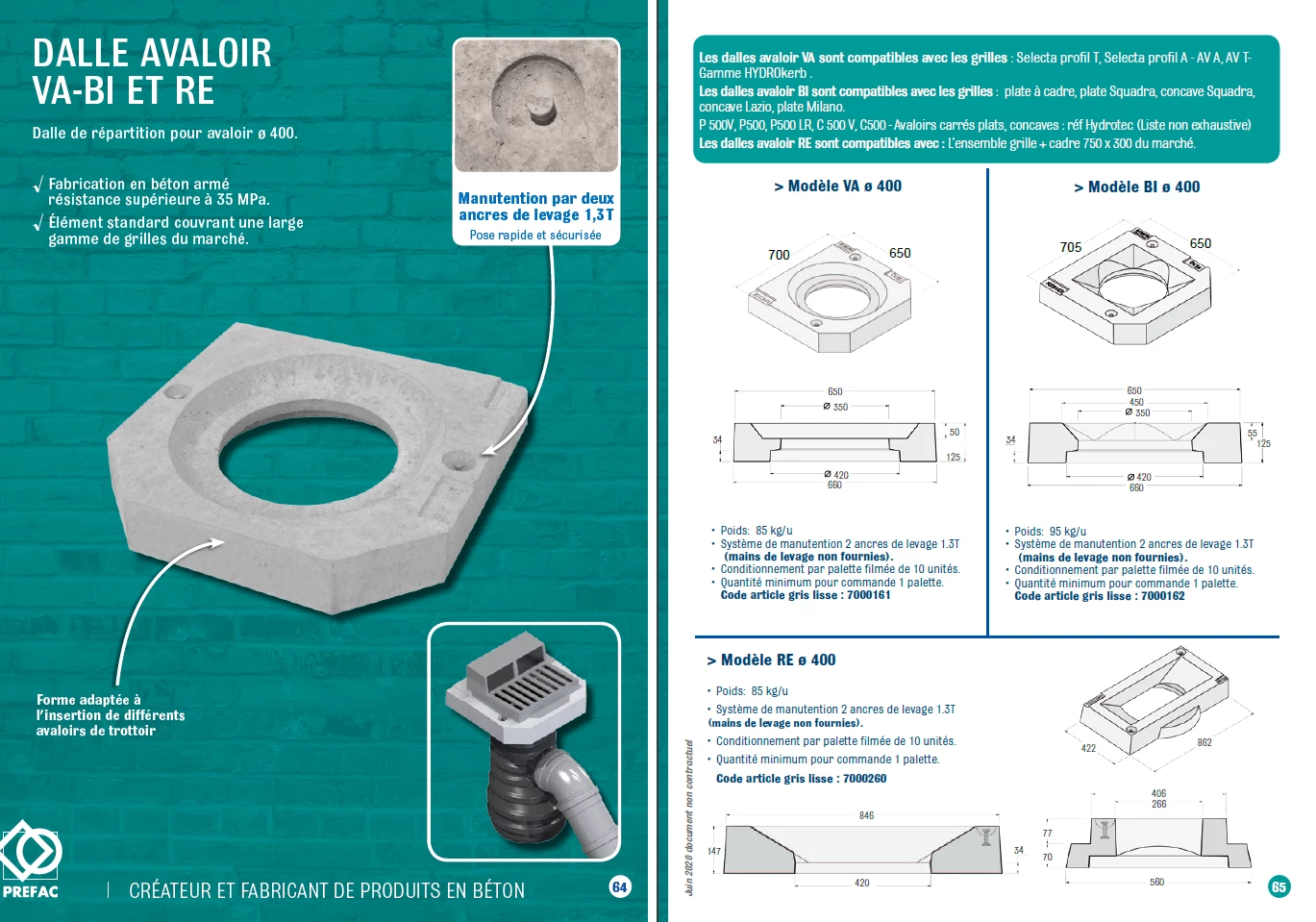
When I'm working on my document, there's no problem at all. But when I export it (single pages), all the content moves a little, creating the following result (you can see a small part of the first page moving to the second one, and also the left margin of the first page being cut):


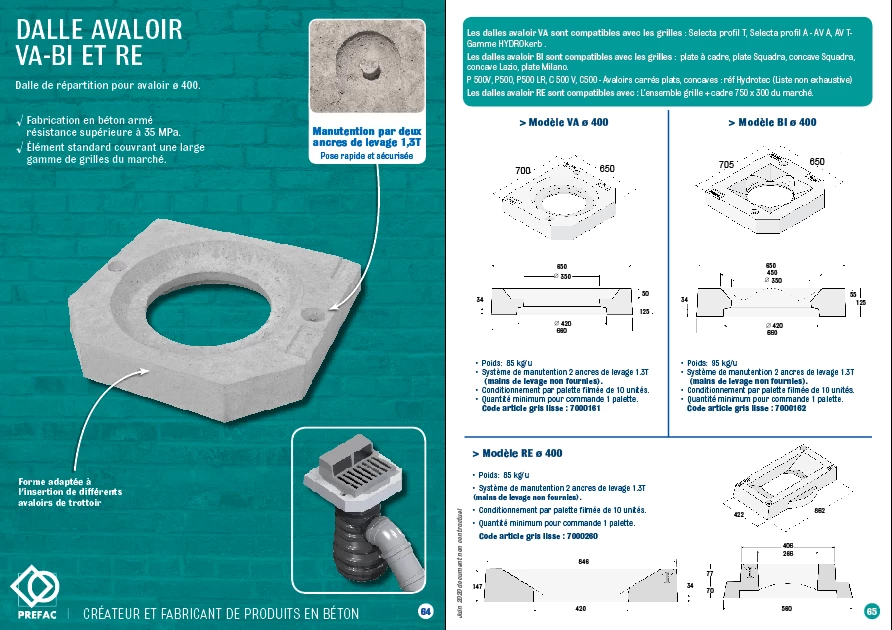
I don't understand what's happenning, since the result should be this one, but I can only achieve it when I export it facing pages:
 

I've worked on this project last year and everything was fine. This year I came back and it was like this. I though the file was corrupted or something so I created a new one saving the old one as .idml. But nothing seems to work.

Anyone has any idea of what the problem might be?
Thank you in advance.
 

This topic has been closed for replies.
Correct answer Eugene Tyson

So you setup your Margins and Bleed settings that way.


But in your File>Export and select PDF settings you can select if you want to include your bleed or not.


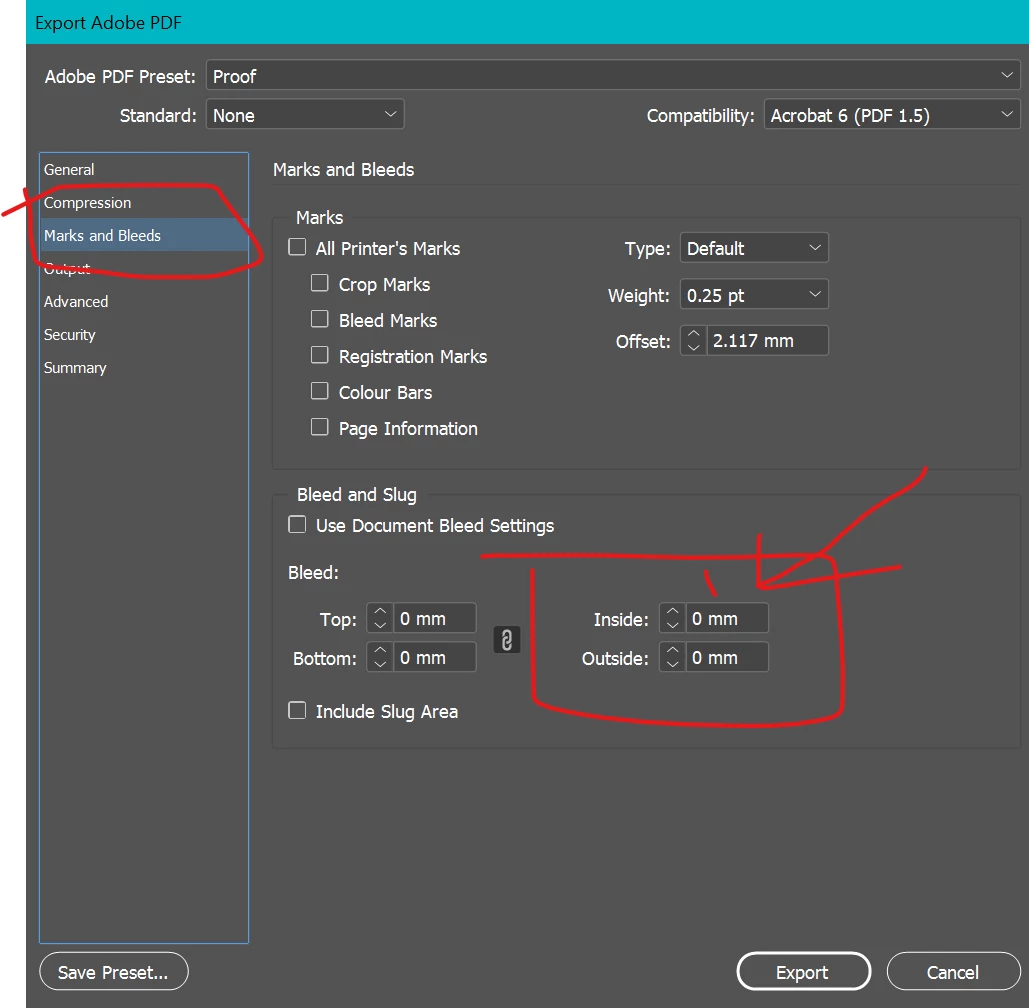
Here it shows on the Marks and Bleed section - you have the option to include the bleeds

And your inside bleed margins - set this to 0 if you want.

Some printers require this information though - so check with them .

For a proof you won't need to include the bleed


2 replies

rob day
Community Expert
Community Expert
June 5, 2020

Set the only the Inside bleed to 0—you have both the Inside and Outside bleeds (Petit and Grand) set to 0. Should be this:


Prefac Communication
Participating Frequently
June 5, 2020

Hi! It's a little better, but on the left margin there's still a cut. It's perceptible on the logo. 

The right margin it's already done. I really don't understand what's the problem here. 

rob day
Community Expert
Community Expert
June 5, 2020

Your logo is in the bleed area and will get trimmed—if you don’t want that to happen you’ll need to move it inside of the crop marks. The typical safe distance from the page trim is .25”.

Community Expert
June 3, 2020

Are you including bleeds in your PDF?

If so this is normal behaviour as it would be trimmed off or lost in the spine (not visible).


If it's a proof you don't need to include bleeds. 

If it's for print then include crop marks.

You can change your bleed settings on the PDF export to not include the Inside pages by setting the inside bleed settings to 0.

Prefac Communication
Participating Frequently
June 3, 2020

It doesn't seem to work. Could it be something related to the way the document is set up?

Community Expert
June 3, 2020

Oh that actually worked. Thank you 😄
However I still have a problem. The left margin of the first page still gets cut: 


Any idea?


It must be off the page in InDesign... can't think of any other reason.