Participating Frequently
July 3, 2019
Answered

PDF export presets are now missing

  • July 3, 2019
  • 1 reply
  • 3352 views

My presets that I have been using for over 10 years have now gone missing in all of my adobe software.

Where can I look for them to reload them?

Can I restore them from a Time Machine backup?

Searches on my hardrive have failed to come up with anything.

I looked for anything with .joboptions extension.
    This topic has been closed for replies.
    Correct answer Steve Werner

    Interesting. I just created a new PDF preset. It is available in both Indesign and Illustrator, but there is no file with that name in that directory on my mac.


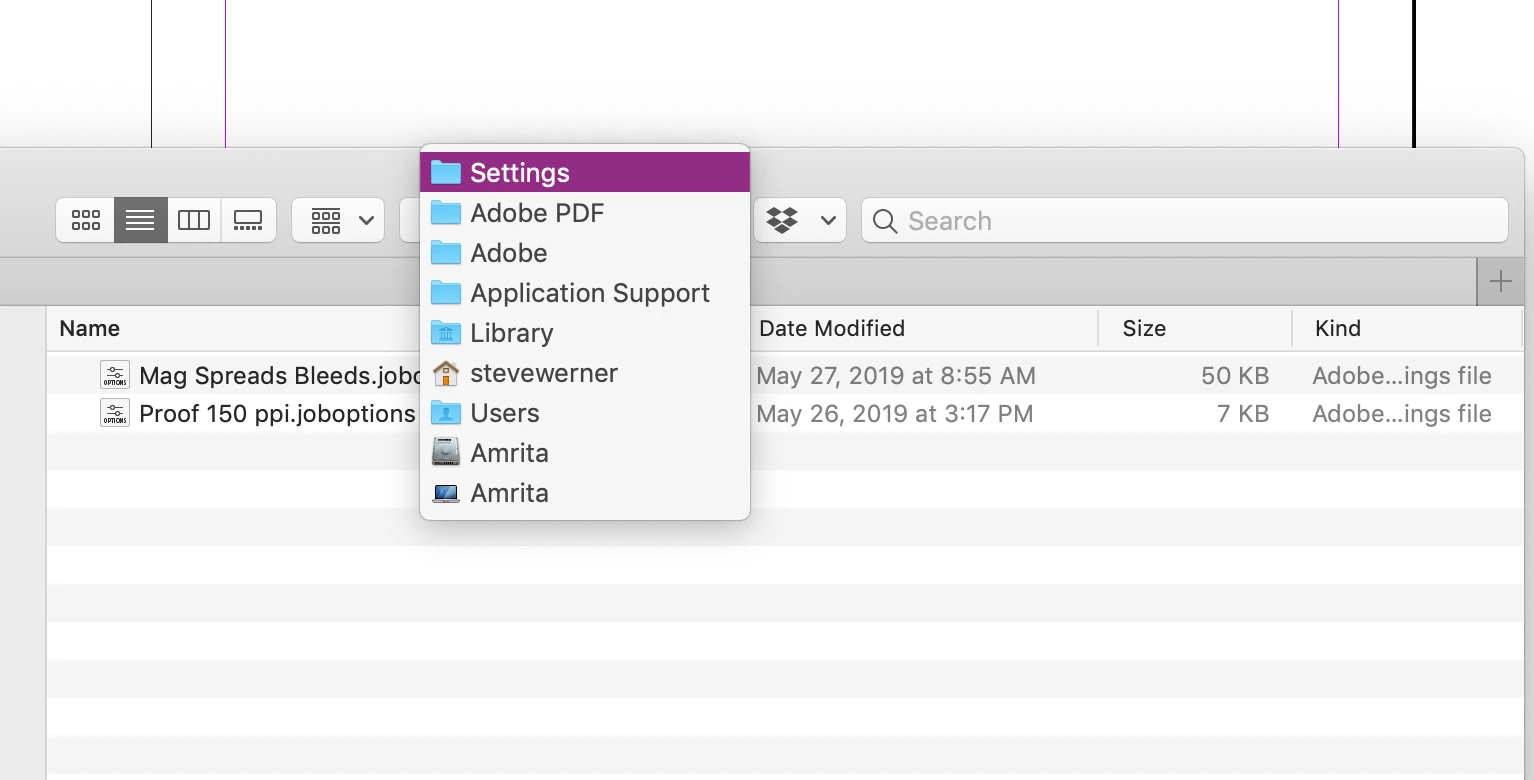
    Check again: Here's the path for where they're stored on my system:

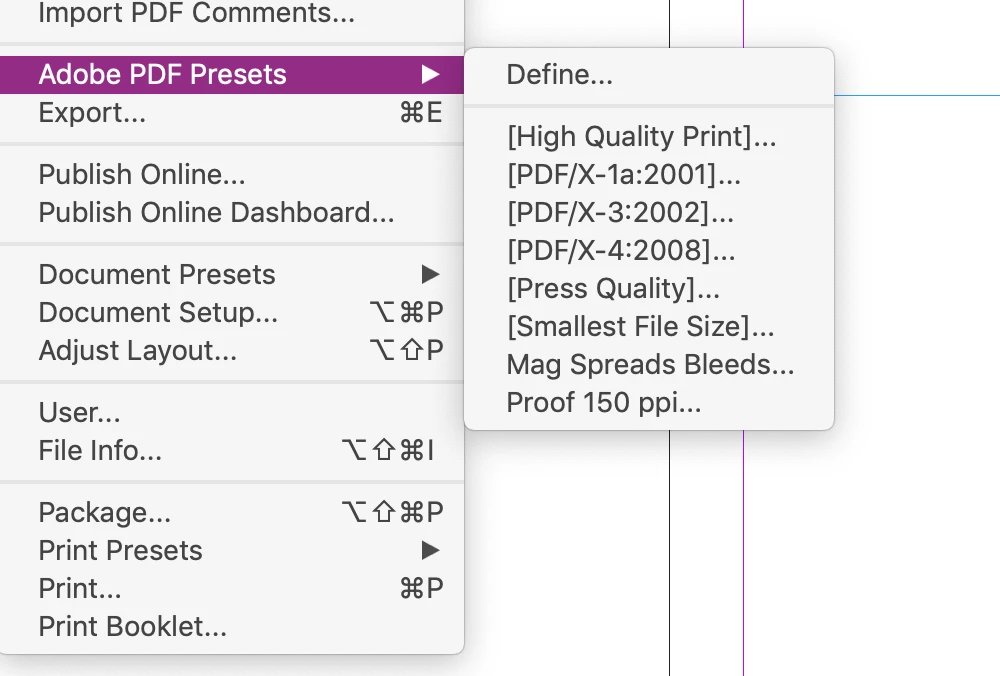
    Here are the same two custom PDF presets in InDesign:

    1 reply

    Steve Werner
    Community Expert
    Community Expert
    July 3, 2019

    To clarify:

    What version of InDesign are you running? What operating system?

    Are you saying there none of the default PDF presets are missing? Or are you saying that custom PDF presets you've created are missing? Or both?

    And these are also missing in Illustrator CC (assuming you have a CC version) also?

    Participating Frequently
    July 3, 2019

    Sierra 10.12.6

    Indesign CC 2019

    The default export presets are there. The custom ones I have created are not available in any of the adobe programs.

    Steve Werner
    Community Expert
    Community Expert
    July 3, 2019

    Custom PDF presets have been stored in the same location for a long time. I wrote about this in InDesignSecrets.com in 2007!

    https://indesignsecrets.com/customizing-pdf-presets.php

    Here's the path where the files should be stored:

    Macintosh: Users > [yourname] > Library > Application Support > Adobe > Adobe PDF > Settings

    NOTE: THIS IS THE SOMETIMES HIDDEN USER LIBRARY FOLDER. Here are directions for finding it in Sierra:

    How To: Show the User Library Folder in macOS Sierra - Mactrasthttps://www.mactrast.com/2016/12/show-user-library-folder-macos-sierra/

    I just checked my custom PDF presets and that's where they still are. I'm running InDesign CC 2019 in Mojave (10.14.5) so it should be the same in Sierra.

    I'd look on your Time Machine backup in that location.