
Inspiring
December 2, 2023
Answered

PDF Export turns multiply effect into low opacity

  • December 2, 2023
  • 3 replies
  • 2411 views

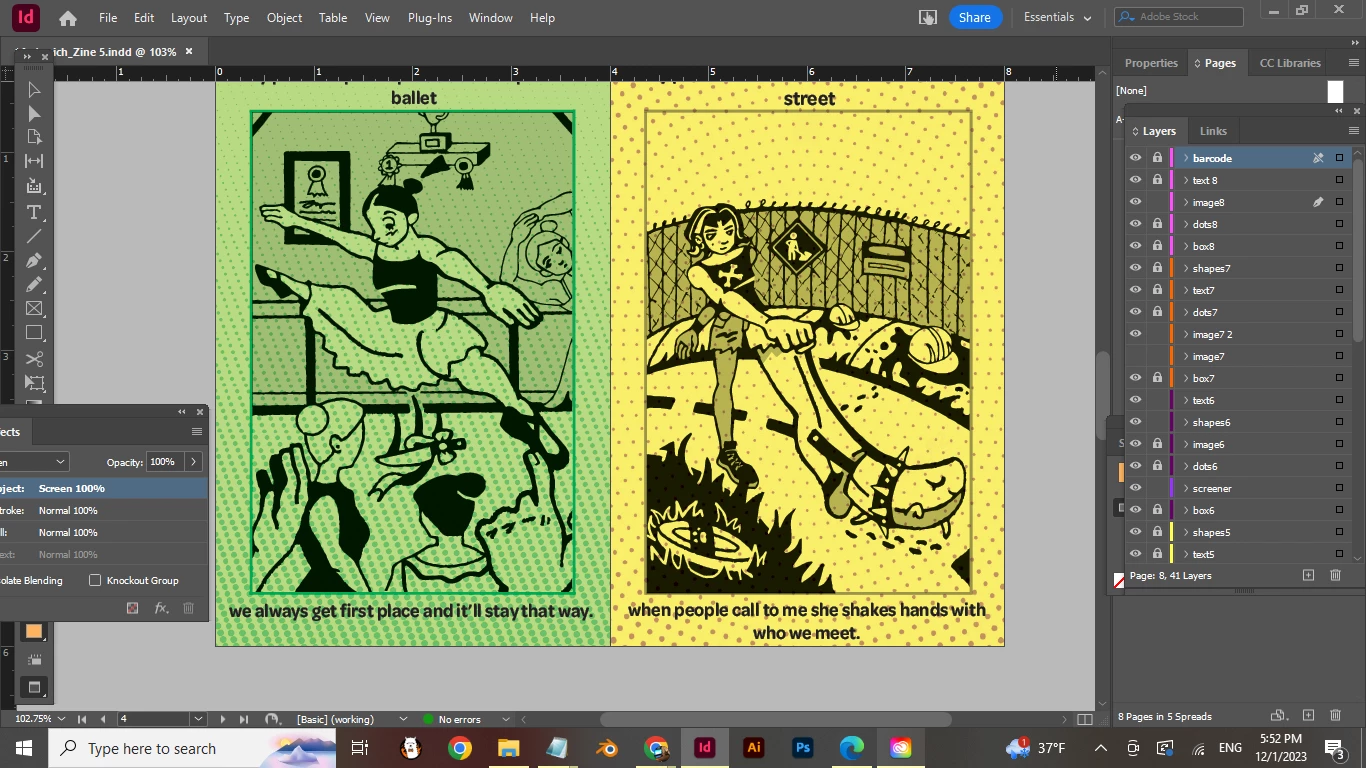
Before I changed my preferences to view black accurately, the illustrator images I imported and set the effect to multiply displayed a solid black. After exporting to PDF, the black shows as faded and other layers' images are seeping through my black. I added an image to show this, if you look closely you can see the halftone dots are showing through the black parts of my image. I do not want this and only want the dots to appear in the negative space.  How do I fix this? 
This topic has been closed for replies.
Correct answer vsibyl

Could you also attach the artwork for page 4—ballerina2.ai and halftonebackground_4.psd?


Actually I think I found a solution, I went into Illustrator and scaled down my original image to match how I want it to fit on the page, added the colored background, and set the image to multiply. I then used the magic wand tool and selected the normal black and changed it to rich black. After that I flattened the artwork to one layer. Placed it into Indesign and it looks pretty good! Thank you everyone

3 replies

rob day
Community Expert
Community Expert
December 2, 2023

Hi @vsibyl , You could get the effect you are looking for by setting your Transparency Blend Space to RGB and using an RGB black (your art work would have to be placed as RGB). For example here the blend space is the default CMYK with the black stroke set to 0|0|0|100 CMYK Black and Multiply:


And here the Transparency Blend Space set to RGB with the black stroke set to 0|0|0 RGB:


vsibylAuthor
Inspiring
December 2, 2023

Hi, I'm trying to print these pages as a booklet so I think they have to stay in the CMYK blend mode. 

rob day
Community Expert
Community Expert
December 2, 2023

so I think they have to stay in the CMYK blend mode.


The conversion to CMYK can happen anywhere in the printflow—either on a PDF Export by setting the Output tab’s Destination to the correct CMYK profile, or at output from the Print Color Management tab.


Here’s my example file Exported to PDF/X-1a, with the Black channel turned on and off in AcrobatPro’s Output Preview panel. The RGB Blend Space forces the RGB black to convert to a 4-color black mix, which is what you want in this particular case:


Scott Falkner
Community Expert
Community Expert
December 2, 2023

What you are seeing is how Multiply is supposed to work. Some people think of it as equivalent to Overprint, but that's not quite true. Hovever, if the inks used to print the top image (which has Multiply applied) are not the inks used to print the background image then you have effectively used Overprint. This means the inks used to print the background will print even where the foreground image is.


It looks like what you want is normal transparency but with the white parts of the foreground image transparent. This can only be done in Illustrator by editing the artwork.


You can achieve a similar result if you rasterize the art in Photoshop and save it as a bitmap image. The artwork will be rasterized, not vectors, but at high resolution (I suggest 600 ppi if printing) you should be fine.

vsibylAuthor
Inspiring
December 2, 2023

Thanks so much for the recommendation of rasterization, I have a vector image and was worried about lower quality but I don't mind if it's one of the better solutions.  Do you know any good way to make the white parts of my image transparent on Illustrator or Photoshop? After looking online it looked like it was only possible through exporting as a PNG which I heard was bad for printing.

Willi Adelberger
Community Expert
Community Expert
December 2, 2023

File types with transpency support are PDF/X-4, AI, PSD, TIFF.

Avoid PNG as it supports only alpha-transpency and has many other limitations.

Willi Adelberger
Community Expert
Community Expert
December 2, 2023

From Illustrator which file type did you choose to save to import into InDesign?


Which type of PDF did you export from InDesign?


Why do you multiply the image if has transparency anyway?

vsibylAuthor
Inspiring
December 2, 2023

The original file was a JPG that I image traced on illustrator. I went into Indesign and selected place and placed the illustrator image onto the page. The PDF exported is the Adobe PDF (Print). For the last question, the image does not have transparency and I don't know how to give my image-traced picture transparency without saving it as a PNG. I don't want to rasterize the file because it could have lower quality. So, the original image is actually black and white, so I put on the multiply effect to show the color from a rectangle a layer below.