
TypoMan23
Known Participant
September 24, 2023
Answered

PDF for press yields strange colours for duotone image

  • September 24, 2023
  • 4 replies
  • 387 views

I imported a grayscale tiff into ID, coloured it with 2 CMYK colours. Nothing fancy or complex.
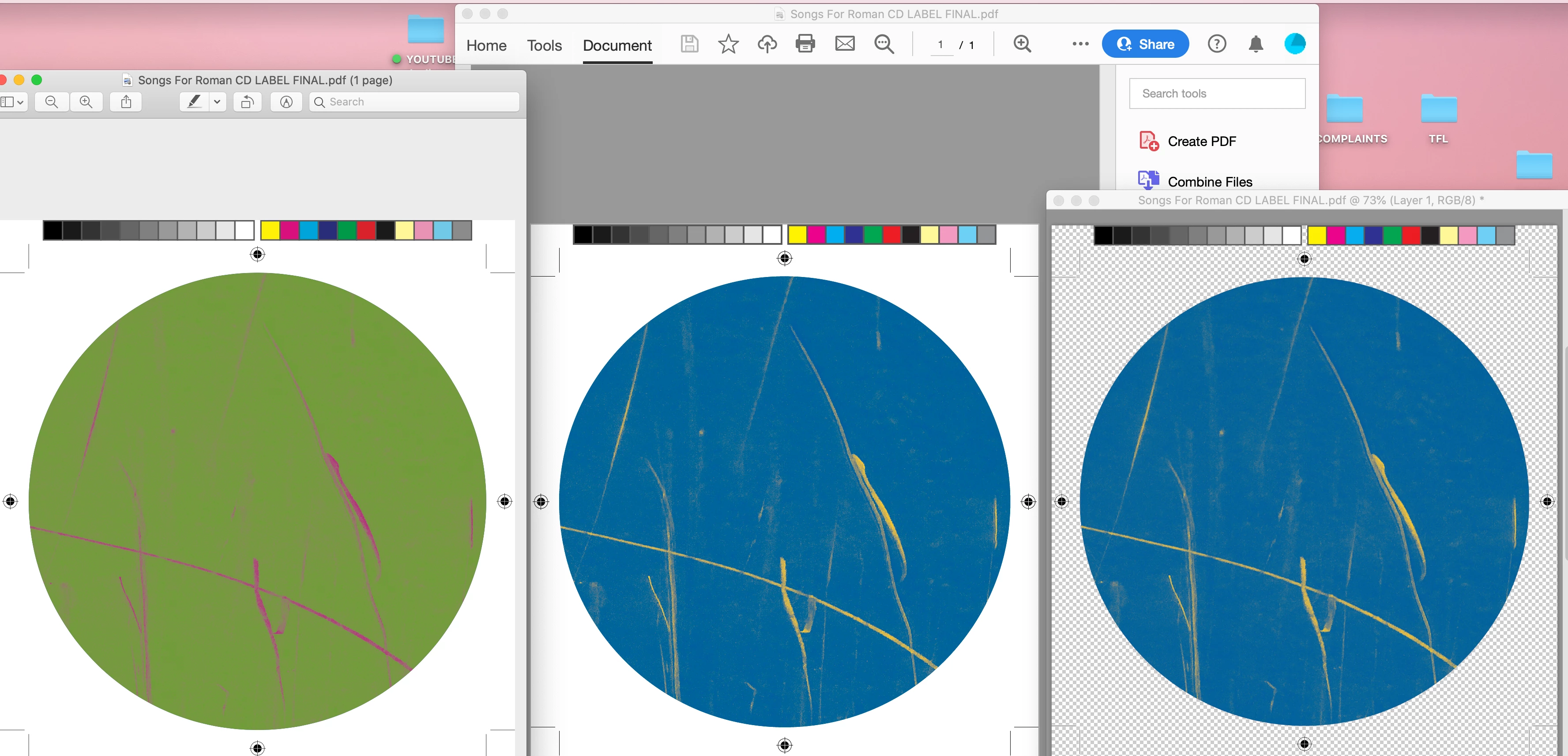
But when I export the file for press, it looks green and pink - totally unrelated and wrong. 
On the left is how it looks in Preview, middle: Acrobat Pro, right: PDF opened in Photoshop.

I need the client to sign off and approve the files, but he will be very confused when he sees green and pink instead of blue and yellow.

I cannot figure out what is going on, and I've tried exporting using various different settings. Going around in circles trying to get this sorted...

Any help would be much appreciated, thank you! 🙂
 

This topic has been closed for replies.
Correct answer Frans v.d. Geest

You give the answer already yourself: the wrong colours are only in Preview (Mac), that is because 'colouring' involves overprint, something Preview can not show. 

4 replies

rob day
Community Expert
Community Expert
September 24, 2023

Hi @TypoMan23 , I can‘t replicate your problem. Try Eporting using the PDF/X-4 preset—I get this with X4 and placing a .PSD grayscale:


Also, Preview is not a reliable PDF viewer—have your client use Acrobat Reader. Also, check your Transparency Blend Space, if this is for Print make sure it is set to CMYK.


Frans v.d. Geest
Community Expert
Frans v.d. GeestCommunity ExpertCorrect answer
Community Expert
September 24, 2023

You give the answer already yourself: the wrong colours are only in Preview (Mac), that is because 'colouring' involves overprint, something Preview can not show. 

BobLevine
Community Expert
Community Expert
September 24, 2023

I missed the Preview part. This is absolutely the cause here.

BobLevine
Community Expert
Community Expert
September 24, 2023

What does 2 CMYK colors mean? And how are you exporting the file? What settings?

Randy Hagan
Community Expert
Community Expert
September 24, 2023

Have you tried creating your duotone in Adobe Photoshop, then pulling in the updated image into InDesign?


Photoshop really has much better tools to create quality duotone images than you'll ever find within InDesign. You can learn more about creating quality duotones with Photoshop through this link.


Hope this helps,


Randy