

daniloc93176124
New Participant
November 3, 2017
Question

Personal Template on the Welcome Screen

  • November 3, 2017
  • 2 replies
  • 1117 views

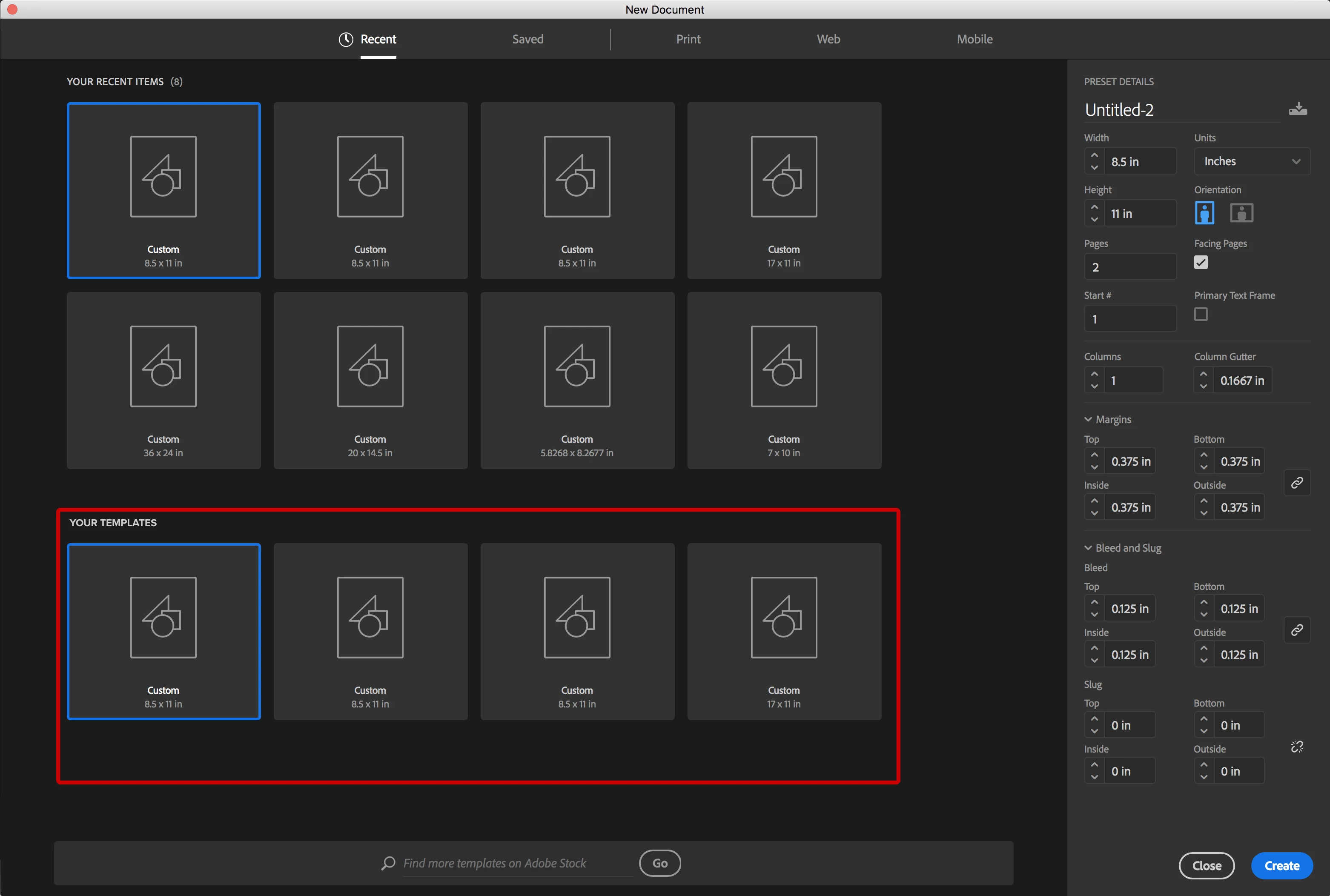
Is there a way to show your own personal templates on the welcome screen like the attached mockup I did here.

    This topic has been closed for replies.

    2 replies

    New Participant
    December 14, 2021

    I also was looking for this feature but for Illustrator. I found this little work around. Maybe it'll work for Indesign too. 
    I Saved the Template I wanted as an Ai File on our server so everyone would have access to it. 


    Next I picked More Settings

    I filled teh Name: out with what I wanted my Template to be called. 

    Under Profile I picked Browes and selected the File I wanted

    Clicked Create Document. 

    Now it shows up under "recent items"

    Hope this helps!

    amaarora
    Community Manager
    Community Manager
    November 3, 2017

    Hi,

    Yes in a way. You can save the custom presets you need. To save them, all you need to do is click on that "save" icon next to the preset name while creation of a new document/preset...

    Once done, you can view them under the Saved section...

    -Aman

    daniloc93176124
    New Participant
    November 3, 2017

    I know what you are saying and I have done that. The problem is that is are preset for a document. What I need is Template the already includes some artwork like say a Header and a Footer with preselected swatches and or table settings. Do you know what I'm trying to say. And I have created the Template I was just wondering if there was a way to see it like the ones from Adobe Stock Templates at the bottom section of that screen.

    amaarora
    Community Manager
    Community Manager
    November 3, 2017

    Hi,

    Seeing them here helps? I think you want to see file of the type .indt

    -Aman