

Kathy5FFA
Inspiring
July 19, 2023
Answered

Place Buttons Behind Other Elements on the Page

  • July 19, 2023
  • 2 replies
  • 818 views

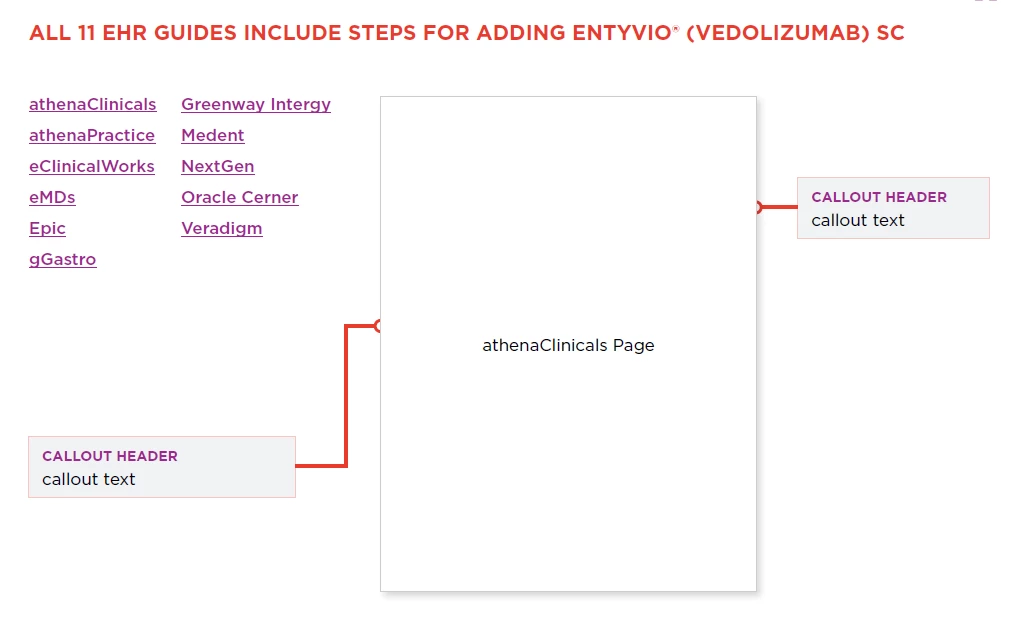
Hello. I am working with buttons in InDesign to be exported to an interactive PDF. The buttons are on layers that are below other elements on the page. However, the buttons always appear on top of the other elements when viewed as a pdf in Acrobat. Is there a way to have the buttons appear behind non-button elements on the page? In this example, the white athenaClincals Page box is the button. I want the circles on the ends of the lines to show on top of the page, not behind. Thank you.


This topic has been closed for replies.
Correct answer BobLevine

Thank you. If I did add some kind of code or fix for this, it would need to be done in InDesign, not Acrobat. The file is too complex for me to add anything to it after it's exported since it will be edited and updated multiple times.


The only possible way I can think of, and one I can't really recommend since it will just add to the complexity, is to convert the other objects to buttons, as well.

2 replies

Steve Werner
Community Expert
Community Expert
July 19, 2023

To add to what Bob said, only a few PDF readers handle button display properly. Adobe Reader or Adobe Acrobat is guarantees for desktop/laptop devices. However, even Adobe Reader for mobile devices doesn't handle it properly. And other PDF readers like those in web browsers or Apple Preview do not either.

Kathy5FFA
Kathy5FFAAuthor
Inspiring
July 19, 2023

Yes, thank you. I am aware of this. We always advise users to use Acrobat and not browser or third party readers to view our guides. That being said, is there any kind of Javascipt code or any other way to get the interactive items to show underneath the other items on the page?

Steve Werner
Community Expert
Community Expert
July 19, 2023

Not that I've ever heard of. I think it may be built into the "DNA" of PDF. But you would have to ask the Javascript experts on the Acrobat forum. They would know if anyone does.

BobLevine
Community Expert
Community Expert
July 19, 2023

That's how it works. Interactive items are always on top.


You should also be aware that buttons are a crapshoot and highly dependent on PDF reader app support. Most 3rd party PDF reader apps are garbage.