zebra7228140
Inspiring
April 28, 2022
Answered

Placed B&W CMYK TIF photos are getting their black tones crushed

  • April 28, 2022
  • 1 reply
  • 1146 views

My placed photos in InDesign are getting the black tones crushed in my preview - Is there a setting that will stop this from happening? This will ruin the entire publication if I can't fix this if they come off the press like this. See screencaps - the left side is a screencap of the preview window in Bridge - and the right side is preview in InDesign. Thanks for any answers here on how I fix this for a faithful picture reproduction of placed photos.

This topic has been closed for replies.
Correct answer rob day

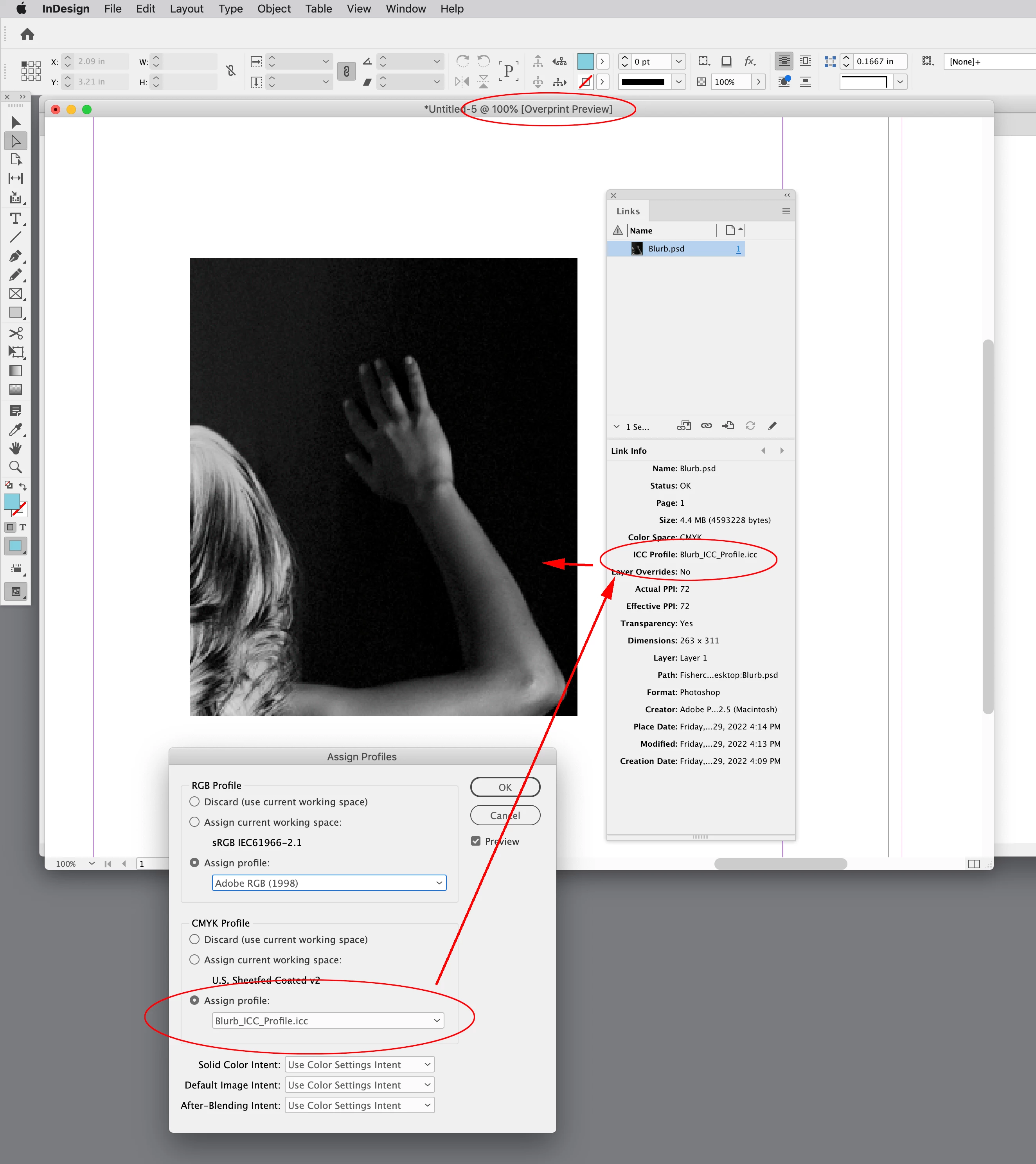
Hi @rob day Yes - the images were all converted to CMYK in Photoshop and actually converted to Blurbs ICC (CMYK) Profile from RGB images, and assigned to that profile as well. The blacks that were being crushed on-screen cleaned up when I went to the Blurb ICC soft-proof viewing in InDesign. That is good insight about greyscale images. I clicked on the photo in question and followed your direction to assigned profiles and changed the CMYK to the Burb ICC profile and the tones opened up. Very cool insight. Thank you.


You shouldn’t need to turn on Proof Colors. Make sure you don’t have conflicting CMYK profiles embedded in your placed images and the InDesign document —ID’s Overprint Preview will give you the soft proof for Docuemnt CMYK, which should be the Blurb profile (Edit>Assign profiles...):


On the conversion if you set the Intent to Relative Colormetric, and turn on Black Point Compensation the appearance will not change:
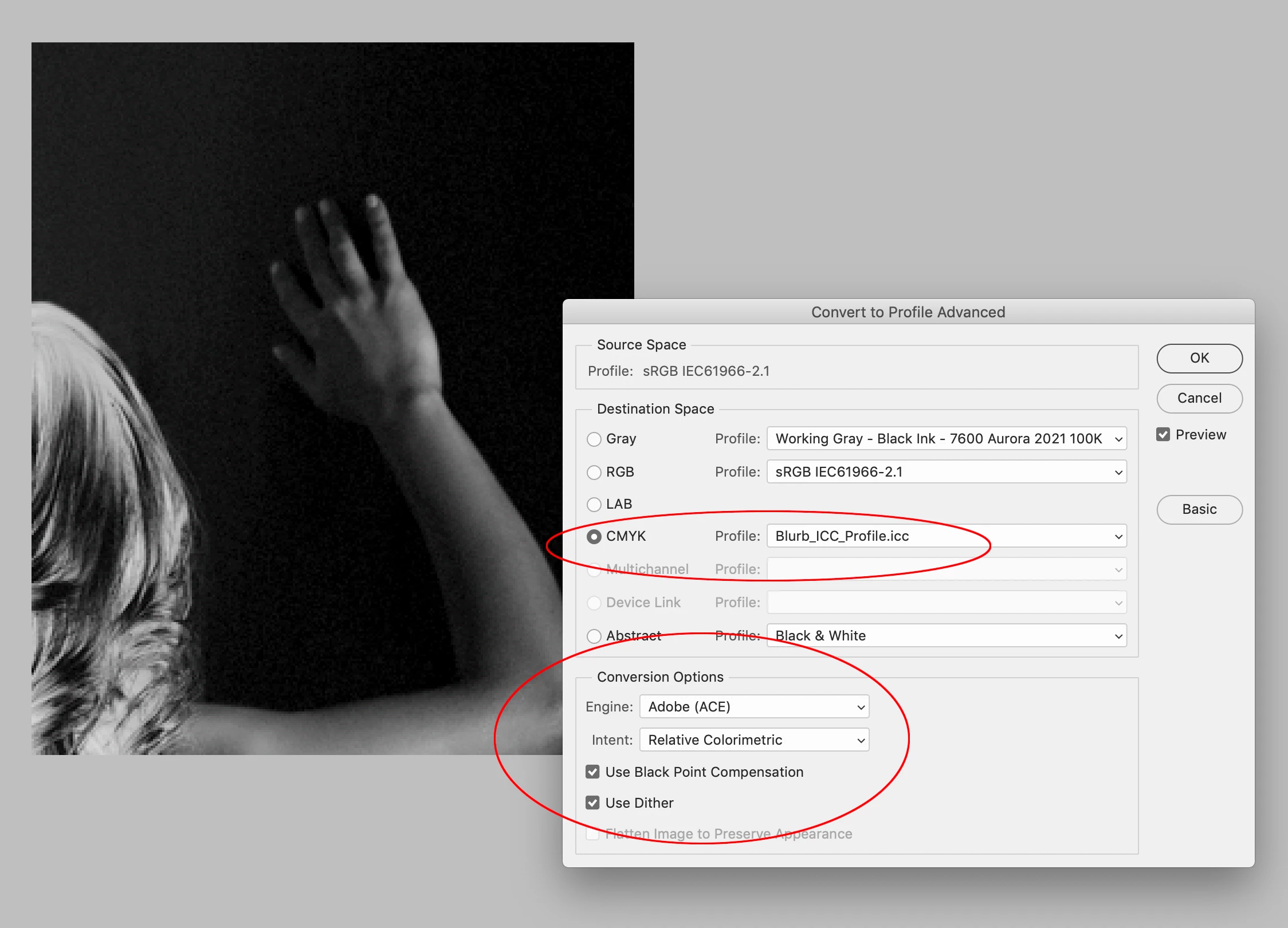


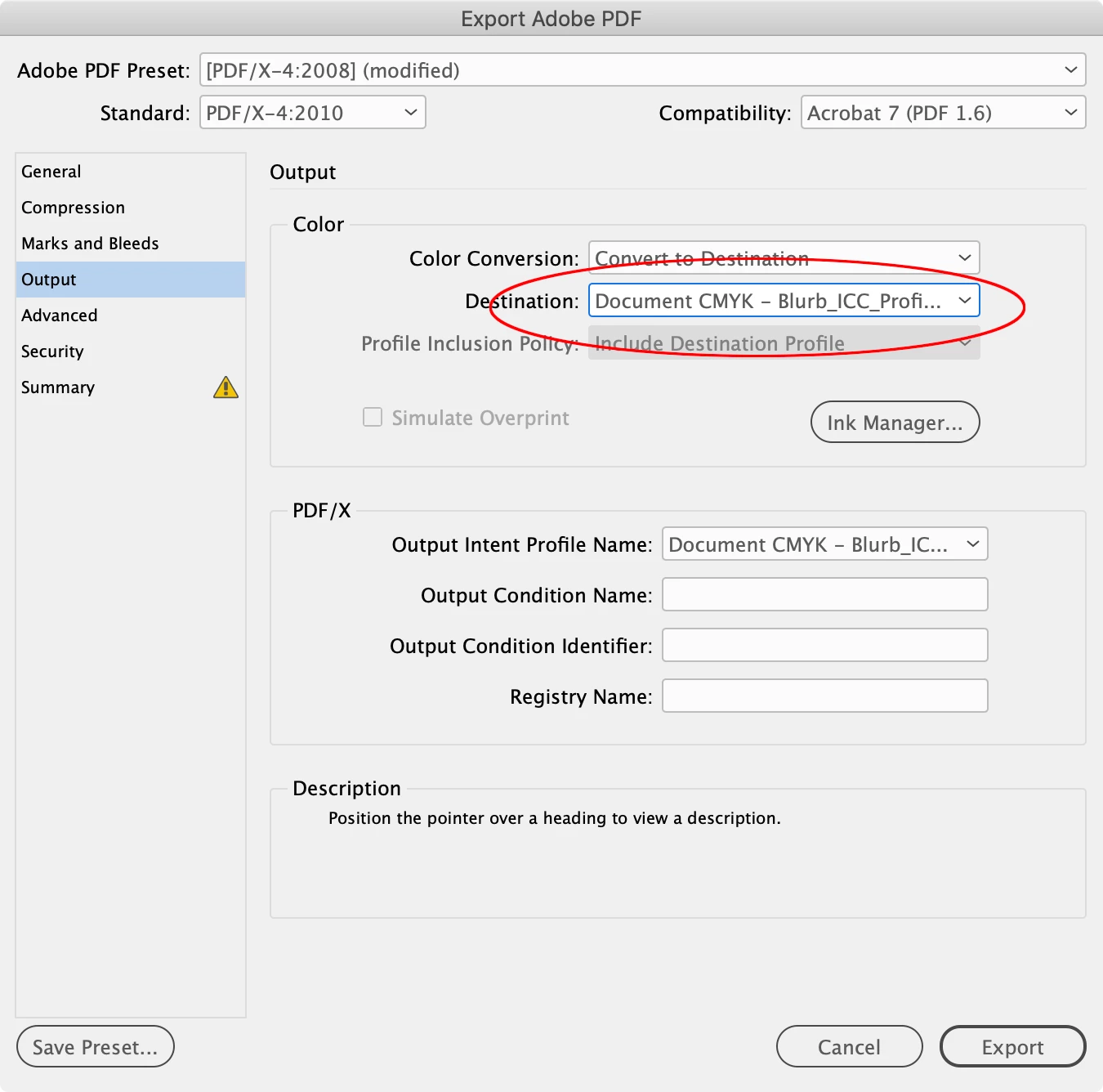
Also, unless you are making CMYK color corrections in Photoshop, there is no need to convert individual RGB images to CMYK in Photoshop. Both InDesign and Photoshop use the same color management system, so you can make all the conversions on a single PDF Export. By default the Intent and BPC is handled by your ID Color Settings setup on an Export conversion:

 

1 reply

zebra7228140
Inspiring
April 29, 2022

I think I found the answer. I switched InDesign into Proof Colors. That fixed the crushed black tones.


rob day
Community Expert
Community Expert
April 29, 2022

Hi @zebra7228140 , are the tifs really CMYK, or are they grayscales? The behavior you are describing would be expected with placed grayscales, where Overprint Preview displays the grayscale as it would print on the document assigned CMYK profile’s Black plate—Edit>Assigned Profiles...

zebra7228140
Inspiring
April 29, 2022

Hi @rob day Yes - the images were all converted to CMYK in Photoshop and actually converted to Blurbs ICC (CMYK) Profile from RGB images, and assigned to that profile as well. The blacks that were being crushed on-screen cleaned up when I went to the Blurb ICC soft-proof viewing in InDesign. That is good insight about greyscale images. I clicked on the photo in question and followed your direction to assigned profiles and changed the CMYK to the Burb ICC profile and the tones opened up. Very cool insight. Thank you.