
Participant
May 1, 2017
Answered

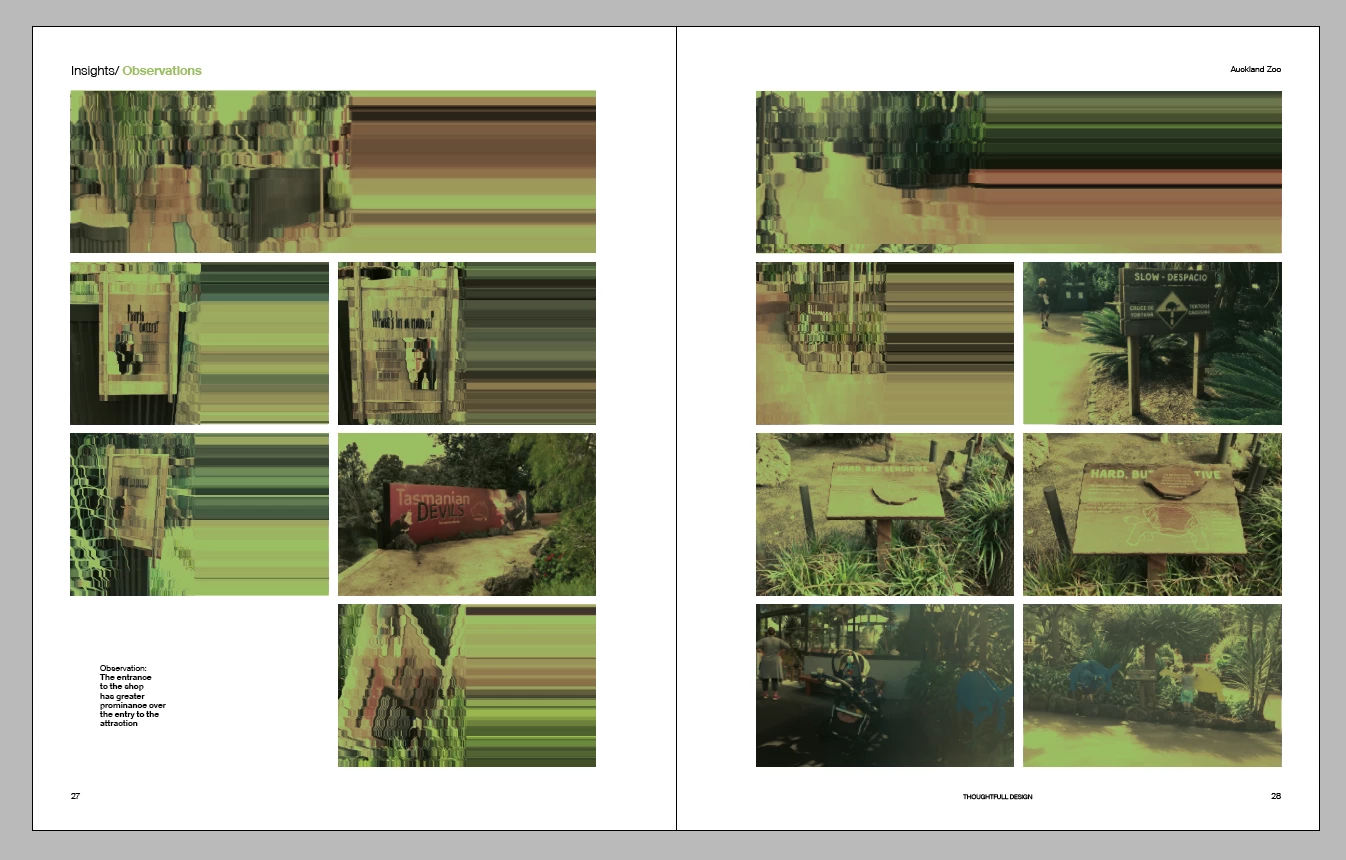
Placed images display as streaky and glitchy

  • May 1, 2017
  • 2 replies
  • 6522 views

Hi

I have an issue with image previews in my layouts once they are placed. This doesn't happen automatically but more when I scroll through pages and return to a layout. If I move an image and then undo the move it will correct itself. This doesn't happen to all images all the time. Very unpredictable and disruptive to work flow.

Thanks
This topic has been closed for replies.
Correct answer amaarora

Hi,

Turn GPU off from preferences as.

The above shown in red will be "ON" if you have a compatible GPU. Turn it off by un-checking the checkbox.

-Aman

2 replies

Participant
July 10, 2024

Im having the same issue and the GPU Performace box is already deselected. Please help!

Anshul_Saini
Community Manager
Community Manager
July 11, 2024

Hi @Gabriel31808514pay3,


I'm sorry to hear that you're experiencing issues with placed images appearing streaky and glitchy in InDesign. Let's try to get to the bottom of this.

Could you please share the following information:

  1. macOS and InDesign version.
  2. Your Mac specifications (model, GPU, RAM, etc.).
  3. A screenshot of your Display Performance preferences in InDesign.
  4. Your monitor's display resolution.
  5. Whether you're using an external monitor or not.
  6. If you're using an external monitor, how is it connected (HDMI, Type-C, DisplayPort)?

Also, is this happening in a specific file or all?

This information will help us diagnose the issue more accurately.


Thank you for your patience, and I look forward to your response.


Best regards,

Anshul Saini

amaarora
Inspiring
May 1, 2017

Hi,

What version of OS and InDesign are you on?

Does your system has inDesign compatible GPU?

If yes,can you try if this works: choose View > Preview on CPU (shortcut is Shift-E) this toggles between GPU and CPU view options.

-Aman

robinm73431987
Participating Frequently
May 1, 2017

I am having a similar issue - I place pictures all the time, for some reason, this time the images are distorted or look like static/white noise. I am not sure why that is. I received the pictures as jpgs from my client. I have attached a screen shot of how the picture looks placed in Adobe Illustrator (top) and the original picture (bottom).

I am using a MacBook Pro with the Sierra Operating System

I am not sure if it is "compatible GPU". What is GPU?

Participant
May 1, 2017

This is probably one of the smallest documents I have worked on and this has never happen to me before. I always keep it in "Typical" display performance. The other strange thing is that now after I place images that do look fine, when I scroll back through the pages, some of them show up static-like. This has never happened before. 


Hi Robin

You're issue seams to be different to what I have been experiencing.

I haven't seen that before but does look like some sort of compatibility issue.

All I could say is troubleshoot any changes you may have made in your setup since it started happening?

My cynical mind does subscribe to the theory of intentional hardware obsolescence through software updates:)

Good luck.

Nigel