

a.k grafis
Participant
June 25, 2021
Question

please, how to use Times New Arabic font

  • June 25, 2021
  • 1 reply
  • 2548 views

help me please, i hava a problem, cant using Times New Arabic font, i can't write arabic with latin spelling.

in this case, i have been writing arabic with latin spelling in Word Office:
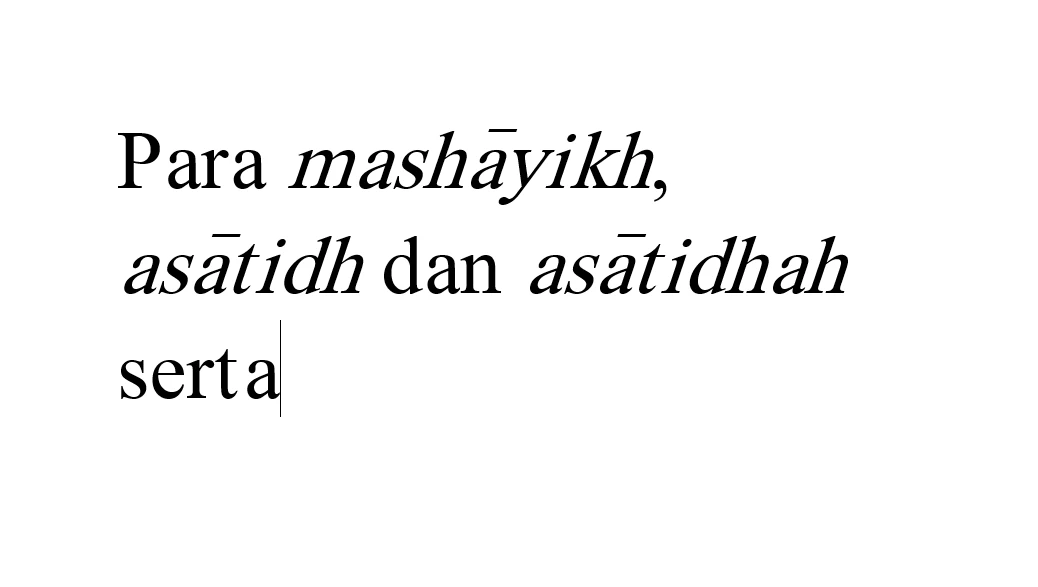
but, when i place in cs6 the spelling look like this:
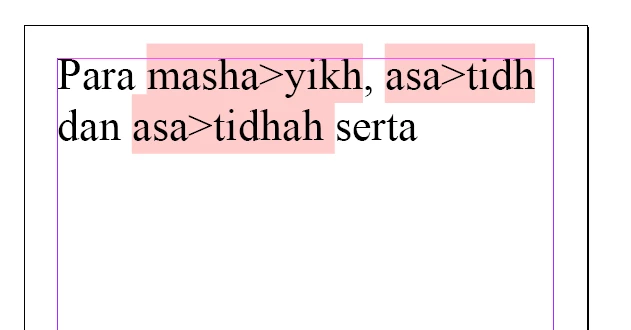
 

the times new arabic font cant be ditected in my cs6 

please, anyone wold to help me...

This topic has been closed for replies.

1 reply

a.k grafis
Participant
June 25, 2021

for informations, im using inDesign cs6 on windows 64 bit

Gusgsm
Inspiring
June 25, 2021

Hello,


In InDesign, that pink shade means that the font you are trying to use is not present in that system or (as you say), that InDesign cannot load / identify it.


If what you are doing is transliteration (writing Arabic with a Latin alphabet), have you tried using another Unicode font? I mean, have you tried Times New Roman, for instance?


Somehow, the apparition of that ">" after the "a" instead of a long alif transliterated makes me think that the original font you are referring to is a bit 'problematic'.


My suggestion is to write a sample text (in MsWord) with Times New Roman or any other Unicode font and then place that in InDesign (again using Times New Roman). If it works, you know the font you are trying to use is bad. Solution: Avoid using it.


Hope it helps

a.k grafis
Participant
June 25, 2021

thanks Gus, im still looking for another Unicode font to solve it...