
Inspiring
December 8, 2022
Answered

plus sign in Object Styles

  • December 8, 2022
  • 4 replies
  • 3497 views

Hi,


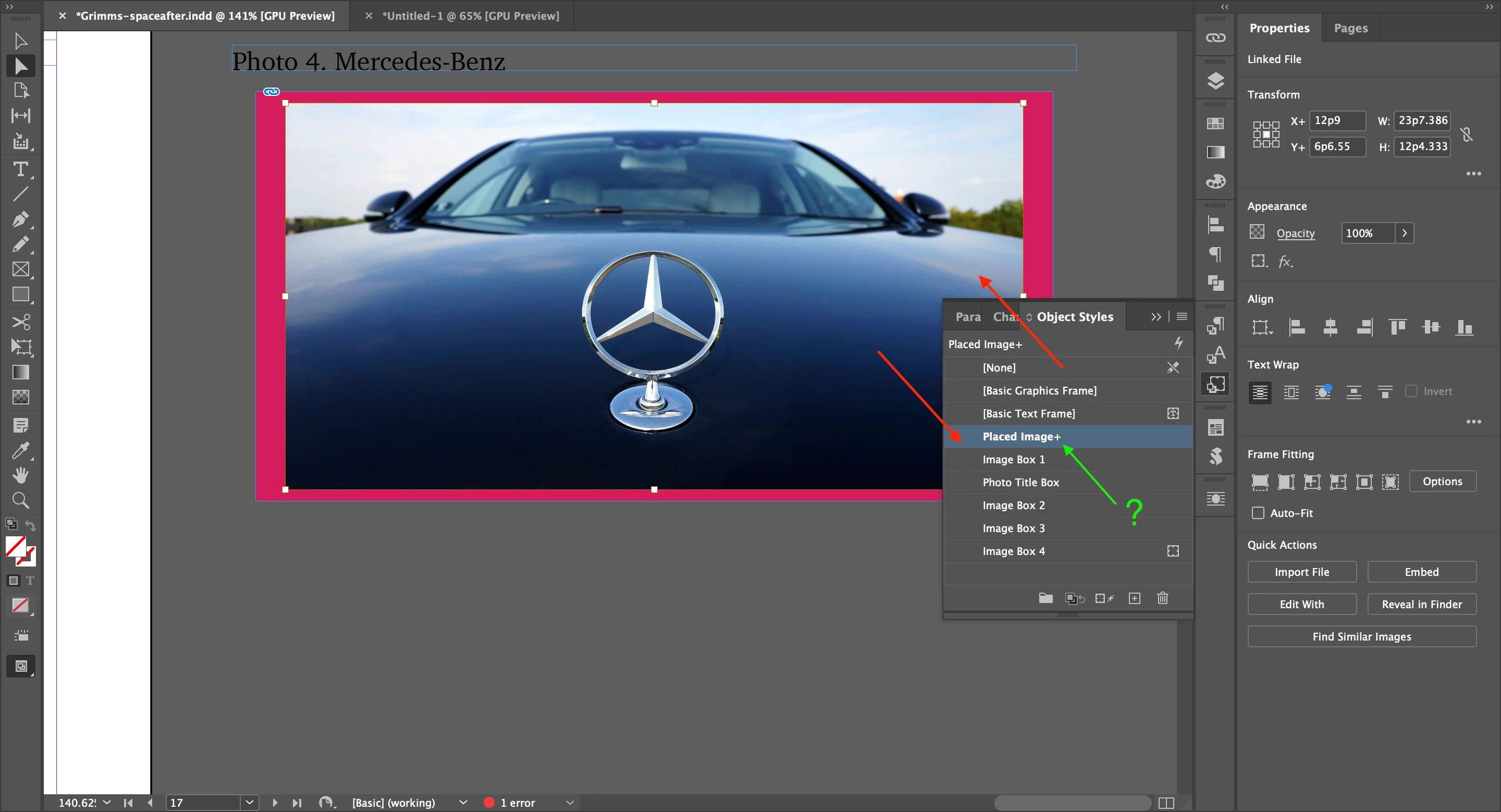
For Object Styles, I started from [None] and saved it as Placed Image.

I edited Placed Image and encountered the plus sign next to Placed Image.


What is the plus sign?

How can I deal with it?


With Paragraph Styles, I didn't see the plus sign, after editting.


Hosun
 

This topic has been closed for replies.
Correct answer Peter Spier

How can I use it?

What kind information can I get from it?


Hosun


It just tells you which object style is SUPPOSED to set as the default for graphics frames. It will be the default style for shapes (no X in the box) but as we've been discussing, it does nothing for image frames.

4 replies

Robert at ID-Tasker
Legend
December 8, 2022

"+" after any style - text / object / cell / table - means local override.


With text - it doesn't mean that you've changed DEFINITION of the style - it means that text in the current paragraph have local formatting - like when you use bold, italic, etc. without using CharStyle. 


Mike Witherell
Community Expert
Community Expert
December 8, 2022

Make an Object Style named "Place Gun Frame" and it will be the default object style as you place graphics into InDesign.

Mike Witherell
Peter Spier
Community Expert
Community Expert
December 8, 2022

Ah yes, now that you mentioned it I remember that un-documented trick. Works only for frames created twiththe loaded place cursor, however. Still no way to draw a graphics frame with anything other than [None] to be used later.

Peter Spier
Community Expert
Community Expert
December 8, 2022

By the way, just so you know, even after 20 years of program updates you STILL cannot actually set a default object style for graphics frames. No matter what you select to be the default style the frame will always revert to [None]. Apparently this is hard-coded into the program and has never been addressed.

Community Expert
December 8, 2022

Really? I just made an Object Style with a document open and selected it before selecting any tools.

It worked - object style was applied.


I then did the same with no documents open


And it worked - object style was the default for new objects. 


Peter Spier
Community Expert
Community Expert
December 8, 2022

Really? It doesn't work here for GRAPHICS frames. It will apply that style to a rectangle or other shape, but as soon as you draw a graphic frame or place an image without first drawing a frame the frame will revert to [None]

Community Expert
December 8, 2022

Plus sign means that the object has been edited outside of the style paramters. 


That is, you've made a change to the object and it's telling you that with a plus sign.

Clear the plus sign to reset it back to the original.

Or Redefine the Style to update to your new style. 


Anytime you make an edit to a Style without editing the actual Style it gets a plus symbol.


https://helpx.adobe.com/ie/indesign/using/object-styles.html


Inspiring
December 8, 2022

I just applied Image Box 1 (Object Styles).


I found out the rectangle sign moved from [Basic Graphics Frame] to Image Box 1.


What does it mean?


Hosun


Peter Spier
Community Expert
Community Expert
December 8, 2022

That rectangle is supposed to denote the defualt graphics frame style.