
FRED0
Participating Frequently
January 19, 2022
Question

Poltergeist in my Indesign!

  • January 19, 2022
  • 2 replies
  • 980 views

Hello everyone!

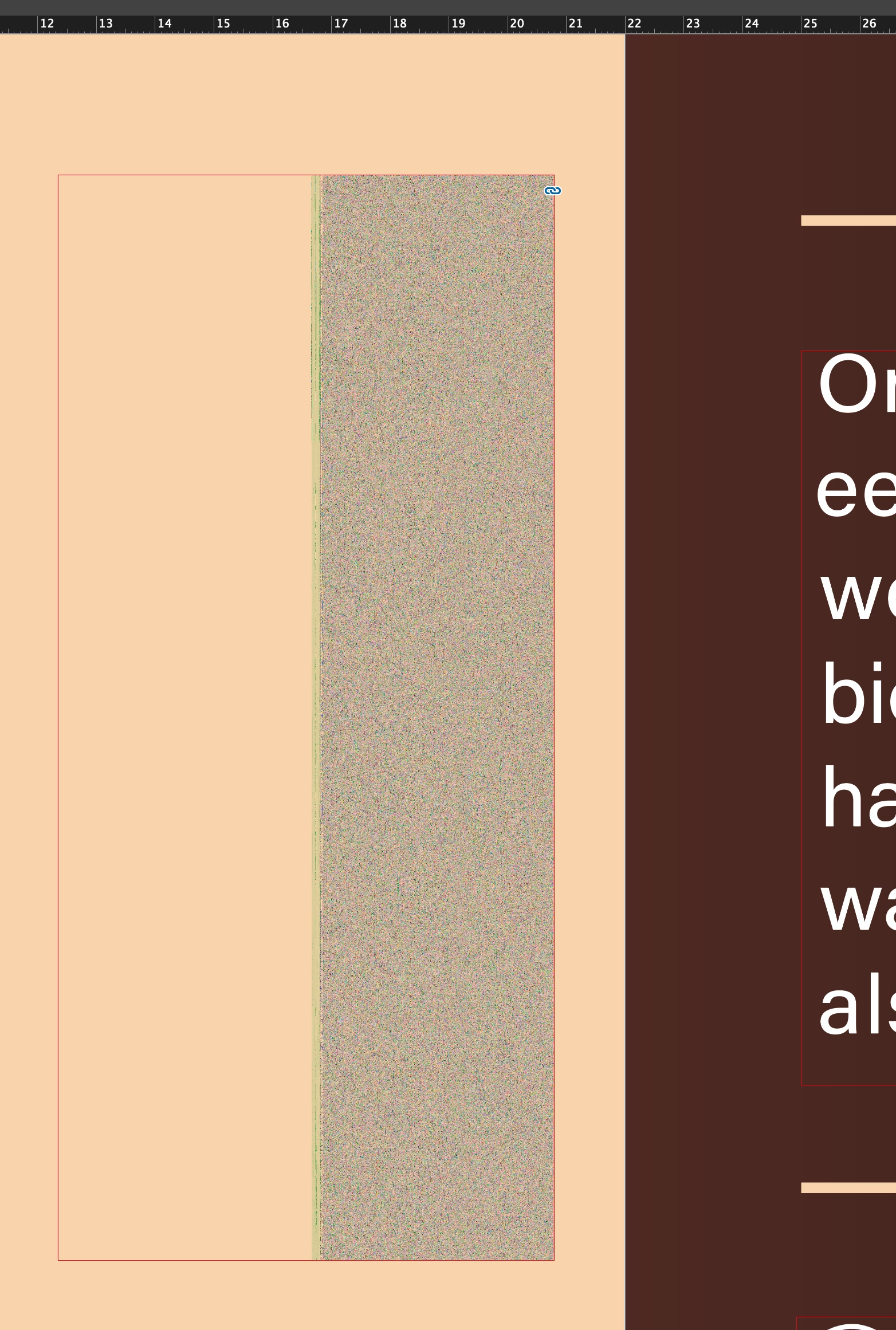
I got a problem I never had before. For the second time i made a new Indesign lay-out, everything go's well until I open it again the next day and trouble start. Some images look like this (see example) the look like the grey screen from the movie poltergeist and Indesign becomes very slow to work in. I need to re-link all the image again and then al go's good again. Each time from the on I open the document I need to relink them to work in my document at a normal speed. Can someone help me please?
This topic has been closed for replies.

2 replies

Derek Cross
Community Expert
Community Expert
January 26, 2022

Some routine questions first.

Which version of InDesign and OS?

How much RAM and spare hard disk capacity do you have?

Have you tried resetting the InDesign preferences?

Do you have a third party app, such as a font manager installed?

FRED0
FRED0Author
Participating Frequently
January 26, 2022

Hi Derek,

- Indesign 17.0.1

- MacOS Big Sur 11.6.2

- RAM 32 GB

- Hard disk: 2,12 TB available: 1,68 TB

- I did not tried to reset the Indesign preferences, chould I try that first? an how?

- No third party app in my Indesign.


Derek Cross
Community Expert
Community Expert
January 26, 2022

Close InDesign
Launch InDesign and quickly select Shift+Option+Command+Control. Click Yes when asked if you want to delete preference files.

If you don't see the question reset it again.

BobLevine
Community Expert
Community Expert
January 19, 2022

First thing to try, if you're on a Mac, is turn of GPU Performance in your InDesign preferences.

FRED0
FRED0Author
Participating Frequently
January 26, 2022

Hello Bob, I followed your advise but it did not change annything but thank for tying to help me annyway 😉

But, no something came to my mind what maybe could lead to a solution to this problem...

When I turn my 'High Quality Display' mode in to 'Typical Display' in the display performance menu, te images that look like a grayscreen turn visible again but some of them are heavy pixelated like the glass of champagne and the confetti (see attached screenshots). Could it be I need to look in that direction?


aniri5j9ox8tw2ln
Legend
January 26, 2022

Like you can see it is not one picture with that problem, Most of the pictures comming from Photoshop have it. I did nothing out of the ordinary that I know of. Some of them are inported as a PNG others as a PHOTOSHOP format file. All are in Adobe RGB 1998. There is one picture that never gives the problem (the pink bonbons) I compared it in Photoshop with the others and can not find anny differences between them. Then there are the vector based files comming from Adobe illustrator (price taggs, check boxes) as PNG they dont give anny problems. As you can see the info screens they are the same... 


And do you have this problem with all your indesign documents or only with this one?

Maybe you can try to reinstall indesign?