Participant
July 26, 2023
Question

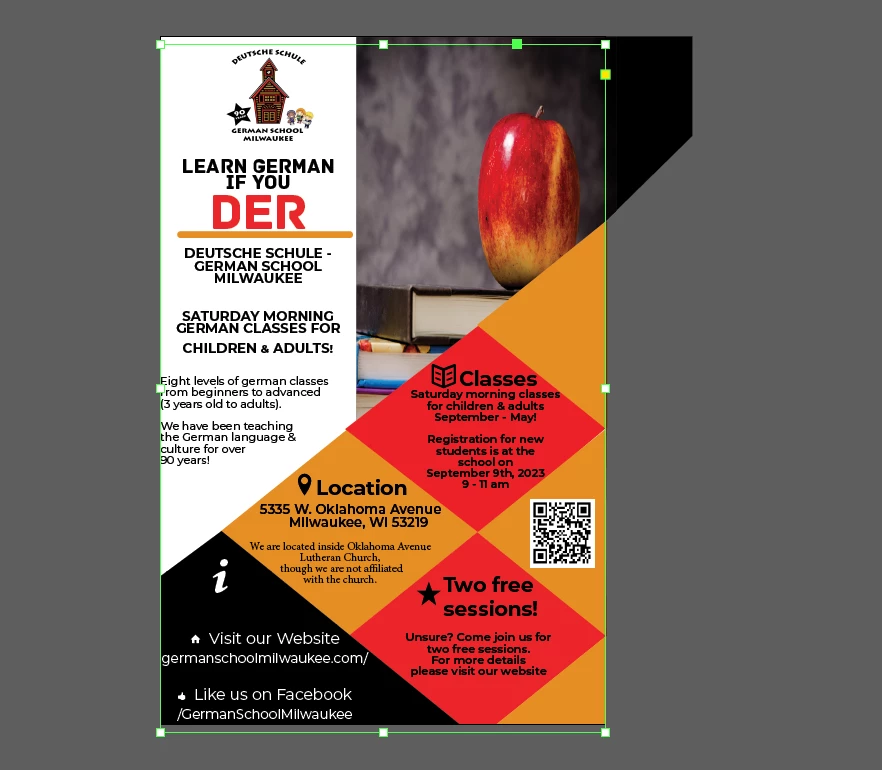
Possible to crop to page Indesign?

  • July 26, 2023
  • 4 replies
  • 8908 views

I am wondering if it is possible to crop out everything outside of the page/ artboard in Indesign? 
This topic has been closed for replies.

4 replies

jmlevy
Community Expert
Community Expert
July 26, 2023

It also can be done using pathfinder:

John Mensinger
Community Expert
Community Expert
July 26, 2023

Speaking strictly of the mechanics, you could select all, cut, then Paste Into a page-sized frame. But doing that would accomplish nothing useful. On the contrary, it would eliminate required bleeds, land everything on a single layer, make it much harder to edit, and perhaps further exacerbate some of the layout errors evident in your design.


Steve Werner
Community Expert
Community Expert
July 26, 2023

There's no reason I can think to do this if you are printing.


But I can imagine it might be useful for a display.

James Gifford—NitroPress
Legend
July 26, 2023

Even that, an export to JPEG or PDF will still crop to the page size, or bleeds. I can't imagine using the ID layout as a live display.

Steve Werner
Community Expert
Community Expert
July 26, 2023

If you needed to, you could probably do it like this (all objects to be cropped need to be on one layer).


1. Choose Edit > Select All, the choose Object > Group so everything you have is in one grouped object.


2. Create a layer above this group, and create a rectangle the trim size of the document page.

3. Select the group you created and Edit > Cut to put it on the Clipboard.

4. Select the trim size rectangle, then choose Edit > Paste Into.


James Gifford—NitroPress
Legend
July 26, 2023

There's no single command that will trim oversize objects or bring their frame edges in to the page border, but you can do the latter manually.


And, of course, switching to Preview view will show only the active page contents.


Other than having an exceptional case of the 'neats,' I don't think there's much need of such a feature — such cropping is inherent to all printing and export operations. Do you have some specific reason for needing or wanting it, besides just cleanup of the designer view? (ETA: Something I can't fault at all... I hate a sprawling mess around my work, even if I 'know' it will go away in the export...)
