Exit
  • Global community
    • Language:
      • Deutsch
      • English
      • Español
      • Français
      • Português
  • 日本語コミュニティ
  • 한국 커뮤니티
0

Preflight

Explorer ,
Sep 29, 2022 Sep 29, 2022

Good morning, in my document preflight it shows an error of Text not scaled proportionally, but all the text is with the same scale: 103%. I've changed it to 100% but it's still showing an error. Would you help me? Thankful.

377
Translate
Report
Community guidelines
Be kind and respectful, give credit to the original source of content, and search for duplicates before posting. Learn more
community guidelines

correct answers 1 Correct answer

Community Expert , Nov 23, 2022 Nov 23, 2022

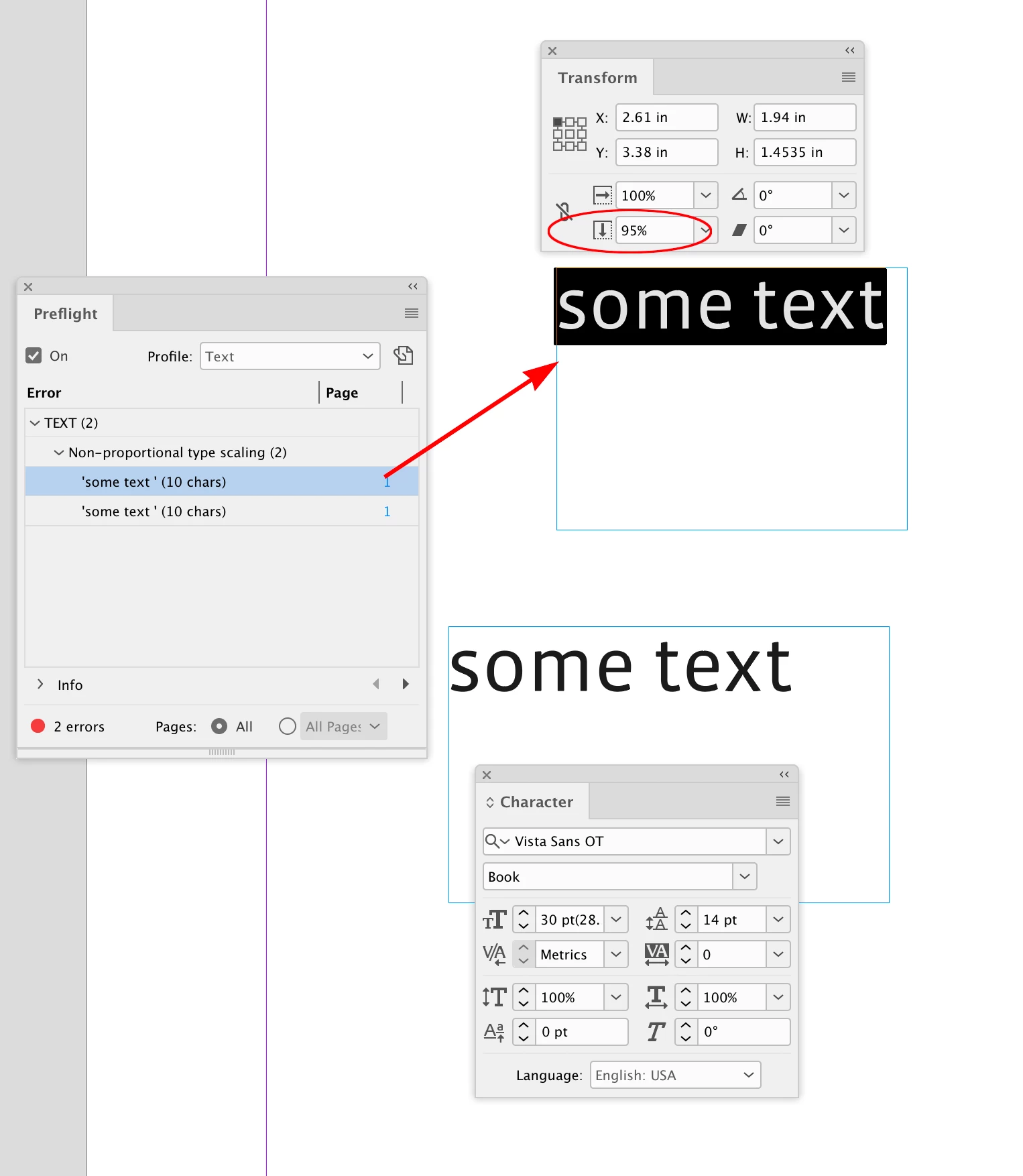
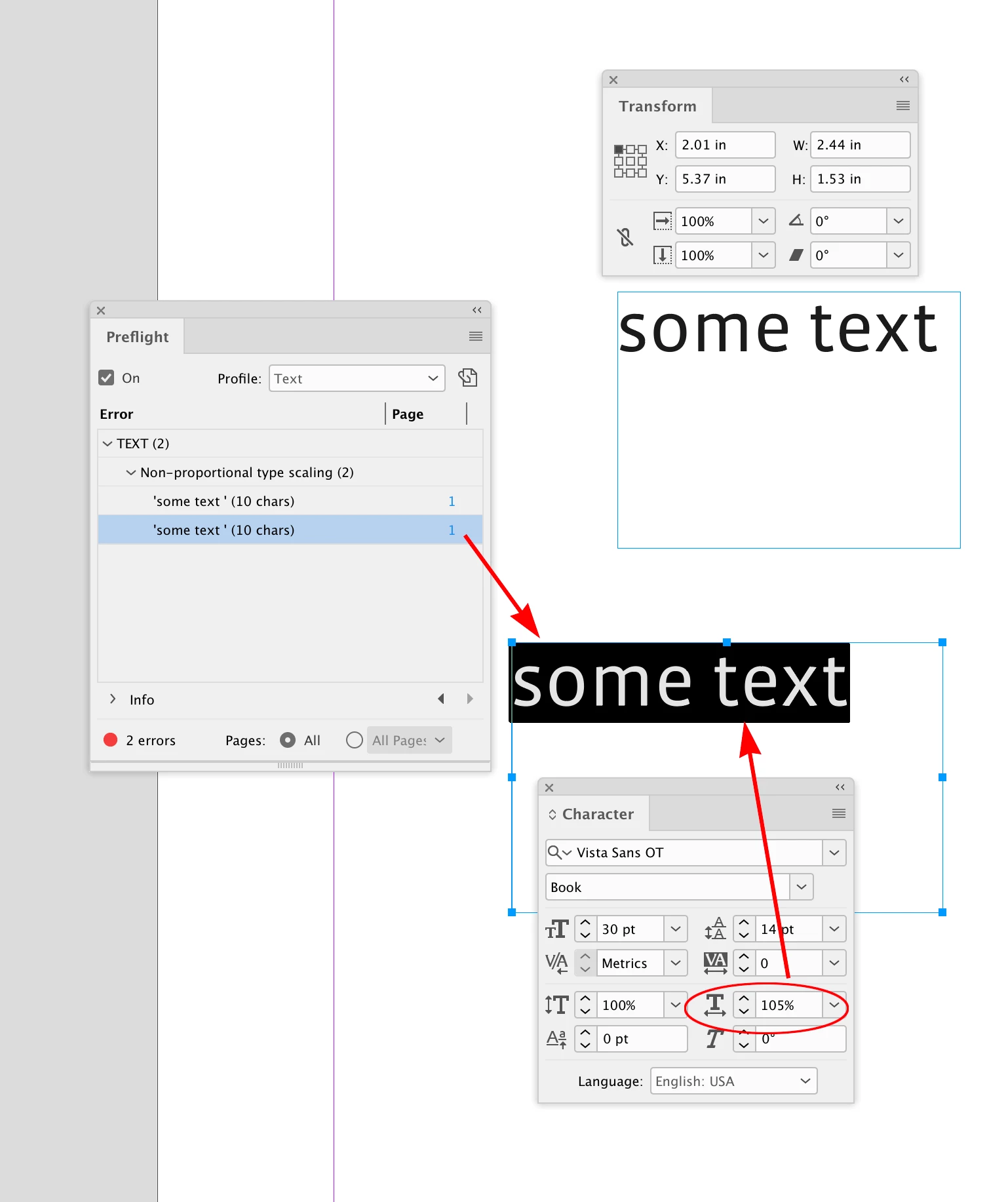
Hi @cecyfernandes , Are you checking both the text’s Vertical and Horizontal Scaling, as well as the text frame’s scaling?
 

Screen Shot 16.pngScreen Shot 17.png

Translate
LEGEND ,
Sep 29, 2022 Sep 29, 2022

Which Adobe app please? There is preflight in several different apps. 

Translate
Report
Community guidelines
Be kind and respectful, give credit to the original source of content, and search for duplicates before posting. Learn more
community guidelines
Community Expert ,
Nov 23, 2022 Nov 23, 2022

Do you work with Paragraph and Character Styles? Check if there are overrides as those are causing problems. Remove them.

Another problem could be, that a frame was scaled with the white arrow, the direct selction tool. Character sizes and scale factors would be in brackets […]. Reapply the styles.

Translate
Report
Community guidelines
Be kind and respectful, give credit to the original source of content, and search for duplicates before posting. Learn more
community guidelines
Community Expert ,
Nov 23, 2022 Nov 23, 2022
LATEST

Hi @cecyfernandes , Are you checking both the text’s Vertical and Horizontal Scaling, as well as the text frame’s scaling?


Screen Shot 16.pngScreen Shot 17.png

Translate
Report
Community guidelines
Be kind and respectful, give credit to the original source of content, and search for duplicates before posting. Learn more
community guidelines