
Participant
December 30, 2022
Answered

prevent text from wrapping or oversetting within container when changing to uppercase

  • December 30, 2022
  • 1 reply
  • 283 views

Is there a way to prevent text from wrapping or hyphenating within container or text box when changing to uppercase or increasing font size?

When I change case as shown below, the width of the box remains the same and the 2nd word is overset.

It would be nice if the width of the box would just increase.
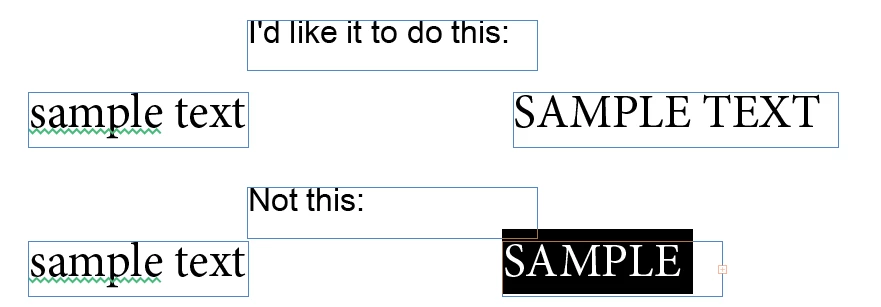
 

In the above image, my next step would be to hit ctrl-alt-c to fit frame to content which drops the 2nd word to the next line.

I'd rather keep it all on one line.


This topic has been closed for replies.
Correct answer Joel Cherney

You could use "Auto-Size" which is in the properties of the text frame. I have no idea how well it interacts with hyphenation, but you could certainly use it to allow your Sample Text frame to only expand in one direction when the text would have overflowed.

1 reply

Joel Cherney
Community Expert
Joel CherneyCommunity ExpertCorrect answer
Community Expert
December 30, 2022

You could use "Auto-Size" which is in the properties of the text frame. I have no idea how well it interacts with hyphenation, but you could certainly use it to allow your Sample Text frame to only expand in one direction when the text would have overflowed.

Participant
December 30, 2022

thanks Joel!