


Copy link to clipboard
Copied
Hi - relatively new to In Design and laying out a digital magazine with lots of articles (over 30). Want to set things up so most pages will have 3 columns - and have done that on the A Master. Also want to use a 'Primary text' box on the A Master.
Generally speaking, I'd like to place an article and have it flow across multiple pages, with 3 columns on each page - and i'll later add images and pull quotes and ads to break up the text columns.
Would like to start each article with a Title that spans all three columns.
And it seems like the Master sets things up so there are 3 separate text frames on each page (rather than one primary frame divided into 3 columns) - so when I select my title and set to Span All, nothing happens.
Could someone explain the correct way to set this up.
Thanks.


 1 Correct answer


And it seems like the Master sets things up so there are 3 separate text frames on each page (rather than one primary frame divided into 3 columns) - so when I select my title and set to Span All, nothing happens.
You have to watch out for the difference in the page's Margin and Columns setup vs. the text frame's Text Frame Options.
The page's Margins and Columns is only adding margin and column guides to the page and has nothing to do with the number of columns in a text frame
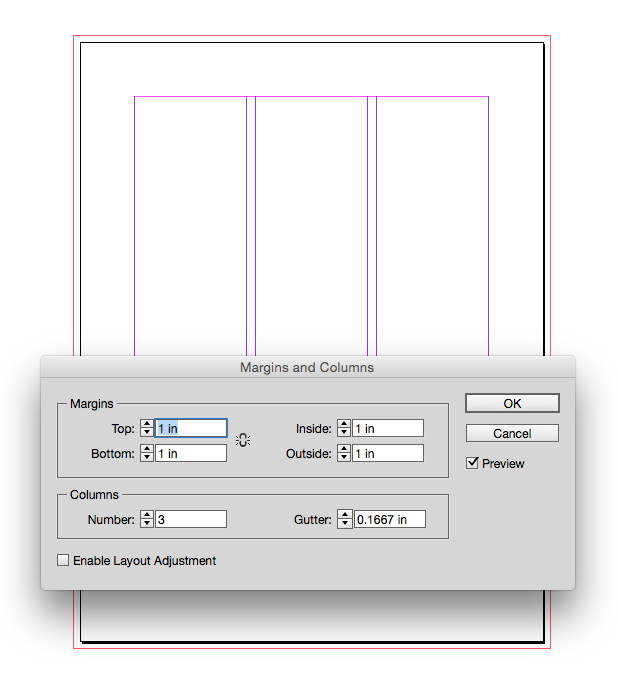
Here I have a 2 col
...
 6
Replies
6
6
Replies
6


Copy link to clipboard
Copied
Hi,
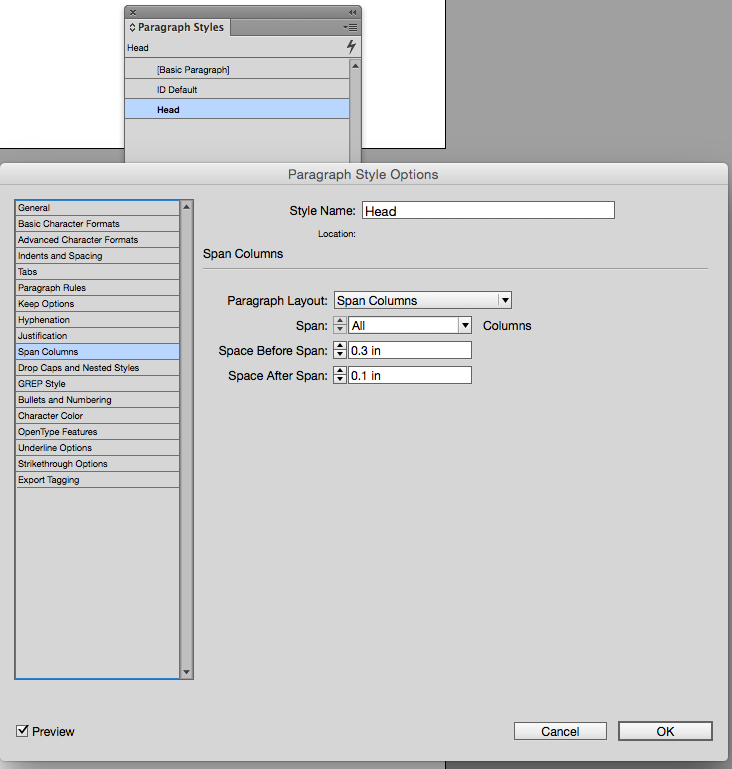
"Span All" means span all columns of the text frame the paragraph sits in.
So you need one primary text frame with three columns.
Regards,
Uwe
Copy link to clipboard
Copied
Also, a Primary Text Frame is just a master page item that is automatically overridden when a new page is added based on that master. It's really just a convenience so you don't have manually override the frame as pages are added.
On the page a primary text frame will respond to its master in the same way as any overridden master page item will.

Copy link to clipboard
Copied
Unless you want one long article, another choice is to skip the primary text frame on the master.
Put 5-6 columns on the master to use as a grid and then draw frames on the pages. This will give you more flexibility with 30 articles. One frame can go across 3 columns and the title can span all 3. Another can go across 2 columns. Another article can go across 5 columns and be in a box, etc.
Copy link to clipboard
Copied
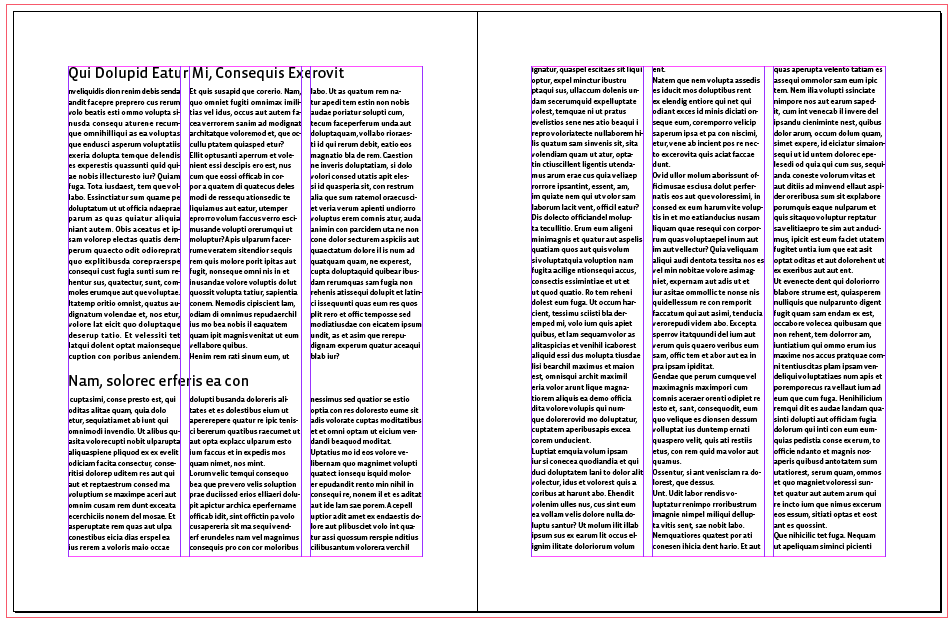
I would think Uwe's Span Columns would be less complex and easier to adjust. The span rules can be added to the header's paragraph style. Here's a 3 column primary text frame:
Copy link to clipboard
Copied
And it seems like the Master sets things up so there are 3 separate text frames on each page (rather than one primary frame divided into 3 columns) - so when I select my title and set to Span All, nothing happens.
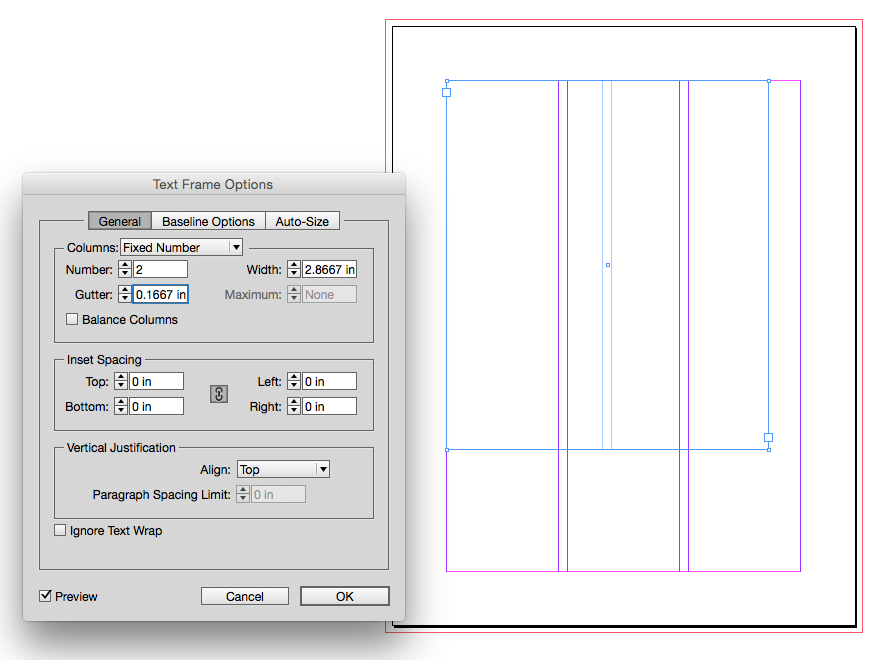
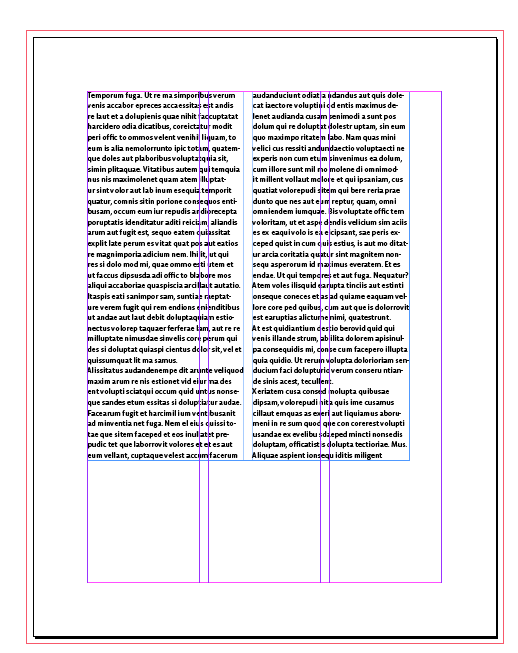
You have to watch out for the difference in the page's Margin and Columns setup vs. the text frame's Text Frame Options.
The page's Margins and Columns is only adding margin and column guides to the page and has nothing to do with the number of columns in a text frame
Here I have a 2 column text frame on a page with guides for 3 columns:
Copy link to clipboard
Copied
Thanks for the help. Understand better about multiple text frames within a page and span functionality.


Get ready! An upgraded Adobe Community experience is coming in January.
Learn more
 AdChoices