

Print booklet adding unnecessary Pages
Hi There!
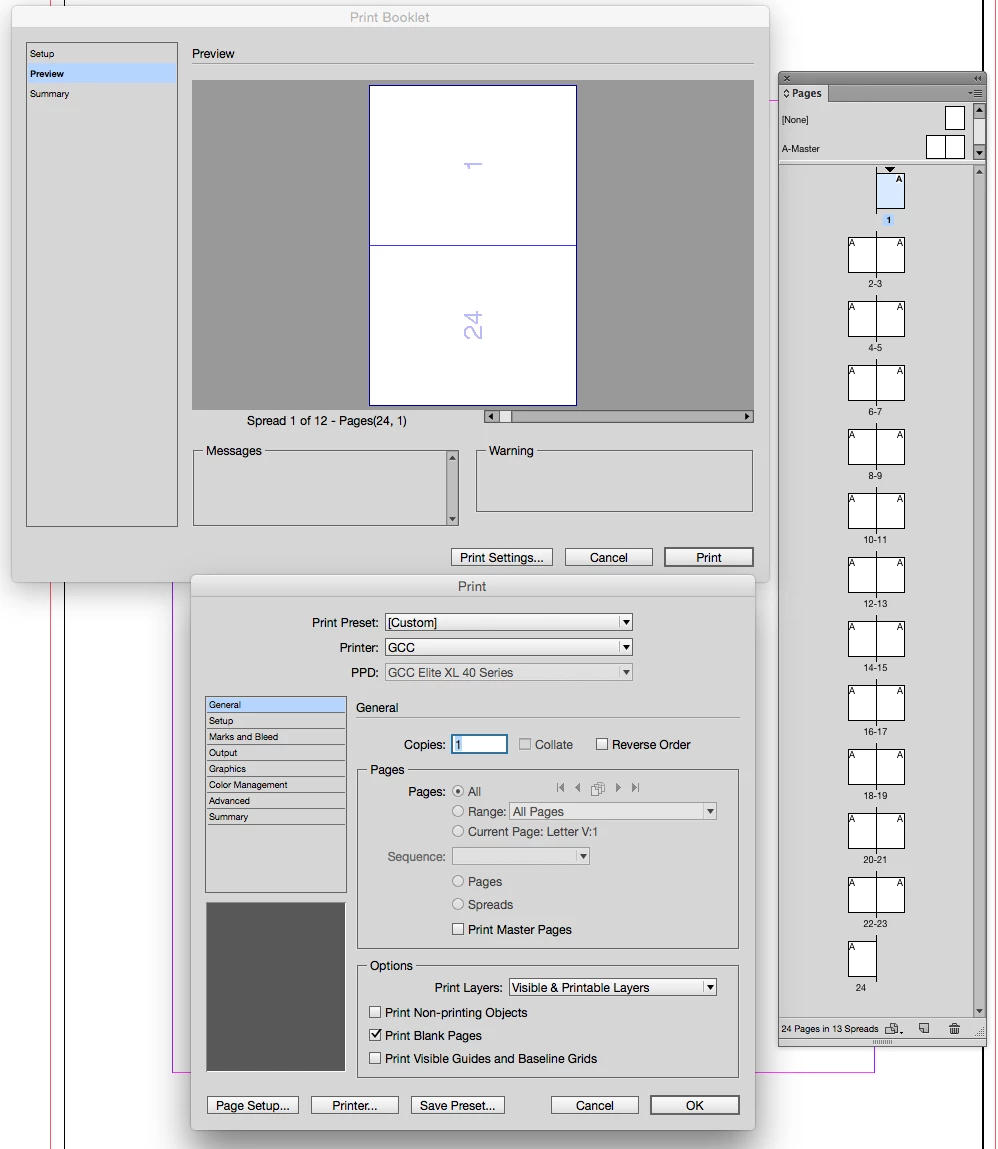
I have a 24 page (total pages, 6 spreads) booklet that i've been trying to creating printer spreads for and the 'print booklet' function keeps adding a blank page to the back of the booklet and printing the booklet in the wrong order: The cover is next to a blank page and the back page is on the next spread next to the TOC. Its completey out of order and driving me insane!
I had this error a few months ago and assumed it was the document and simply created the printer spreads on my windows parallel. Now its months later on a new machine and a new instance of InDesign and its still throwing the error. I've tried checking 'print blank pages' and unchecking that. I've put a white object on my blank pages so that it thinks they are not blank, nothing I do seems to fix this error.
Does anyone have a solution or have seen this before???
 AdChoices