
Printing & Visual Rules | InDesign for Printing
Hey everyone,
I'm trying to set up a new document / booklet for printing and I was wondering were to find a sort of rule for having visually pleasing proportions and grids in my document.
As long as I don't have any specification I can choose each dimension the way I want to, but I'm a bit indecisive how to set up the document correctly in order to have a good final result.
The final document will be about 50 pages in total (facing pages) and presumably it will be binded with regular large-sized staples. According to that I already know that I want a similar look to the image below:
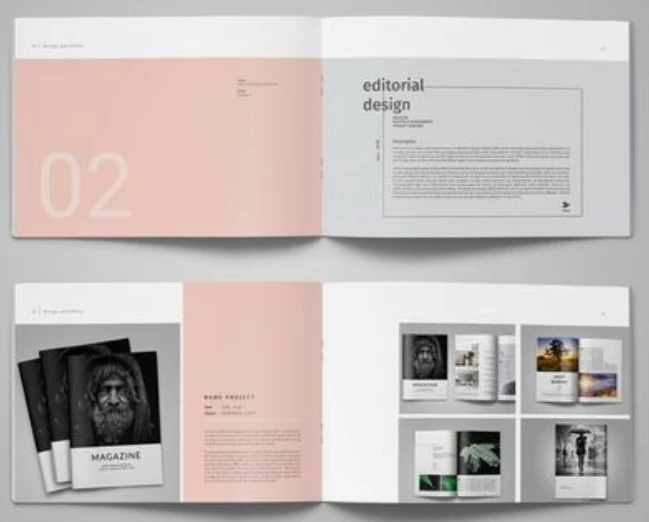
which, in words, means: wider format with a relatively short height.
When it comes to printing I usually work with a space/channel of 3/4 mm in between grids and I usually like to have at least 6 colums / rows per page (not necessarily in equal number) as I like to split the text in two colums if the text is too long.
In terms of content I will be mostly adding pictures (moodboards) and graphs, so I need also some flexibility.
Ideally I have established that a good height could be 160 mm (not too small but not too big), but I'm kind of stuck here.
How to establish the lenght, how many colums, the margin sizes and so on.
Any suggestions?
Are there any scientific rules to follow?
 AdChoices