
Participant
August 7, 2024
Answered

Problem mit Silbentrennung / Erkennung von Sprache

  • August 7, 2024
  • 1 reply
  • 4884 views

Hallo zusammen,


Da wir vom Adobe Support keine Reaktion bekommen haben, probiere ich es hierrüber. Ich habe ein Problem mit der Silbentrennung von Rätoromanisch (rm_CH). Ich habe die Hunspell Files entsprechend abgelegt sowie die Info.plist datei korrekt angepasst. In MacOS funktioniert das nicht (siehe Screenshots "original" vs "silbentrennung"). In der Windows-Version haben wir die gleiche Hunspell Files installiert es funktioniert alles tiptop. Wenn ich die Hunspell-Files unter einer anderen Sprache installiere, nämlich eine die keine Aktualisierung der Info.plist Datei erfordert, funktioniert das auch gut. Ich kann kurzfristig mit dem Workaround leben aber als Vertreter der Rätoromanischen Sprache (Lia Rumantscha) ist das natürlich nicht sonderlich zufriedenstellend, dass sich die Rätoromanische Sprache nicht ordentlich abbilden lässt. 


Kennt jemand das Problem beim Hinzufügen einer Sprache in der Info.plist? Gibt es eine "richtigere" Lösung?


Silbentrennung auf Rätoromanisch: 
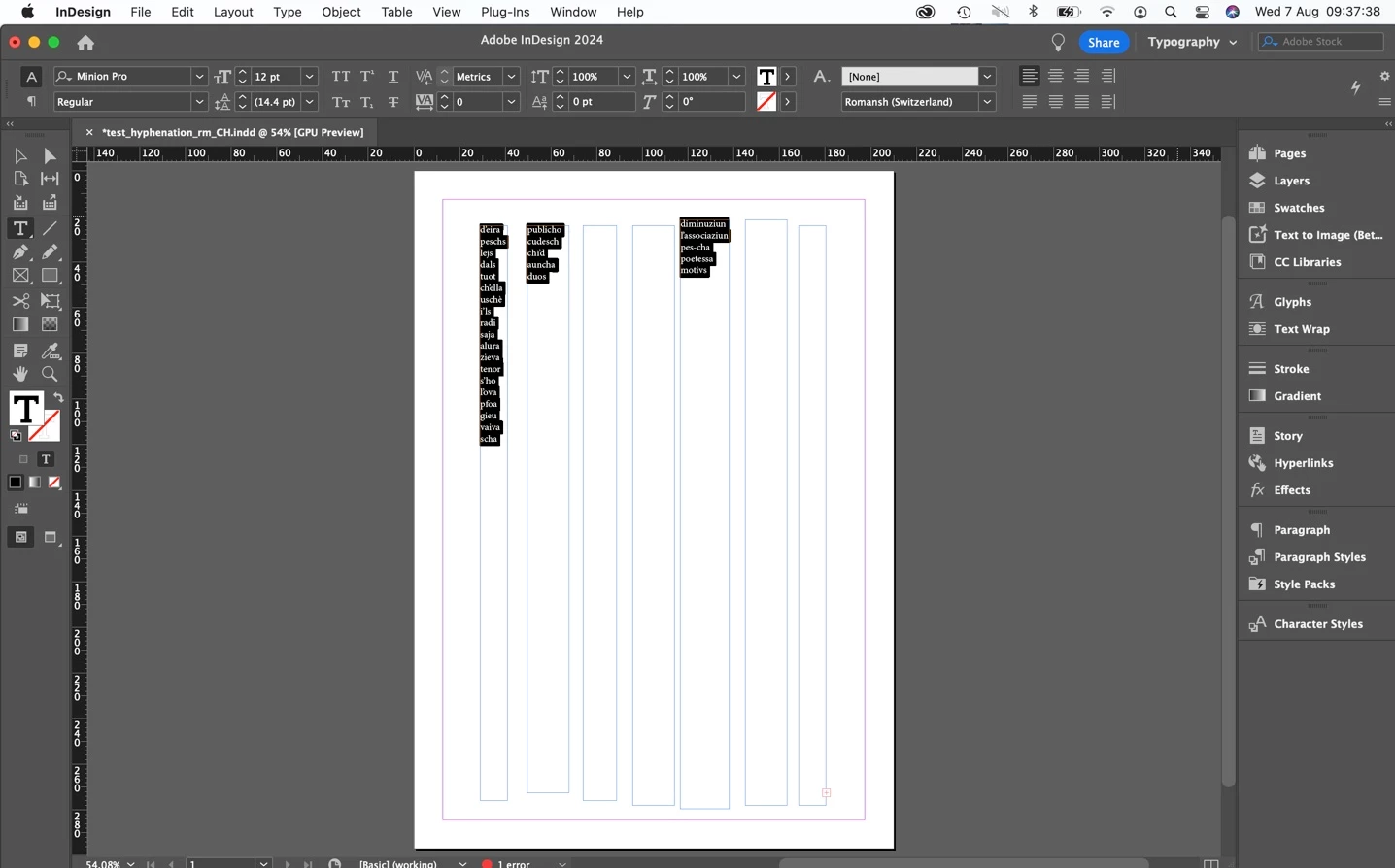
Originaldatei
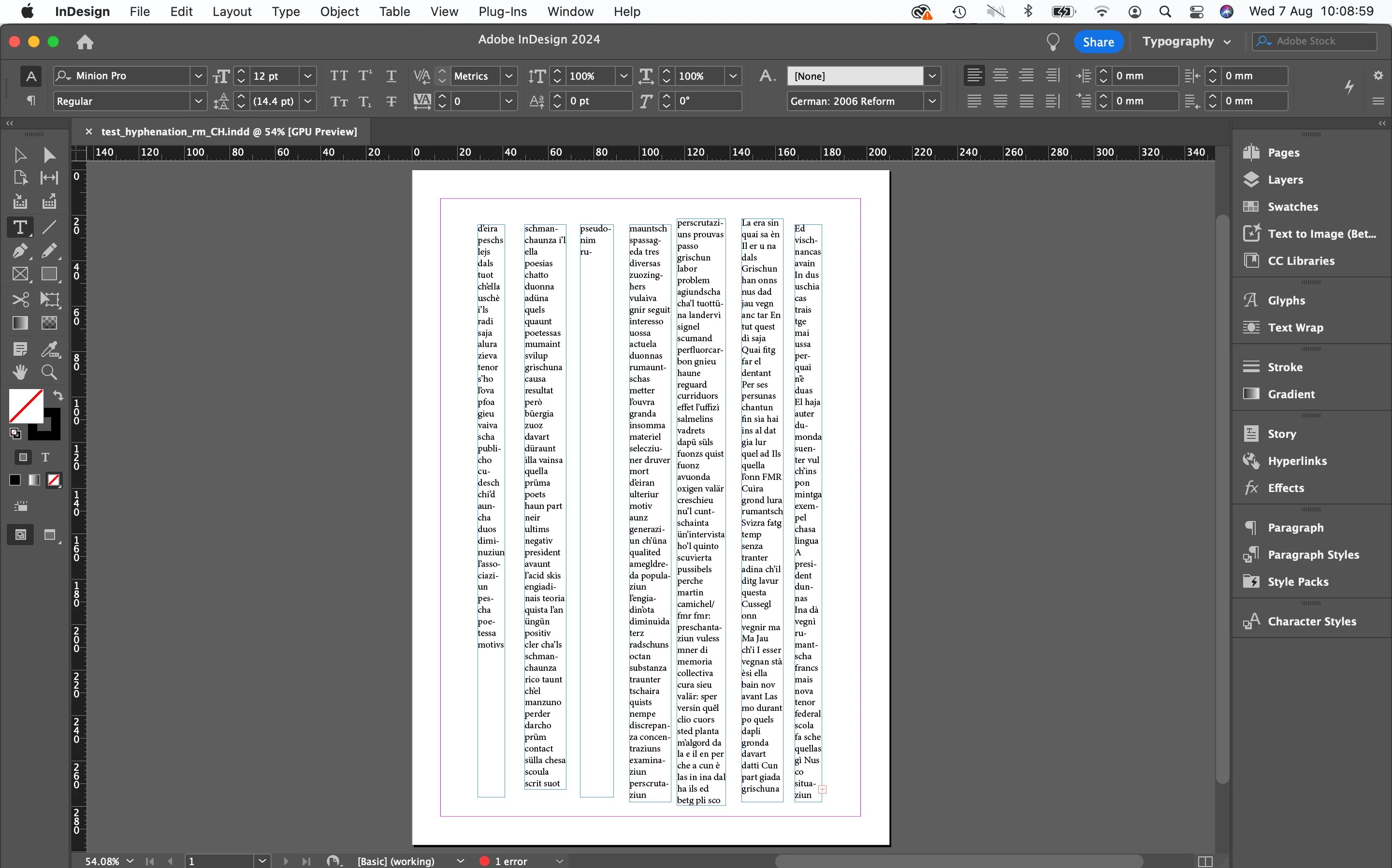
 

Grazia fetg e cordials salids,

Ignaico 


Lia Rumantscha

Ignacio Pérez Prat

responsabel per la transfurmaziun digitala

per nossa lingua


<Personal Info Removed By Moderator>

This topic has been closed for replies.
Correct answer Abhishek Rao

@HARSHIKA_VERMA 
P.S. The issue came to me from several InDesign Users which actually have this problem, contacted your support and only got offered a workaround. 


Hello @Ignacio39040907uaa0,


Thank you for your patience. 


We have reviewed your case and found that the team has provided a workaround: https://adobe.ly/4dpXXPd

For the Windows version, the team installed the same Hunspell files, and everything works perfectly there. When using Hunspell files under a different language that does not require updating the Info.plist file, it also worked fine.


We understand that this solution may not fully meet your expectations. However, please be assured that your feedback has been shared with the product team.


Thank you, 

Abhishek Rao


1 reply

HARSHIKA_VERMA
Community Manager
Community Manager
August 7, 2024

Hi @Ignacio39040907uaa0,


Thank you for reaching out and sorry for the trouble. We will check you support case with the team and get back to you with an update shortly.


Thanks,

Harshika

Participant
August 8, 2024

Hi @HARSHIKA_VERMA 

thank you! I just wanted to attach the hunspell files to this answer so you can test but as I see, there are some restrictions with the file format (makes sense). Let me know how I can make them available to you. I don't think you "need" them to find the problem but you probably want to reproduce the issue as closely as possible. I thought about uploading them as txt files but I don't want to challenge the forum guidelines too much 😉 So let me know if you need the files. 

Thanks again for the answer,
Ignacio

HARSHIKA_VERMA
Community Manager
Community Manager
August 8, 2024

Hi Ignacio,


Thank you for your patience. I checked with the team and got to know that they have escalated the issue to the product team for further investigation and they will keep you posted on the status update. Also, they will reach out to you if they would need any additional details from you. 


Hope it helps. 


Thanks,

Harshika