


- Home
- InDesign
- Discussions
- Re: Can someone help me (i am new to InDesign)
- Re: Can someone help me (i am new to InDesign)

Copy link to clipboard
Copied
Hi. I suddenly got this green markups on my text and I cannot find how to get rid of it...Can someone please help me.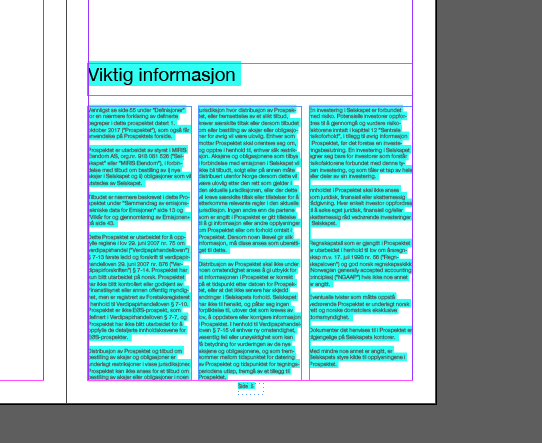


 1 Correct answer

Hi
This blue highlight means your text has overriden style.
You can turn it of by clicking this icon:

More info here:https://indesignsecrets.com/why-is-my-indesign-text-highlighted-in-blue.php

 8
Replies
8
8
Replies
8

Copy link to clipboard
Copied
Hi
This blue highlight means your text has overriden style.
You can turn it of by clicking this icon:
More info here:https://indesignsecrets.com/why-is-my-indesign-text-highlighted-in-blue.php
Copy link to clipboard
Copied
Thank you so much! I appreciate your help! Thank you!!!!!


Copy link to clipboard
Copied
Yes this is the blue highlight. One of my students had the same problem yesterday. 

Copy link to clipboard
Copied
Use InDesign's Paragraph (and Character) Styles and see this facility as a friend - not a problem!

Copy link to clipboard
Copied
and when the style is NOT being overridden and i still have a page full of blue? i assume this has something to do with hyphenation/keep/justification issues? but if it's set in the style, and the style is not overridden, then why the highlights? i've looked everywhere except the right place to figure this out.

Copy link to clipboard
Copied
HA. it always helps get to the right answer more quickly by posting a question to a group and THEN trying to figure it out.
my issue was indeed caused by "violations" highlighting. I have custom kerning/tracking in my styles and inDesign doesn't like that apparently. I turned off that violation in Preferences>Composition, and voila! no more pages of blue highlight.
thank you for your help. 🫤😁😉

Copy link to clipboard
Copied
Is it Edit -> Preferences -> Composition -> Custom Tracking/Kerning?
I assume it's one of those checkboxes in Edit -> Preferences -> Composition. I can see that some of the paragraphs start with a bit of yellow? That's most likely generated a check in the H&J Violations in the same preference pane.
Copy link to clipboard
Copied
yes, that's the correct path, sorry for my shortened version. (i set up a custom keyboard shortcut because it's epically annoying to have to use the mouse and dropdowns to get there when you want to change what you see in each of the 44 chapters of a book!)
for my purposes, i turned off H&J (hyphenation & justification) violations, and Custom Tracking/Kerning.
on my final pass of the book i'll turn H&J back on, in case i missed anything i shouldn't have.


Get ready! An upgraded Adobe Community experience is coming in January.
Learn more
 AdChoices