


Copy link to clipboard
Copied


 2 Correct answers


Hi together,
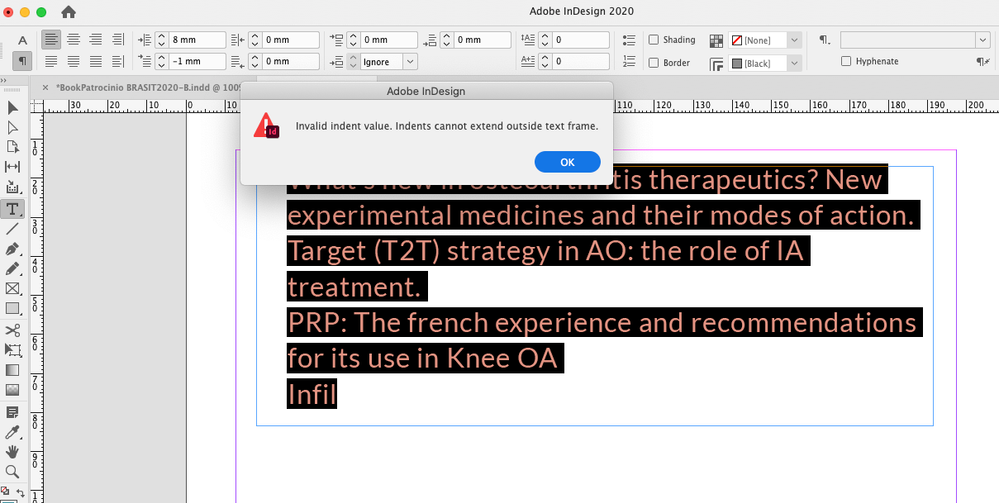
now the question is: What's the best strategy to convert this document to something useable for Heloisa?
My suggestion:
[1] Do a new document and copy/paste in place the contents from the other document.
[2] Change the paragraph direction of all texts from "Right To Left" to "Left to Right".
Ususally that can only be done with the ME version of InDesign, but we could also try this by scripting.
Below the ExtendScript (JavaScript) code:
app.documents[0].stories.everyItem().texts[
Hi Heloisa,
it's the document's configuration. It's not your current InDesign version.
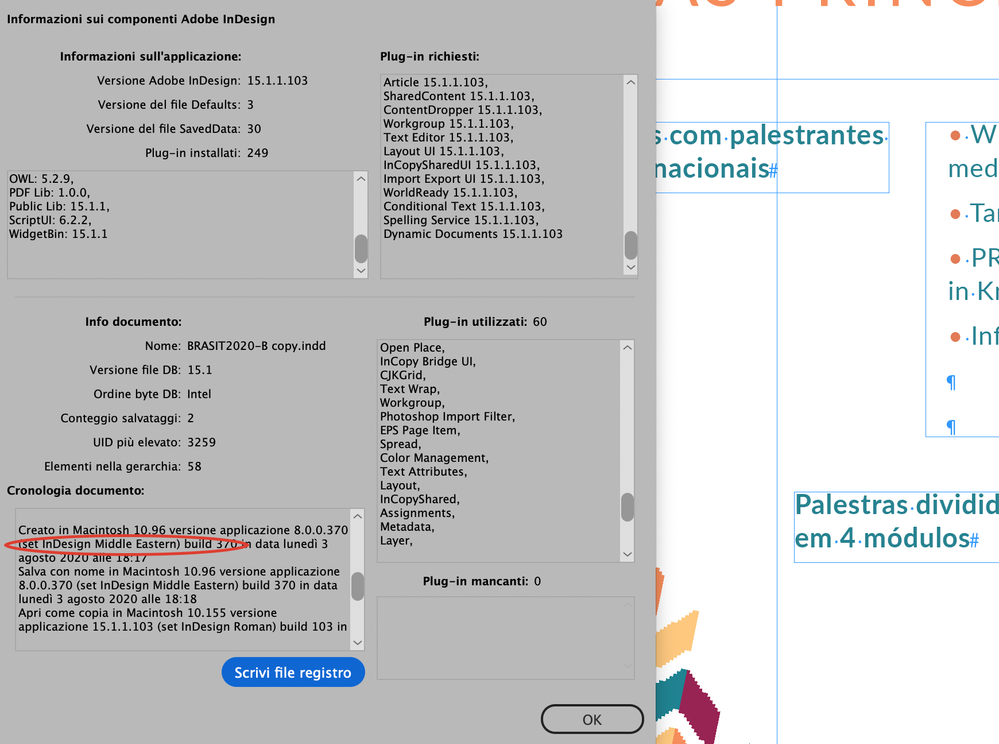
Initially your document was created August 3rd, 2020 with the Middle East version of InDesign CS6 Version: 8.0.0.370.
And later worked on with InDesign 2020.
Copy the contents over to a new document with the same page size and run the script code I posted and you are good to go.
Regards,
Uwe Laubender
( ACP )
 14
Replies
14
14
Replies
14


Copy link to clipboard
Copied
Interesting - does this happen on all documents / text blocks ?
Can you reset the numbers back to Zero (0) and then save and close the document as an IDML file and then relaunch InDesign and open the file and try it again...
Copy link to clipboard
Copied
Thanks for trying to help me, I did what you suggested but the problem remains
Copy link to clipboard
Copied
Hi Heloisa,
could you put a sample document on Dropbox or a similar service and share the download link?
I'd like to see into this issue…
Thanks,
Uwe Laubender
( ACP )
Copy link to clipboard
Copied
Hi Laubender,
here's the Google Drive link.
Thank you
https://drive.google.com/file/d/1tfPyn9BCrfxlgKiTqcTyPbEl3xZEfjeO/view?usp=sharing

Copy link to clipboard
Copied
This may be a long shot, but can you check in Object > Text Frame Options to see if there is an inset on the frame?
~ Jane
Copy link to clipboard
Copied
Hi Jane-e,
I checked the Text Frame Options, as per your suggestion, I didn't see anything that might be causing the problem.
I attached the screenshots, can you see?
Thanks


Copy link to clipboard
Copied
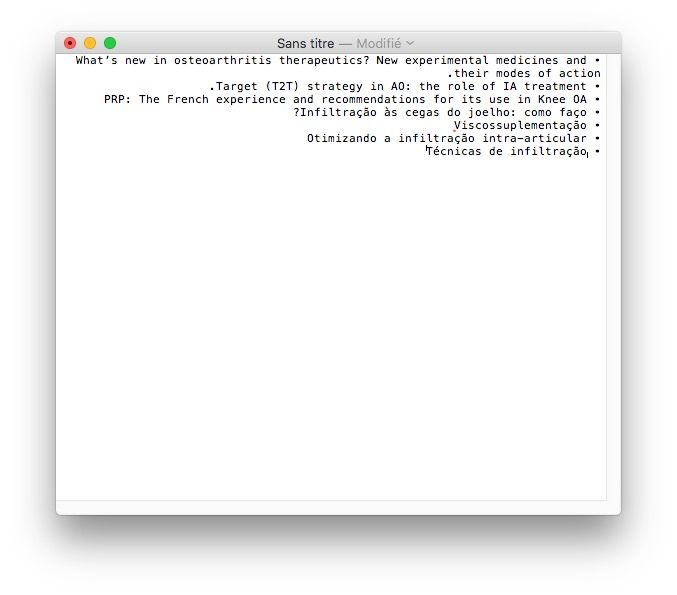
May be I have understood: I checked your file and got the same problem as you. I tried to copy the text in a new file, same problem… So, I copied the text in a TextEdit file and when I did this, I saw that the unformatted text get right aligned, with bullets at the end of the line. I copied this text back in InDesign and it works!
Did you ever work with a Middle East version?
Copy link to clipboard
Copied
Wow! I am Brazilian and I have never worked with anything in the Middle East. I have no idea how it was configured like this. Where do I change this? Can you help me?

Copy link to clipboard
Copied
Hi Heloisa,
your file was created in ME (middle eastern) version
Copy link to clipboard
Copied
Thanks Vladan, I should have checked this…
Copy link to clipboard
Copied
Hi,
Was this Middle Eastern configuration problem when I installed InDesign or is it the document's configuration?
Where and how do I change this setting?
Can you guide me?
Copy link to clipboard
Copied
Hi together,
now the question is: What's the best strategy to convert this document to something useable for Heloisa?
My suggestion:
[1] Do a new document and copy/paste in place the contents from the other document.
[2] Change the paragraph direction of all texts from "Right To Left" to "Left to Right".
Ususally that can only be done with the ME version of InDesign, but we could also try this by scripting.
Below the ExtendScript (JavaScript) code:
app.documents[0].stories.everyItem().texts[0].paragraphDirection =
ParagraphDirectionOptions.LEFT_TO_RIGHT_DIRECTION;
After running the script Heloisa should be able to define a bullet list with a negative first line indent. I tested this and it worked. How to save code to a script file, install the script file and execute the script file from InDesign's Scripts Panel, see:
https://www.indiscripts.com/pages/help#hd0sb2
Regards,
Uwe Laubender
( ACP )
Copy link to clipboard
Copied
Hi Heloisa,
it's the document's configuration. It's not your current InDesign version.
Initially your document was created August 3rd, 2020 with the Middle East version of InDesign CS6 Version: 8.0.0.370.
And later worked on with InDesign 2020.
Copy the contents over to a new document with the same page size and run the script code I posted and you are good to go.
Regards,
Uwe Laubender
( ACP )
Copy link to clipboard
Copied
Thank you!


Get ready! An upgraded Adobe Community experience is coming in January.
Learn more
 AdChoices
