
Inspiring
July 16, 2021
Answered

Problem with Preptext script

  • July 16, 2021
  • 1 reply
  • 2708 views

Hello,
I have a problem with the Jongware preptext script.

I import my long text (a book).docx
I pass the script Preptext
I pass the findchangebylist script
I select my text and apply my current text style


But I noticed that despite everything, there is italic text when there should not be.


Do you have an idea?


I went to creativepro.com and downloaded the PerfectPrepText script. I started from the beginning, but nothing has changed and I still have extra italics in my text.


Thank you for your help

Best regards,

Anne
This topic has been closed for replies.
Correct answer Kasyan Servetsky

Hello,


Thank you.

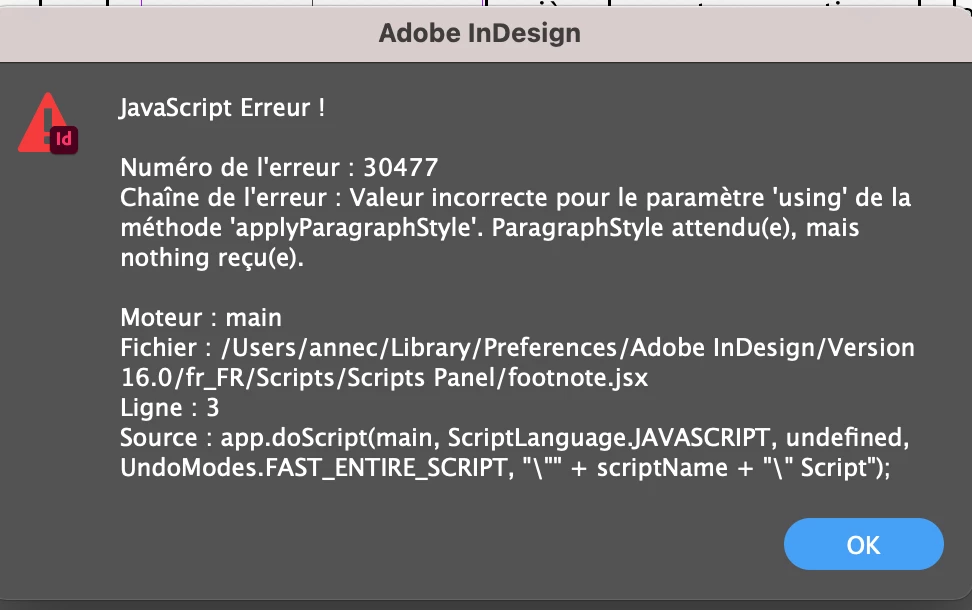
I have an error message.


quote

Hello,


Thank you.

I have an error message.


By @Anne Guervel

You have to select some text, a text frame ar place the cursor into the text.
The par style "Footnote" should be defined in the doc.


1 reply

Kasyan Servetsky
Legend
July 16, 2021
Inspiring
July 16, 2021

Thank you for this script.
It's better but I still have some made-up italics left in the text.
It's really annoying...
The layout is not made any easier. It must come from somewhere else...

Derek Cross
Community Expert
Community Expert
July 18, 2021

My e-mail: askoldich [at] yahoo [dot] com


It is not advised to post personal contact details on this public forum.