Answered
problema com janela de cores no inDesign
estou com ... nao consigo editar cores ou mudar uma cor ja existente em um objeto.
a janela fica desativada ... o que devo fazer?
Aparece dessa forma pra mim
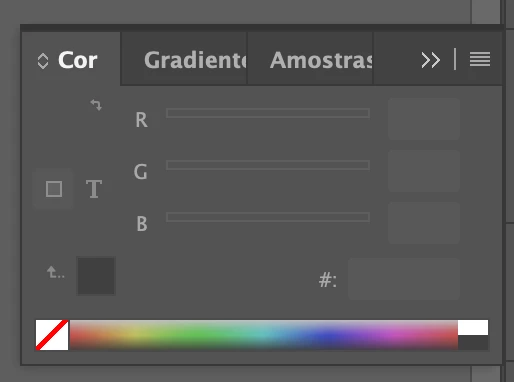

estou com ... nao consigo editar cores ou mudar uma cor ja existente em um objeto.
a janela fica desativada ... o que devo fazer?
Aparece dessa forma pra mim
Try resetting your preferences:
Windows: Start InDesign, and then press Shift+Ctrl+Alt. Click Yes when asked if you want to delete preference files.
macOS: While pressing Shift+Option+Command+Control, start InDesign. Click Yes when asked if you want to delete preference files.
A dialog will appear asking to delete the InDesign Preferences, select 'Yes' on this dialog.
Further info and instructions here if needed:
https://helpx.adobe.com/in/indesign/kb/indesign-preferences-support-file-locations.html
Already have an account? Login
Enter your E-mail address. We'll send you an e-mail with instructions to reset your password.
 AdChoices