

Problems with bleed when printing trifold
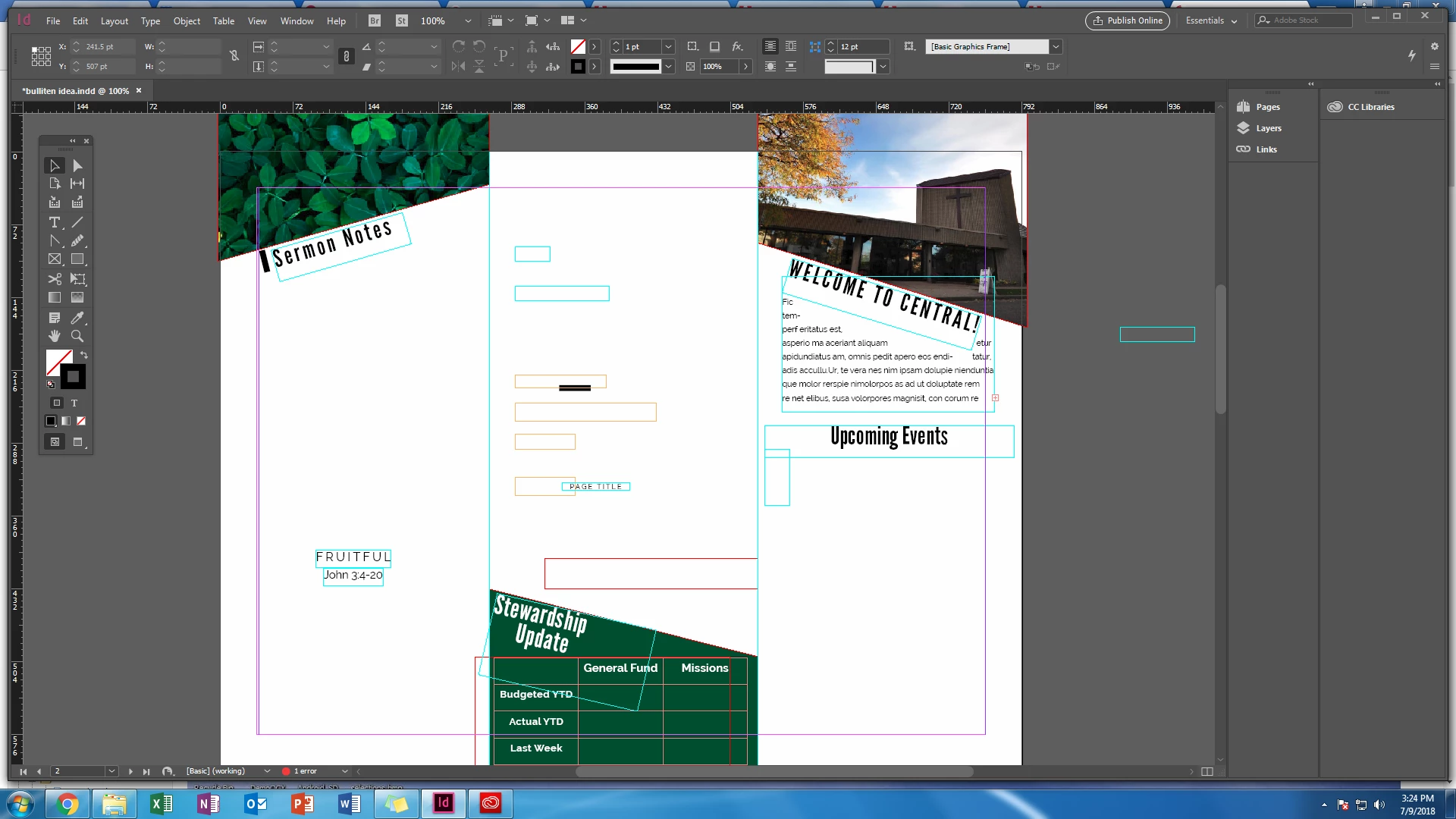
So I have basically taught myself how to use indesign, which is why I am now at a loss for what is going on when I try to print. Basically, when I print this brochure, all the panels get shifted funny. I feel like it has something to do with bleed, but I have been experimenting with that and nothing has changed. So example - in my far left panel there is about a .4 cm bleed when i print on the left edge, and then about .6cm of the leaves image is shifted into my middle panel. then, the box at the bottom of my middle panel is somehow off center by about .3cm (basically .6cm of white gap on the left side, with the right side of the box being right on the edge of the fold with no white gap at all). And then in the right most panel, the image is lined up perfectly on the fold, but the bleed on the outer edge is like .6/.7cm. It just makes no sense to me. I cant figure out how the panels would get shifted so funny. Any help would be great, otherwise I won't be able to do a trifold i guess...how great it is to be a novice. Oh, and the document is currently set at a letter size (which is what i would want), and I currently have the bleed set at 0 all around, just because I was messing with it.
 AdChoices