Participant
January 10, 2020
Question

Proof Coloring

  • January 10, 2020
  • 1 reply
  • 2008 views

Hello there.


So I am making a document in InDesign CC 19 and I have a problem with Color Proofing. 

All my objects and files are already in CMYK and are in high quality PDF or PSD. Whenever though I turn on the Proof Colors , my colors become blank.




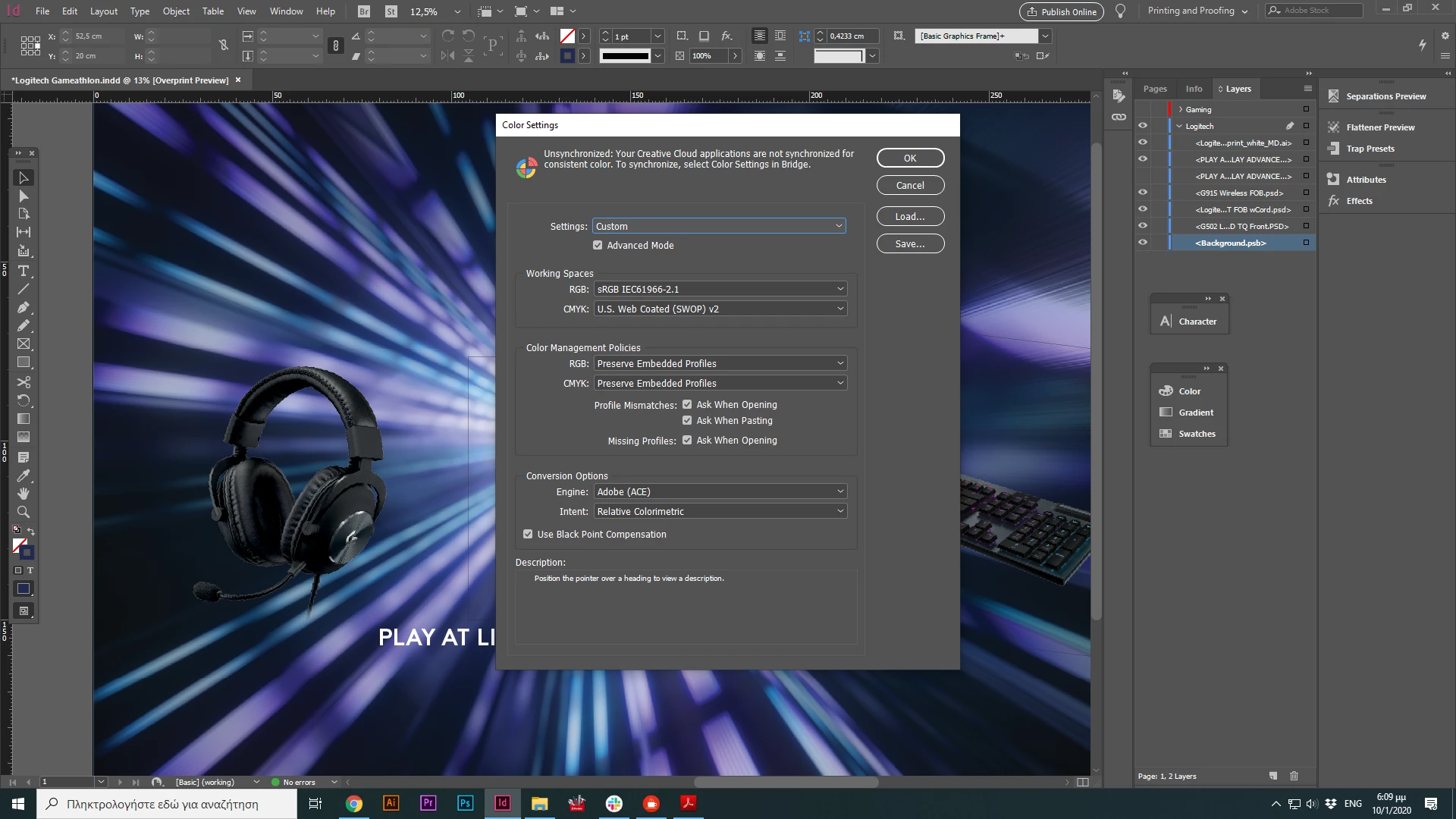
Here are my settings:


It's a quite big project, waiting for your response.

Thank you

This topic has been closed for replies.

1 reply

Participant
January 10, 2020

Now that I tried to open it with Photoshop ( after I exported it as a PDF file for print), the color proofing is ok. 

Getting crazy over here.

Dave Creamer of IDEAS
Community Expert
Community Expert
January 10, 2020

Are you opening ID's PDF in Photoshop? You will be rasterizing the entire page.

Are you color settings set to Working CMYK (meaning your preferences)?

Have you checked the PDF color preview in Acrobat?

David Creamer: Community Expert (ACI and ACE 1995-2023)
rob day
Community Expert
Community Expert
January 11, 2020

Hello thanks for your reply.


I opened it in Photoshop and Illustrator just to see the color proofing and it works great. I also opened it with PDF color preview in Acrobat and it looks good. I simply don't get it.


When I first started the file, I choose from the start the print option and placed all my files in CMYK.

Color setings are Document CMYK (U.S Web Coated  SWOP 2) and when I choose Proof Colors ( which automatically changes it to Working CMYK) colors are fading out.


But how is it possible when I choose proof color in Illustrator or Photoshop, my coloring pretty much remains the same?


Also, it might be worth noting that Overprint Preview is badly named because it implies that it will simply show the affect any colors set to overprint, but it actually shows both overprints, and the conversion of out-of-gamut color into the document’s CMYK space. Any native CMYK swatches or color don’t change with it on or off because the document’s CMYK profile handles the display of document CMYK.


So here I have an out-of-gamut green fill with a CMYK red fill on top set to Overprint. When I turn on Overprint I get both the red fill’s overprint preview, and a soft proof of the RGB green in the document CMYK space


Overprint Preview shows the expected output color.