BlaisAmon
Participating Frequently
November 3, 2022
Answered

QR code sizing issue

  • November 3, 2022
  • 2 replies
  • 4280 views

I need two URL link QR codes on the same page, side by side. Since the URLs differ in lenght the two codes are just different enough in size that the alignment looks off. There's no way to fix this or is there?

Is there no way to crop the codes' frame to their actual dimensions or pull them out of there somehow?

Correct answer Eugene Tyson

The real problem/fault is that the codes come in a frame and that the codes themselves have some sort of margin included/embeded. I'm guessing this is the safety margin for the codes to be readable, but as a result it is impossible to accurately (re)size and/or align them, and I would honestly see no reason why ID could not have a setting to override that.


QR codes were added some time ago and I don't think they were ever really improved upon.


Report bugs or make a feature request
https://indesign.uservoice.com/


I do recommend Barcode Studio though. 
But there are plenty of QR code generators out there for free that might be better.


As mentioned they are just in graphic frames


In the file I sent you

Go to Window>Styles>Object Styles

You'll see the QR ObjectStyle I created


And increase the crop amount
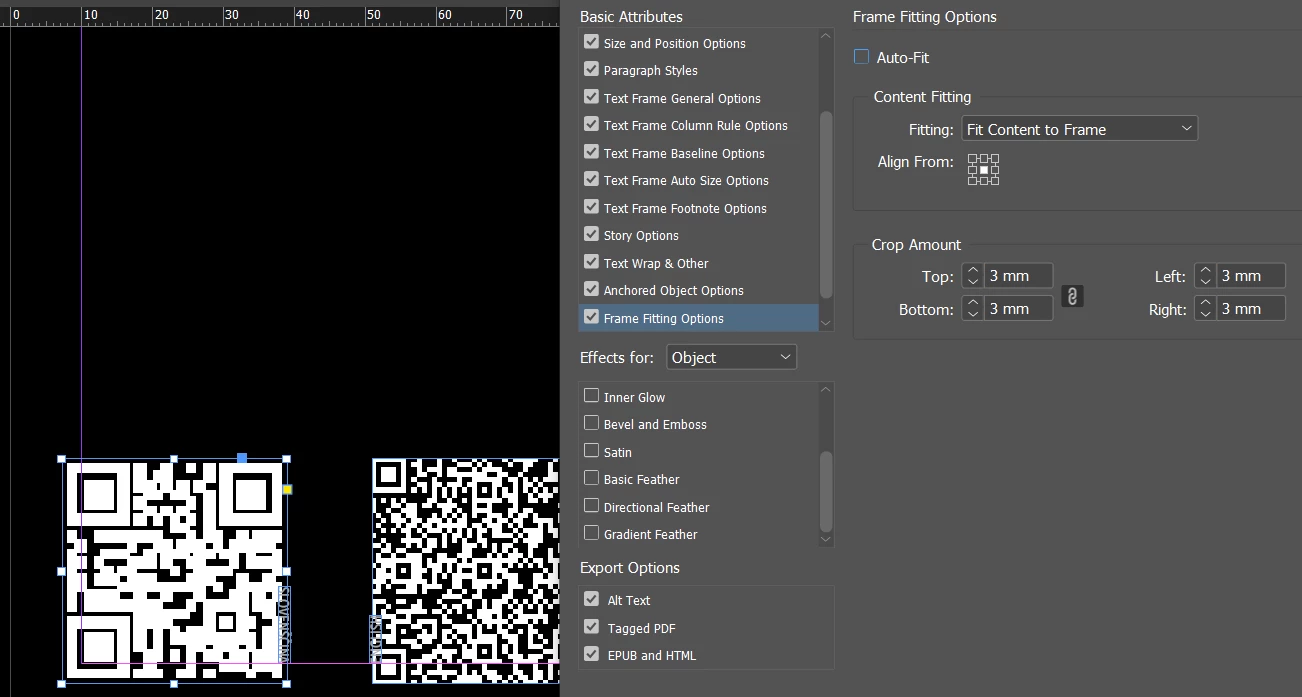


This gets it close to the edge of the frame. 

It's not perfect. But I assume as you do it's to do with a hidden setting for a quiet zone for the barcode.


If it's that important then I really think you should find a QR generator that can do what you need.




2 replies

Community Expert
November 4, 2022

Create 1 QR code at the size you want

Set the Frame Fitting Options


Duplicate the QR code

Go to 


And insert your new URL. 


You can set the QR code frame as an Object Style


So if you wanted to increase or decrease the size you can easily


And it would apply to all QR codes.


Spacing might be problematic - but you could anchor the QR codes in a text frame.

And then the spacing would be the same all the time. 


BlaisAmon
BlaisAmonAuthor
Participating Frequently
November 4, 2022

Thanks, I have tried all that, and cannot produce accurate results, the two QR codes cannot be the same size, nor can they be spaced or aligned properly this way, which I find is a major flaw of Adobe's QR tools.

(Your final image has decent enough results, but in my case I have two additional lines of 90 degrees rotated text units between the two codes (indicating two languages), and it all looks messy/inaccurate, every code/object looks mis-aligned and mis-spaced.)

Community Expert
November 4, 2022

You can absolutely do it - no problem. 

I've demonstrated it perfectly here. 


Can you attach a sample document - I will try set it up for you. 

Or maybe others will also try.


It can be done.

James Gifford—NitroPress
Legend
November 3, 2022

Can you not just scale the codes to be the same visual size?


BlaisAmon
BlaisAmonAuthor
Participating Frequently
November 4, 2022

Yes and no, it's doable, but takes way too much time to produce inaccurate results, not an option for 40+ pages ...