
Inspiring
June 12, 2018
Answered

Quick way to anchor images?

  • June 12, 2018
  • 2 replies
  • 1562 views

I have a document with several dozen images in it. They are all in exactly the right place - but they are all unanchored. Now I need to make some text edits, and before I do, I have to anchor all these images to the line of text before them. Is there a quick way to do that?
    This topic has been closed for replies.
    Correct answer Jeff Witchel, ACI
    1. Select the object you wish to Anchor with the Selection tool.
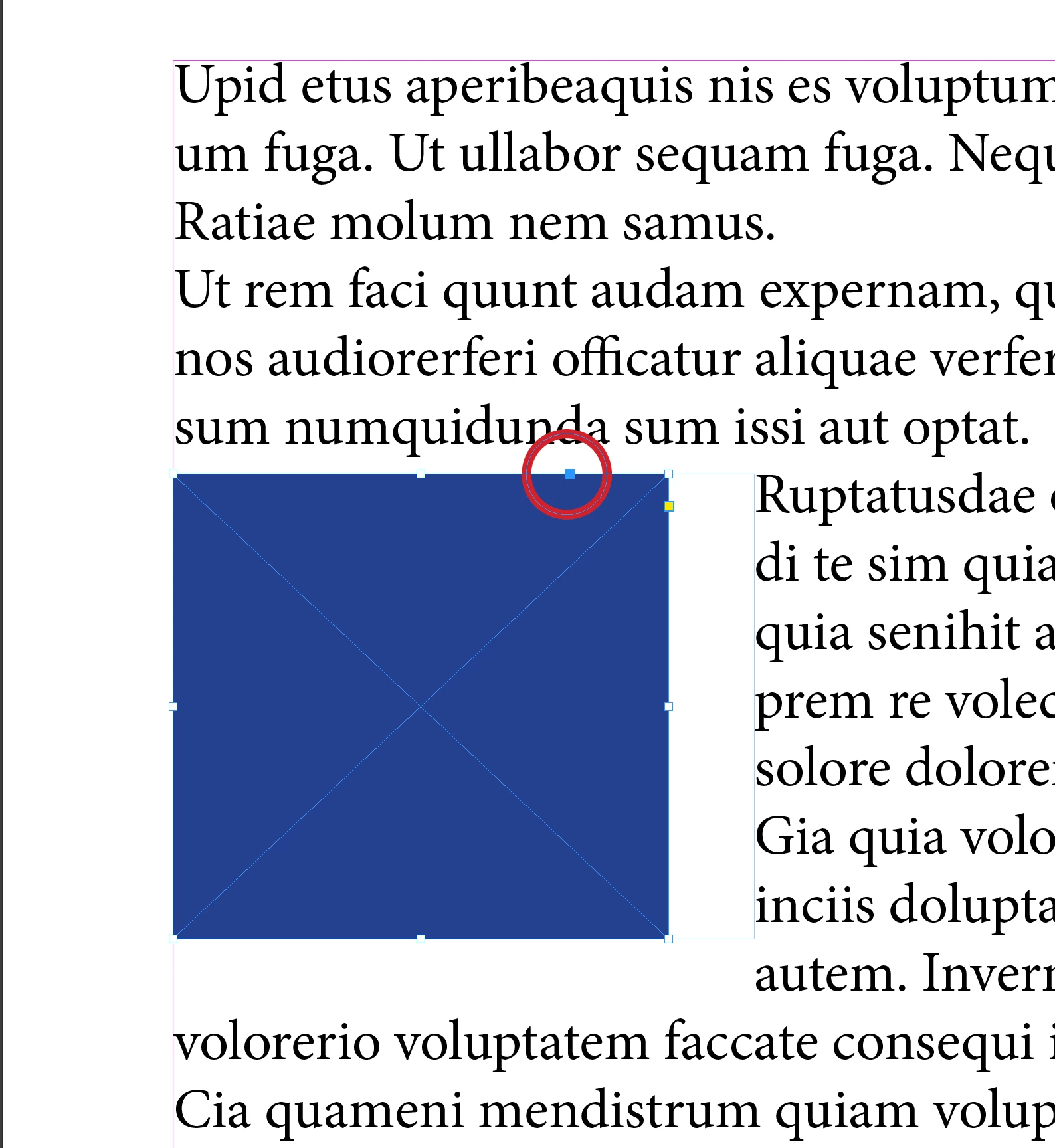
    2. Then click on the mysterious blue square to the upper right of the object
    3. And drag to an insertion point in your text.

    This will make the object into an Anchored object position in it's original position.

    See screenshot below.

    2 replies

    Jeff Witchel, ACI
    Community Expert
    Community Expert
    June 12, 2018

    After reading Scotts answer, I think I understand your question. In other words, read Scott's answer.

    Jeff Witchel, ACI
    Community Expert
    Jeff Witchel, ACICommunity ExpertCorrect answer
    Community Expert
    June 12, 2018
    1. Select the object you wish to Anchor with the Selection tool.
    2. Then click on the mysterious blue square to the upper right of the object
    3. And drag to an insertion point in your text.

    This will make the object into an Anchored object position in it's original position.

    See screenshot below.

    Inspiring
    June 12, 2018

    Previously mysterious blue square!!!

    Thanks so much.

    Jeff Witchel, ACI
    Community Expert
    Community Expert
    June 12, 2018

    You're quite welcome!