Covenant_Graphics_2
Participant
October 11, 2018
Answered

Random Space Between Footnote Number and Footnote Text?

  • October 11, 2018
  • 2 replies
  • 3411 views

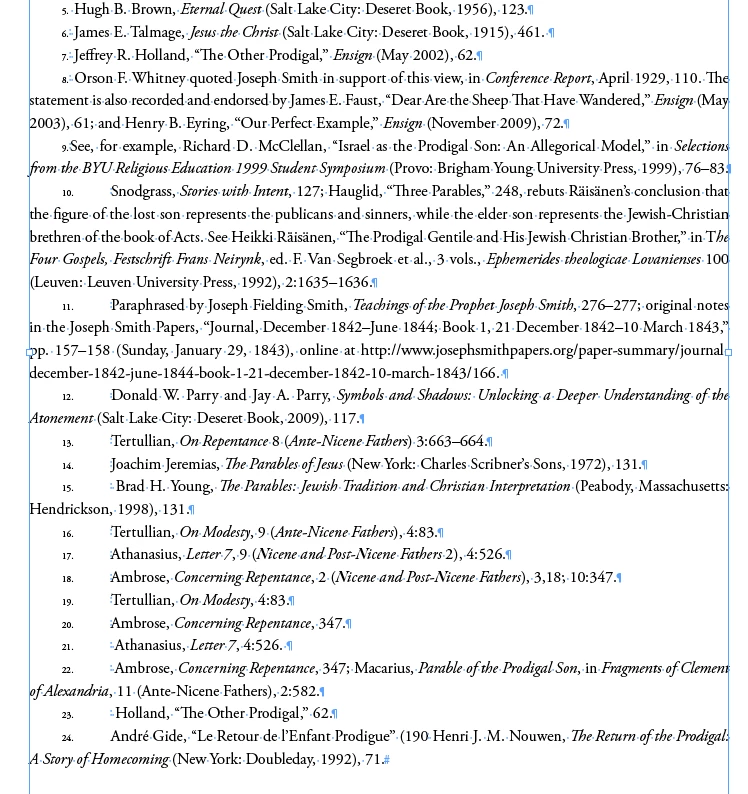
We are putting footnotes in our book document, but found that as soon as a footnote reaches the number 10, it adds this space between the footnote number and the footnote text. We have checked our Character Styles (none are applied, Paragraph Styles (they are the same as the ones applied to numbers 1-9), and tried to adjust our tabs and indents, but nothing has fixed it yet.

We are desperate for help. If you have any suggestions, please let us know.

Here is a screenshot of the issue.
This topic has been closed for replies.
Correct answer Barb Binder

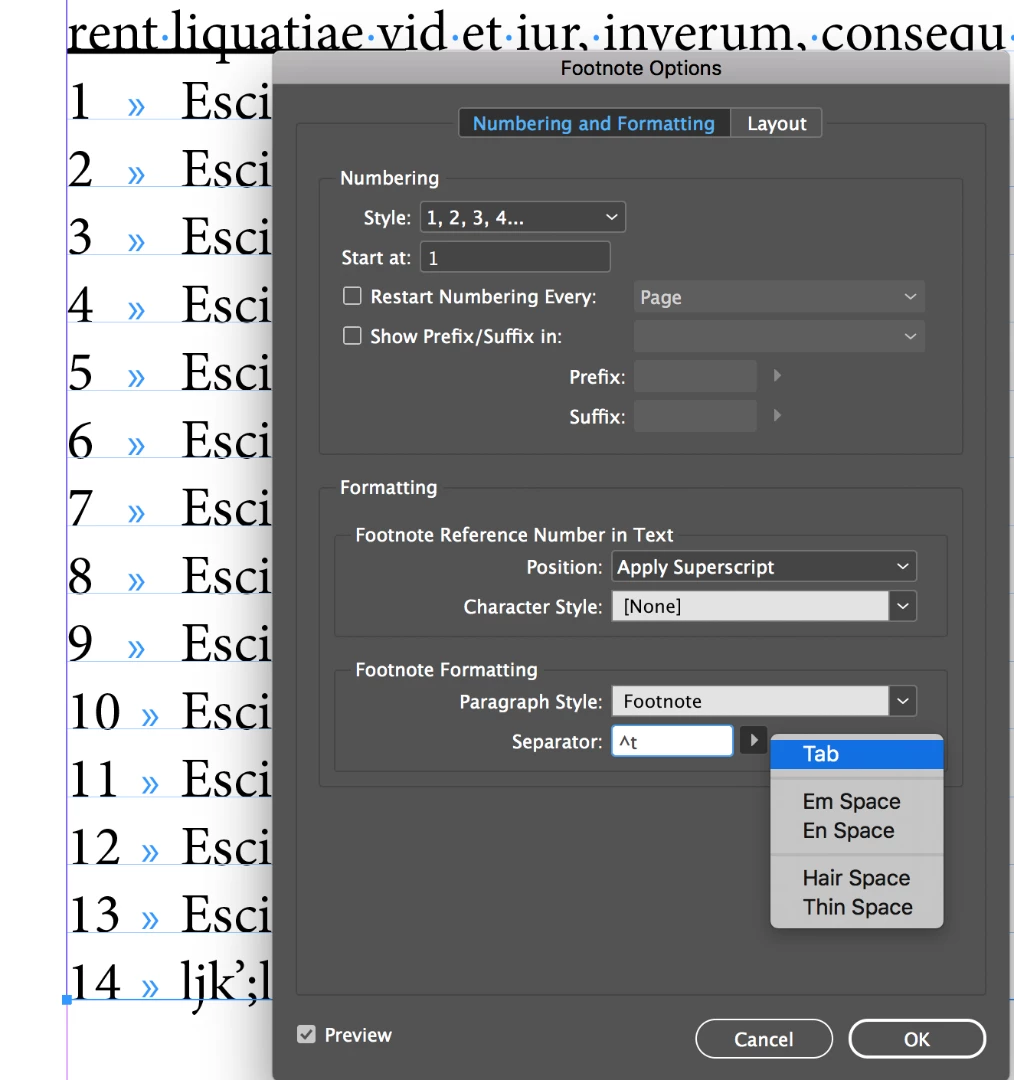
I can't quite tell what you have defined between the footnote number and the footnote text, but it is definitely not a tab and it should be.

You can control what appears in that space via Type > Footnote Options. Once you remove whatever is there and replace it with a tab, you can set a left-align tab that will offer consistent spacing.

~Barb

2 replies

Barb Binder
Community Expert
Barb BinderCommunity ExpertCorrect answer
Community Expert
October 11, 2018

I can't quite tell what you have defined between the footnote number and the footnote text, but it is definitely not a tab and it should be.

You can control what appears in that space via Type > Footnote Options. Once you remove whatever is there and replace it with a tab, you can set a left-align tab that will offer consistent spacing.

~Barb

~Barb at Rocky Mountain Training
Erica Gamet
Inspiring
October 13, 2018

Did anyone figure out what that character is? I'm too lazy to hunt down my hidden characters glossary.

Community Expert
October 23, 2018

Hi Erica,

I guess this special characters indicate something like index markers.

Not exactly index markers, but I think we are seeing one FEFF special character followed by a blank.

Regards,
Uwe

Anna Lander
Inspiring
October 11, 2018

the footnote settings contain the Tab symbol between the number and the text. Yours is quite small, so when the number achieves 10 (2 digits), it becomes longer than the tab space. You have to change the Tab option in the Paragraph style which you use for your footnotes.

If anything here needs to be explained more clearly, just ask.