
Dan Greyhound
Inspiring
August 17, 2022
Question

Re: indd > epub all line breaks (carriage returns) removed

  • August 17, 2022
  • 1 reply
  • 6869 views

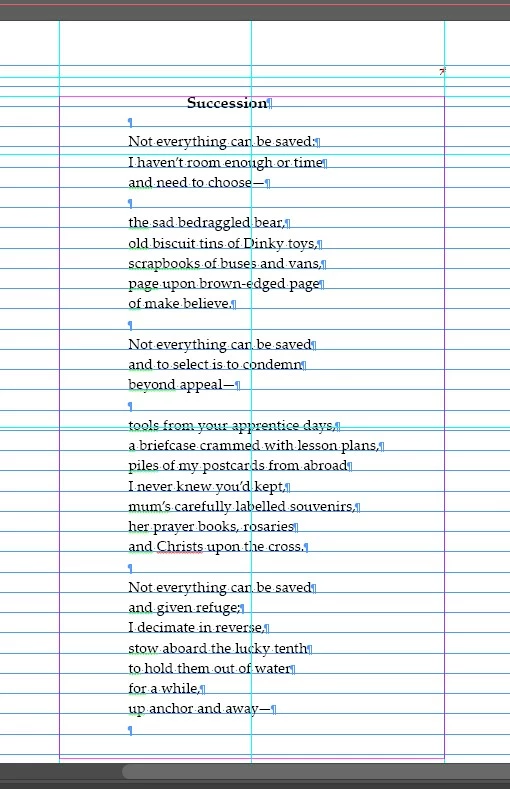
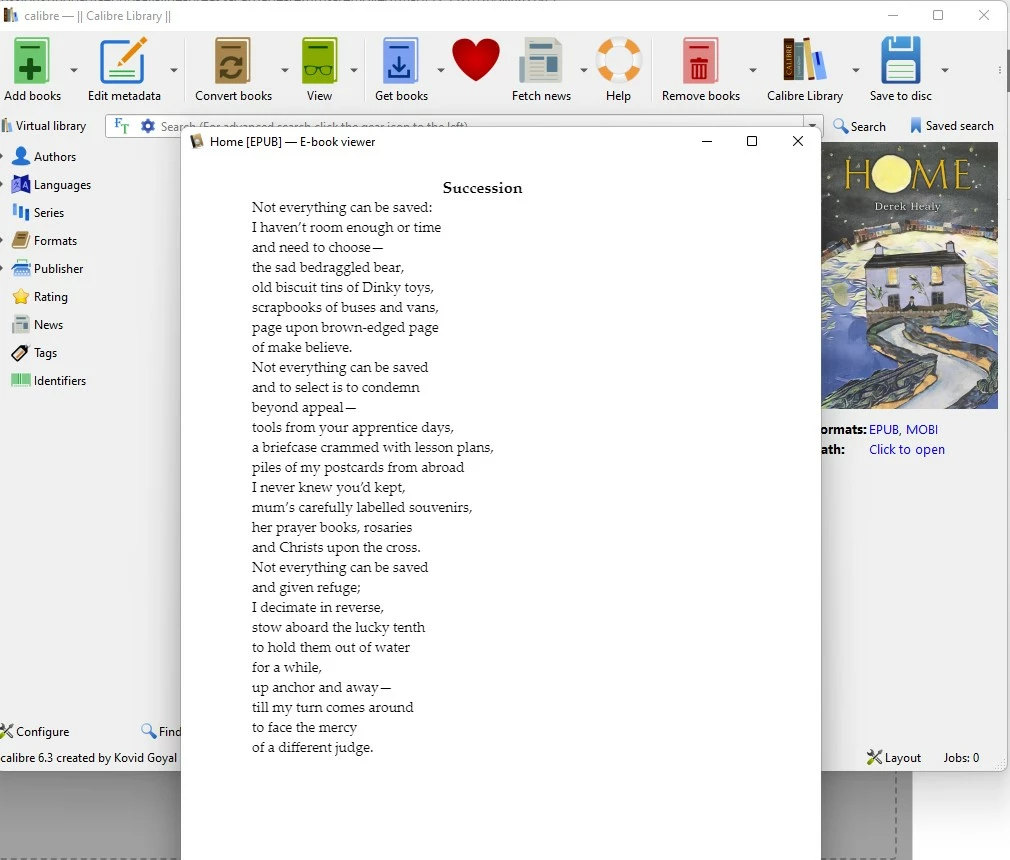
I'm having exactly the same problem. Did anyone find an answer?
    This topic has been closed for replies.

    1 reply

    Legend
    August 17, 2022

    Try this: 

    Instead of using an empty paragraph to add space, use the built-in Space Before or Space After paragraph settings to create the gap. Double returns for spacing is not a recommended method.

    Also, use line breaks instead of paragraph returns for the lines that should not have space after them.


    James Gifford—NitroPress
    Legend
    August 17, 2022

    This is really the correct answer: don't use soft returns (by any name) in documents meant for EPUB export.


    However, there is a specific setting in reflowable export, whether to leave them or strip them (the latter being the standard-based alternative):

    Check this, and soft returns will be stripped. Uncheck it, and they will (usually) remain.


    But the real solution is to use styles to manage line spacing and paragraphs, not line breaks by any name.


    dans33352417
    Participant
    September 5, 2023

    When you work with multiple returns you have add or remove them if you make changes in the text before and the automatic page break moves forward or backwards. This is a lot of additional work with any change you make. Additional it is a potential source for break errors if you are not aware that a change on aprevious page is causing this reflow. 
    space before and after are omitted when a page break happens. 
    it is not true that writer don't know it as this practice is the correct way to format text not only in InDesign, but also in Word, PageMaker, RagTime, Quark Xpress or FrameMaker. 


    You have to go through the text page by page after changes anyway to check for widows and orphans or awkward footnote breaks.
