
Participating Frequently
January 16, 2019
Answered

relinked images moving

  • January 16, 2019
  • 1 reply
  • 4965 views

Our group recently started working on the Cloud in Box. When I place a tif or psd file and save it as a new file name, add an adjustment layer and relink to that new file it shifts placement in InDesign. I'm on CC 2019. When the file was packaged to my desk this happened again. This doesn't happen with jpegs or new files created on my desktop using the same images. No one else in my group is having the same issue. Anyone else see this happening? Thanks for any thoughts on this -Karen
Correct answer Laubender

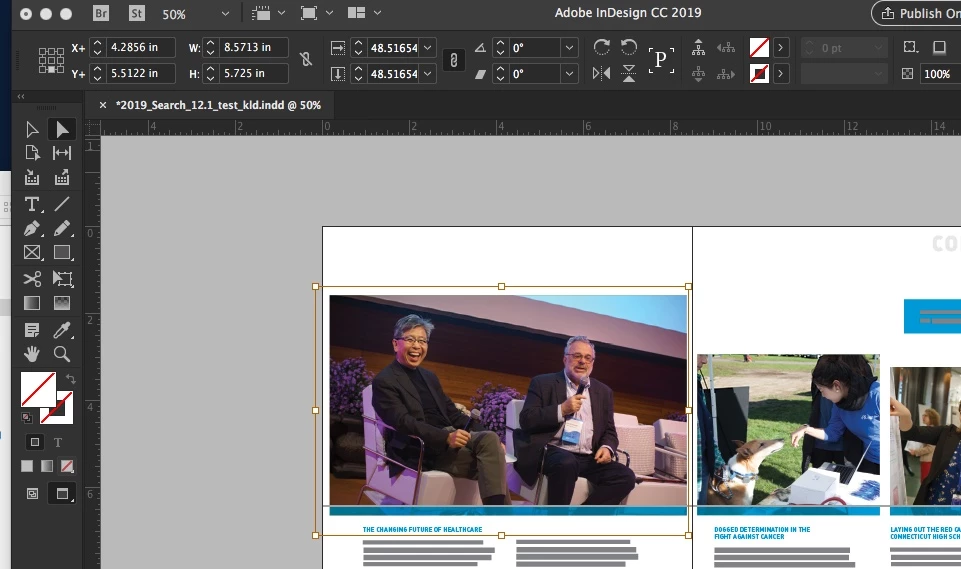
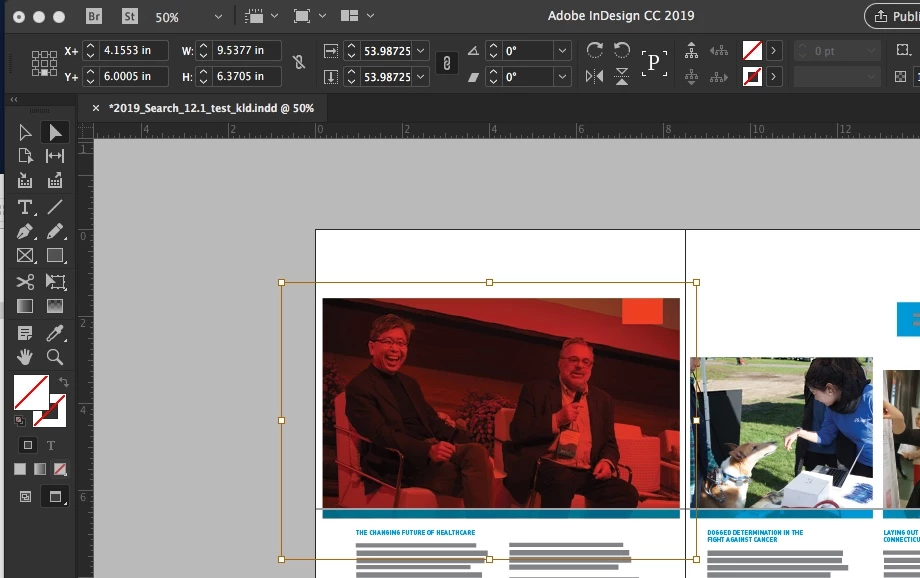
In this instance the file resized within the bounding box, both versions are tifs. The only difference is I added a layer, filled it with red, changed the blending mode to multiply and relinked it for the second one. Both image proportions remained the same.


Hi Karen,

check your InDesign preferences and see if the new feature Content Aware Fit is enabled.

Turn it off before updating images and graphics.

Regards,
Uwe

1 reply

Abambo
Community Expert
Community Expert
January 16, 2019

There are many possibilities to let this happen. One is to change something in the dimensions of the linked file. The other is shifting information in the linked file. The third is to change some fitting option in Indesign.

The file type (JPEG, TIFF, PSD) has however nothing to do with that.

ABAMBO | Hard- and Software Engineer | Photographer
Participating Frequently
January 16, 2019

The dimensions of the relinked file did not change, the Indesign fitting options didn’t change either unless it is a software glitch. The changes are random and always involve the whole image moving 3 to 4 inches up or sideways within the bounding box. The only changed information in the linked file is adding an adjustment layer. As I mentioned this only started when we moved to the Cloud platform, Box. This dosen’t happen when I work off my hardrive.

LaubenderCommunity ExpertCorrect answer
Community Expert
January 22, 2019

In this instance the file resized within the bounding box, both versions are tifs. The only difference is I added a layer, filled it with red, changed the blending mode to multiply and relinked it for the second one. Both image proportions remained the same.


Hi Karen,

check your InDesign preferences and see if the new feature Content Aware Fit is enabled.

Turn it off before updating images and graphics.

Regards,
Uwe