
Participant
August 17, 2020
Answered

Remove Hyphenation in Threaded Text Boxes?

  • August 17, 2020
  • 2 replies
  • 719 views

I'm working on an InDesign document that contains some threaded text. For some reaosn I cannot seem to remove the hyphenation contained in these threaded text boxes. There does not seem to be any option to uncheck the hypehante box when I click on the threaded text areas. Any suggestions on how to resolve this? I'm using the newest version of InDesign on the Adobe Cloud. 

Thanks!
This topic has been closed for replies.
Correct answer nigelfrench

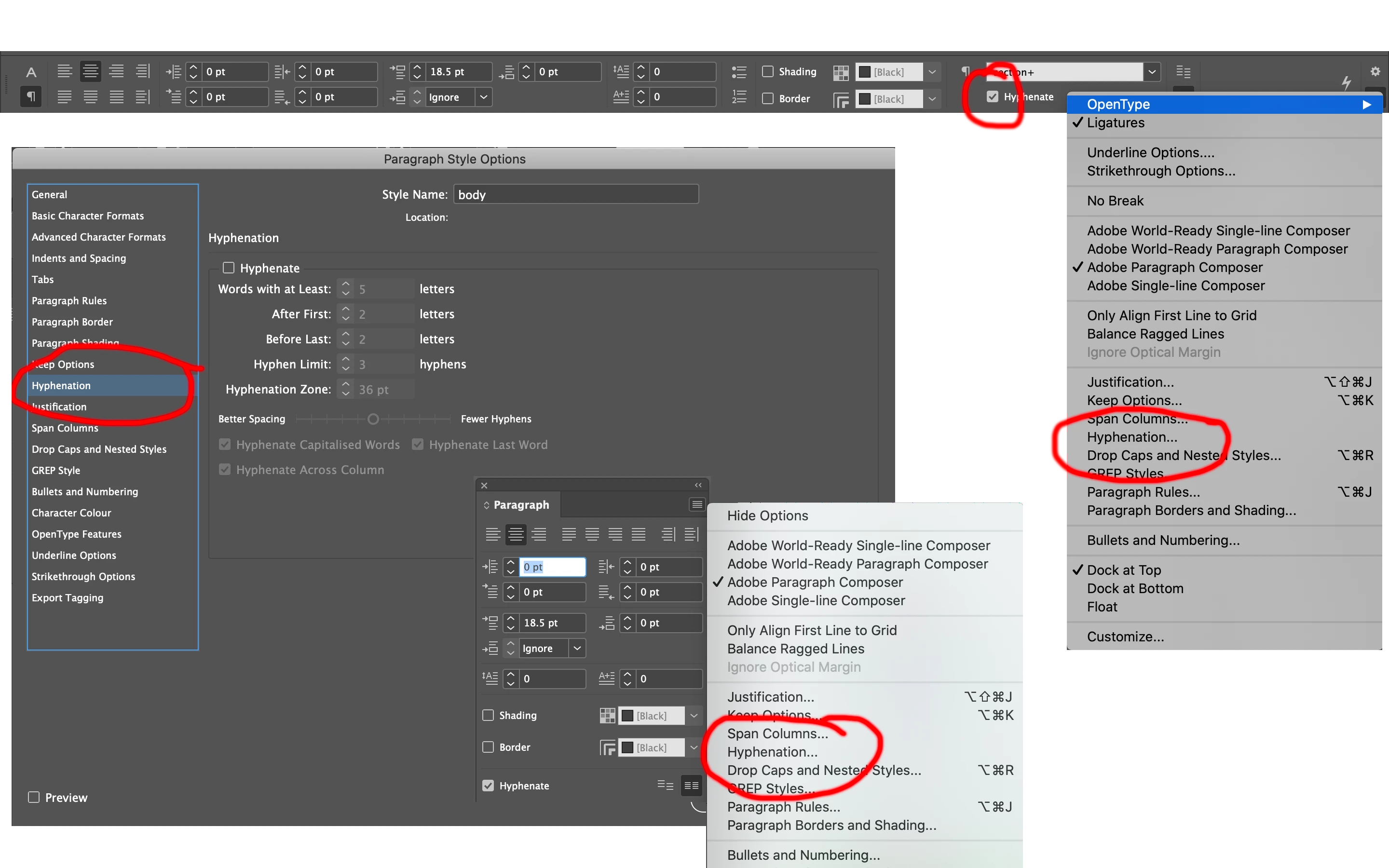
When you have the text selected with the Type tool and you are click on Paragraph Formatting Controls, you should see the Hyphenate check box on the Control panel.


If you're using Paragraph Styles, edit the style definition and you'll see Hyphenation in the Paragraph Style Options.


You can also find the Hyphenation dialog box listed on the Control panel menu and on the Paragraph panel menu. Hope this helps.


2 replies

Participant
August 17, 2020

Thank you this has worked! 

nigelfrenchCommunity ExpertCorrect answer
Community Expert
August 17, 2020

When you have the text selected with the Type tool and you are click on Paragraph Formatting Controls, you should see the Hyphenate check box on the Control panel.


If you're using Paragraph Styles, edit the style definition and you'll see Hyphenation in the Paragraph Style Options.


You can also find the Hyphenation dialog box listed on the Control panel menu and on the Paragraph panel menu. Hope this helps.