
Participant
July 28, 2023
Question

remove leading dots from ToC

  • July 28, 2023
  • 2 replies
  • 421 views

Is it possible to not have the leading dots in a ToC, but still have the right indent tab feature.


I have got this at the moment:
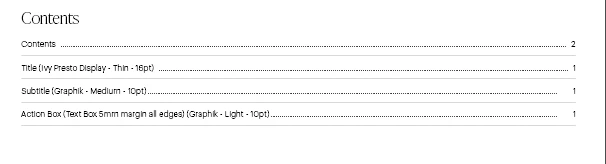


but want it to look like this (this is a manually created ToC)
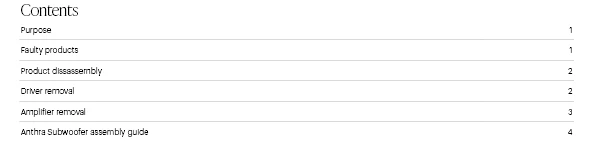
 

Thanks in advance

Dan.

This topic has been closed for replies.

2 replies

Barb Binder
Community Expert
Community Expert
July 28, 2023

That's what we are here for. And always happy to help.


~Barb

~Barb at Rocky Mountain Training
Barb Binder
Community Expert
Community Expert
July 28, 2023

Yes. It's basically the opposite of what Michael explains in this video. Locate the random tab, select it and remove the content from the Leader text field. (Edit: actually I think you can just remove the random tab and the dots will disappear.)

https://www.youtube.com/watch?v=36GqAqChuN8


If that doesn't make sense, share a screen shot of your tabs ruler and we can be more specific.


~Barb

~Barb at Rocky Mountain Training
10OPYAuthor
Participant
July 28, 2023

Thnaks for the prompt reply.  the random tab to the right of the slightly indented contents is from where i was experimenting.  This is what i looks like without my experimentation:


This is my ToC settings:


and this is my indent and tab settings for that paragraph style:


which all makes me think the dots are being automatically added as part of the ToC settings, but i cant turn them off.