Exit
  • Global community
    • Language:
      • Deutsch
      • English
      • Español
      • Français
      • Português
  • 日本語コミュニティ
  • 한국 커뮤니티
0

Remove paragraph override after removing paragraph marks

Participant ,
Oct 03, 2023 Oct 03, 2023

Hello,

Step 1: The 1st paragraph uses the "1" paragraph style.
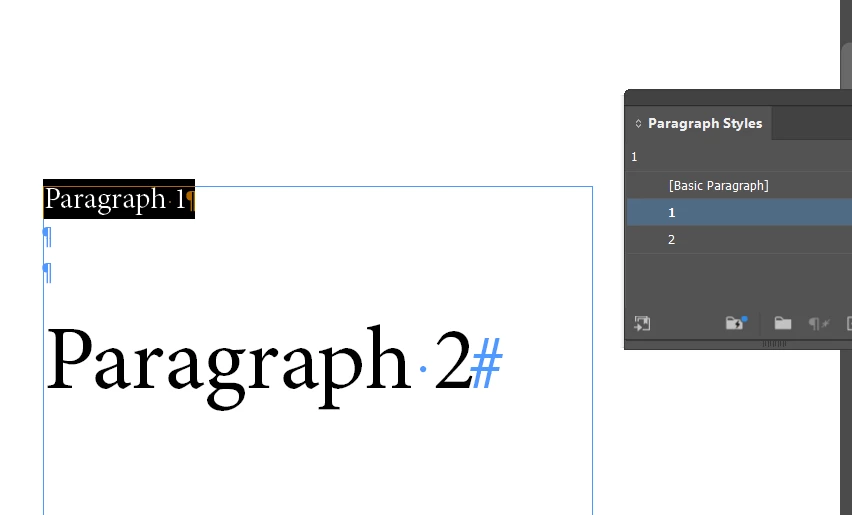
BalajiMurugesan_0-1696341988847.png
Step 2: The 2nd paragraph uses the "2" paragraph style.
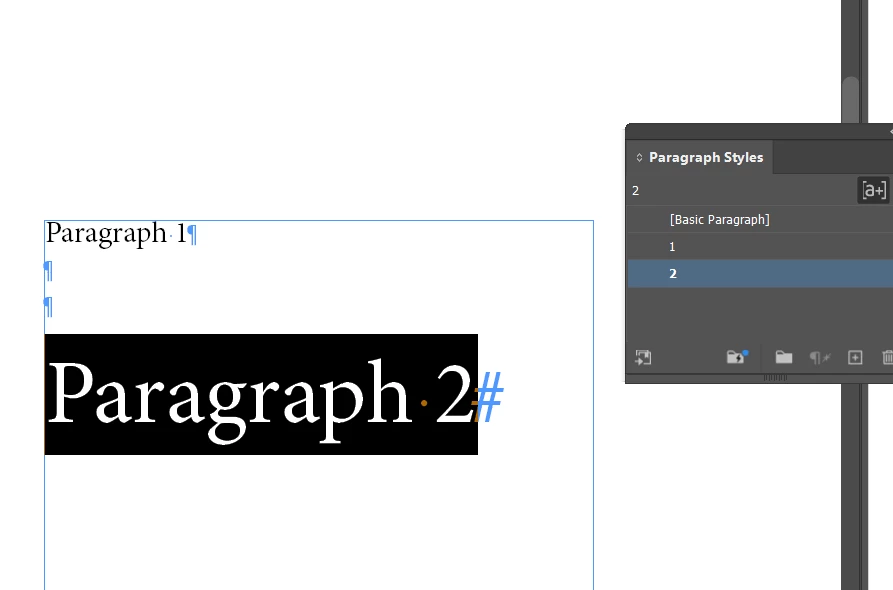
BalajiMurugesan_1-1696342055842.png


Step 3(required): After removing the 3 paragraph marks, the 2nd paragraph style automatically wants to change based on the 1st paragraph style.
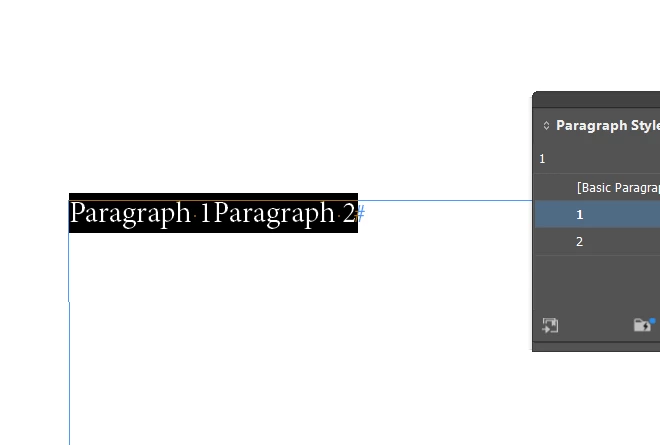
BalajiMurugesan_3-1696342520397.png


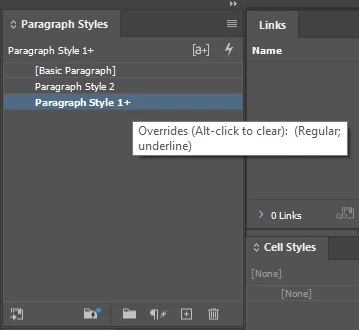
But the result is: that the 2nd paragraph retains character attributes and shows paragraph overrides.
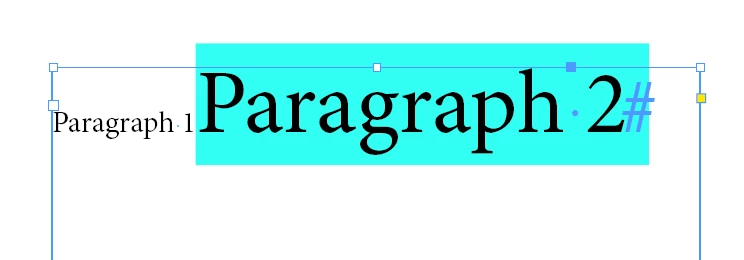
BalajiMurugesan_2-1696342193286.png


There is a setting available to get the result same as in step 3?
 

TOPICS
Print , Type
296
Translate
Report
Community guidelines
Be kind and respectful, give credit to the original source of content, and search for duplicates before posting. Learn more
community guidelines

correct answers 1 Correct answer

LEGEND , Oct 03, 2023 Oct 03, 2023

No.


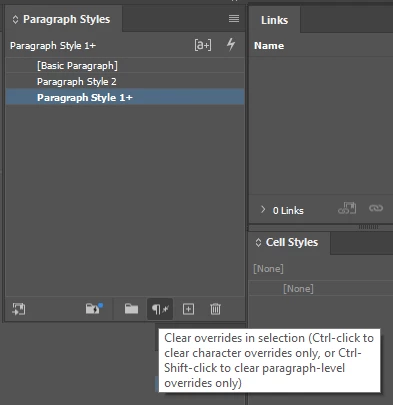
As you have different formatting in the "2" ParaStyle - InDesign is keeping it as a local override - if you want to clear it - you need to:

RobertTkaczyk_3-1696352570371.png

or

RobertTkaczyk_2-1696352540969.png


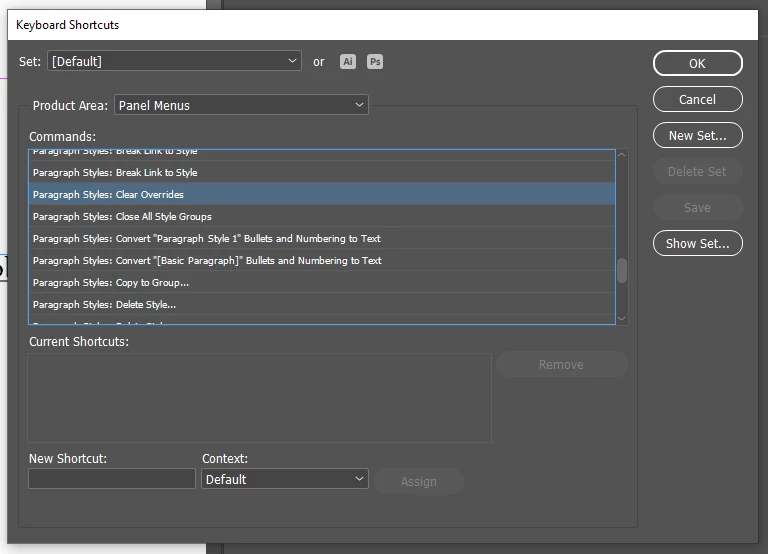
or you can set up Keyboard Shortcut for that:

RobertTkaczyk_4-1696352751533.png


Translate
LEGEND ,
Oct 03, 2023 Oct 03, 2023
LATEST

No.


As you have different formatting in the "2" ParaStyle - InDesign is keeping it as a local override - if you want to clear it - you need to:

RobertTkaczyk_3-1696352570371.png

or

RobertTkaczyk_2-1696352540969.png


or you can set up Keyboard Shortcut for that:

RobertTkaczyk_4-1696352751533.png


Translate
Report
Community guidelines
Be kind and respectful, give credit to the original source of content, and search for duplicates before posting. Learn more
community guidelines