Participant
March 22, 2021
Answered

RGB switching to HSB

  • March 22, 2021
  • 2 replies
  • 3768 views

Hi, I'm working in InDesign 2021 in CMYK transparency blend space. I create a block of colour and spec CMYK values. I copy and paste this block and the CMYK values have changed. This seems to be because the colour picker is swapping from RGB to HSB. I cannot get it to remain in one or the other. Please help!

This topic has been closed for replies.
Correct answer rob day

Thanks Rob. I checked the colour settings in InDesign and it is retaining the ones I set in Bridge. The colour panel for my swatches is appearing as a CMYK defined swatch, as you demonstrated, cheers. 


It seems to be that if I create a swatch, the colour stays stable. However, if I spec the colour via the fill box, it shifts.  I've made a little video to demonstrate. As you can see, the colour picker is in RGB when I create the object, then in HSB once I've copied it and return to look at the specs.


Please ignore the faffing around at the end — I didn't know how to stop the recording!


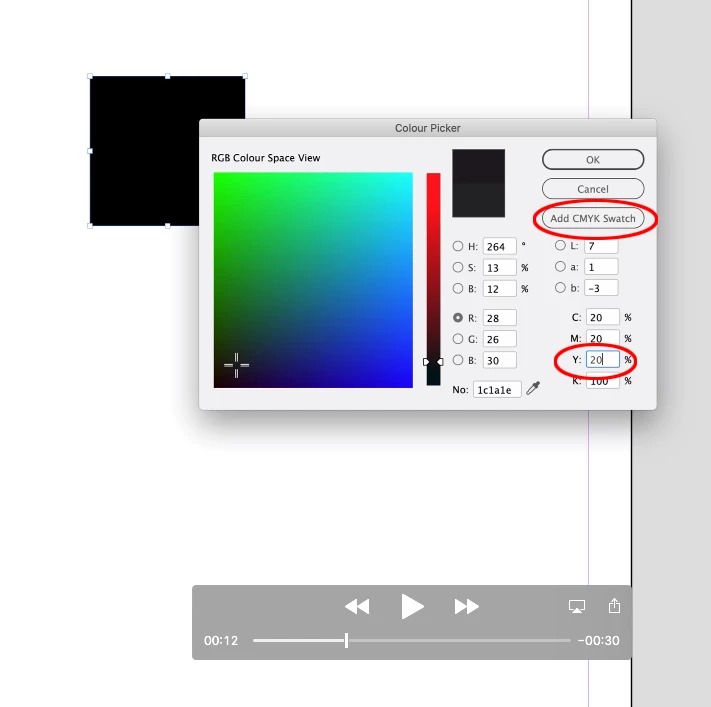
In your .mov capture you tabbed out of the CMYK fields and your cursor was in the H field when you chose the color, so your color choice was HSB not CMYK. If you don’t tab out of the CMYK fields and click OK or Add CMYK Swatch the color will be CMYK.


From your .mov:
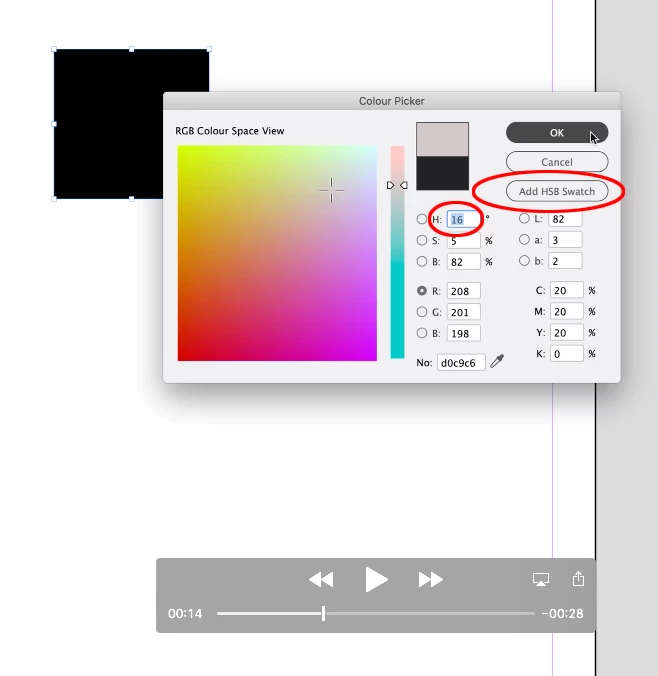


Before you selected the H field you could have chosen the CMYK color
 

2 replies

rob day
Community Expert
Community Expert
March 22, 2021


There is a color related bug to watchout for in the latest updates—after a CC update InDesign’s Color settings can get set to Emulate InDesign 2.0 CMS Off. So check your Color Settings.


This seems to be because the colour picker is swapping from RGB to HSB.


Also, the Color Picker has always been context sensitive, the Color Mode of the chosen swatch or color is dependent on where your cursor is in the dialog. If you want to pick a CMYK color, put your cursor in one of the C, M, Y, or K fields—the Add Swatch button will then change to Add CMYK Swatch, and your chosen color will be CMYK.


It can be confusing because the value fields determine the chosen color mode, while the radio buttons set the Picker’s Color Space View—you can pick color in the Hue color space view, and make a CMYK color by clicking inside of a CMYK field. 

Emma5E10Author
Participant
March 22, 2021

Hi Rob, thanks for your reply. I'm entering my colour values in the CMYK fields. By default, there's always an active radio button in either HSB or RGB on the left. The problems are occurring for me when I copy and paste an object. I go back to look at the colour and the CMYK values have shifted because the radio button on the left has changed to RGB from HSB (or vice versa) without me touching it.


I've been setting my colour setting in Bridge (so that it syncs across all the Adobe apps) to match that of the rest of the design agency, who don't have any problems. 

rob day
Community Expert
Community Expert
March 22, 2021

I've been setting my colour setting in Bridge (so that it syncs across all the Adobe apps) to match that of the rest of the design agency, who don't have any problems


The bug is specific to the InDesign Color Settings. Don’t check via Bridge, open the InDesign Color Settings, if you are experiencing the bug you will get this even when Bridge is synced:


when I copy and paste an object. I go back to look at the colour and the CMYK values have shifted


If you select the copied source and pasted destination objects, and check the Color panel (not the Color Picker) is the color mode CMYK?


A CMYK defined Swatch:


Or an unamed CMYK color:


Derek Cross
Community Expert
Community Expert
March 22, 2021

I'm not an expert in the black art of color management (are you allowed to say that nowadays?) Anyway, why are you working in HSB and CMYK when most experts say you should keep your images in RGB color mode and make any conversions (normally) through the PDF you supply your printer?. Just wonderin'.

Emma5E10Author
Participant
March 22, 2021

Hi Derek, thanks for that — I hadn't heard that before. I always work in CMYK if it's a document for print. It's worked for me up until now! I'm having to revert to using InDesign 2020 until I can get this problem sorted. I can't have my colour values changing all the time. Can anybody help?

Derek Cross
Community Expert
Community Expert
March 22, 2021

The reason for the workflow I suggested is that the correct profile for conversion from RGB to the CMYK profile for the particular printing process and substrate can be selected for more accurate reproduction. 
By the way you know about "soft proofing"?
