
Known Participant
January 28, 2019
Answered

Rule for cont'd footnote not working as expected

  • January 28, 2019
  • 2 replies
  • 1760 views

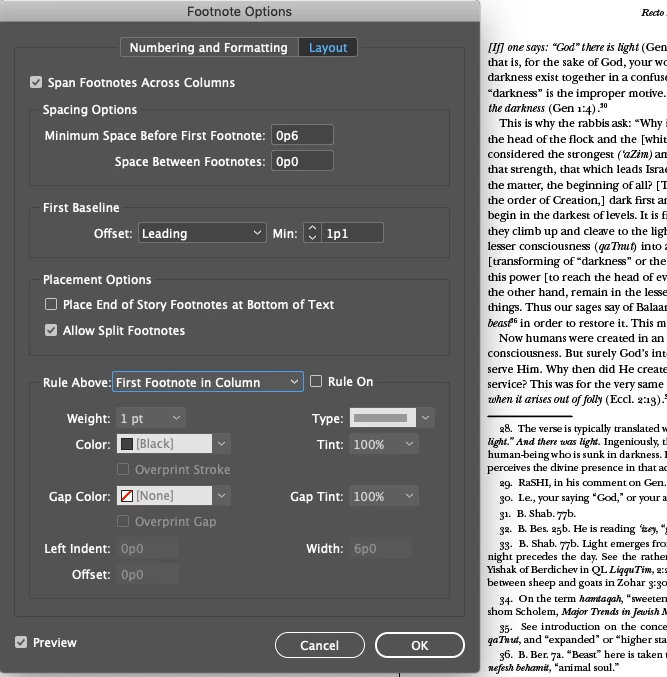
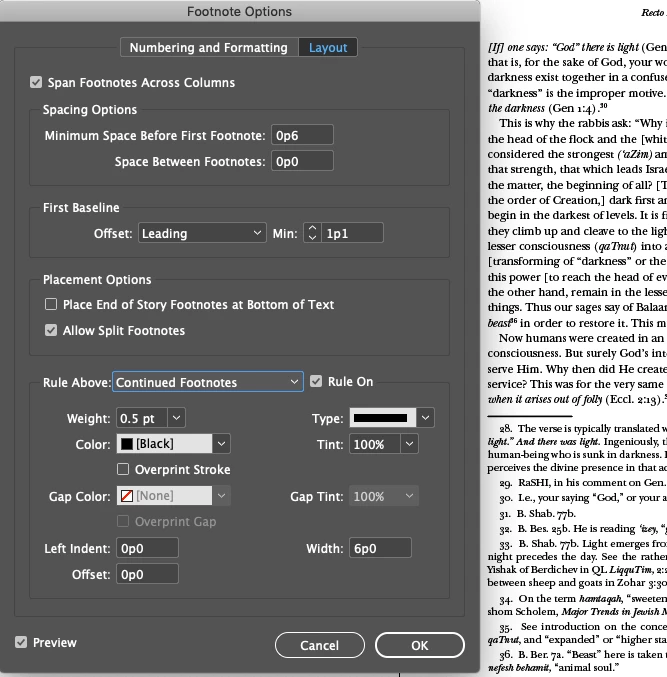
See the attached screenshots. I've set my footnotes not to have a rule above them unless a note splits across a page (column). I occasionally have places, though, where a rule is appears a new footnote. I'm doing a lot of page reflow as I put layouts together for our typesetter, so I'm trying to figure out whether this is just ID's compositing software getting overheated (seems unlikely), or me not understanding footnote formatting as well as I should (almost certain.) Whatever help I can get is, as always, much appreciated.

Rob

P. S. Maybe once I'm retired and not having to pump out the work everyday, I can come on here more often to answer a few questions, but for now I owe all you guys.
This topic has been closed for replies.
Correct answer David W. Goodrich

I've seen this fairly frequently but it goes away when I toggle the Footnote Rule on and off (or vice versa) in the Document Footnote Options.  This apparently gets the composition engine to re-check the status and fix it, at least in  my ID CS6.  Going through the menus got tiresome so I wrote a two-line JSX:

app.documents[0].footnoteOptions.continuingRuleOn = 0;

app.documents[0].footnoteOptions.continuingRuleOn = 1;

Good luck,

David

2 replies

David W. Goodrich
David W. GoodrichCorrect answer
Participating Frequently
January 28, 2019

I've seen this fairly frequently but it goes away when I toggle the Footnote Rule on and off (or vice versa) in the Document Footnote Options.  This apparently gets the composition engine to re-check the status and fix it, at least in  my ID CS6.  Going through the menus got tiresome so I wrote a two-line JSX:

app.documents[0].footnoteOptions.continuingRuleOn = 0;

app.documents[0].footnoteOptions.continuingRuleOn = 1;

Good luck,

David

Barb Binder
Community Expert
Community Expert
January 28, 2019

Hi Rob:

I'm not getting the same result. Rules are off for 1st footnote on page, and on for those that break. CC 2019.

If you think you found a bug, you can report it here: Adobe InDesign Feedback.

~Barb

~Barb at Rocky Mountain Training
Rob EhleAuthor
Known Participant
January 28, 2019

I'll fiddle with this - it seems intermittent. Once I've made sure I'm not missing something, I'll report the problem.

Barb Binder
Community Expert
Community Expert
January 28, 2019

Sounds good. I use footnotes every day but always have them appear—both before the first footnote and before breaking footnotes so I've never seen this happen.

~Barb

~Barb at Rocky Mountain Training