
Participant
December 3, 2020
Answered

Running footer is displayed correctly on the first page but removes spaces on the second page

  • December 3, 2020
  • 7 replies
  • 1326 views

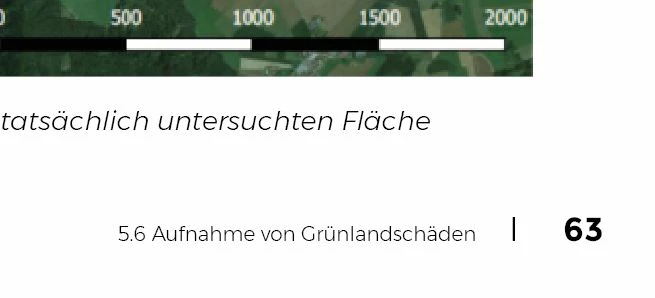
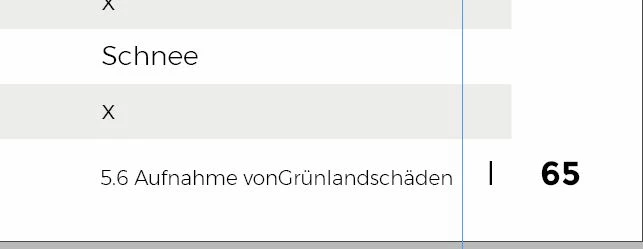
Hi there, i have a Problem with a InDesign running footer. It is generated automatically from subheadlines in the document. It is displayed correctly on the first page but removes some of the spaces on the second page. If i add the the spaces in the subheadline it have two spaces between words on the first Page.


Can anybody help?


Thank you
This topic has been closed for replies.
Correct answer Laubender

Hi Vincenz,

also look into this bug report at InDesign UserVoice and vote for fixing the issue:


Forced line breaks within text variables introduces an unavoidable letter space

Joe, Jul 13, 2018

https://indesign.uservoice.com/forums/601180-adobe-indesign-bugs/suggestions/34823413-forced-line-breaks-within-text-variables-introduce


Regards,
Uwe Laubender

( ACP )

7 replies

LaubenderCommunity ExpertCorrect answer
Community Expert
December 4, 2020

Hi Vincenz,

also look into this bug report at InDesign UserVoice and vote for fixing the issue:


Forced line breaks within text variables introduces an unavoidable letter space

Joe, Jul 13, 2018

https://indesign.uservoice.com/forums/601180-adobe-indesign-bugs/suggestions/34823413-forced-line-breaks-within-text-variables-introduce


Regards,
Uwe Laubender

( ACP )

Participant
December 4, 2020

I will, thank you


Community Expert
December 3, 2020

"Is that your observation as well?"

Exactly, Barb!


Did also a test with a non-facing pages document where the text frame with the text variable is not on the master.

In that document I cannot provoke the issue. Same text variable, nearly the same paragraph styles. Did not use justification "away from spine" in the paragraph with the variable. Very strange…


Regards,
Uwe Laubender

( ACP )

Barb Binder
Community Expert
Community Expert
December 3, 2020

That's very helpful, Uwe. It's more complicated than I was understanding. Playing with your file, it seems to happen on the second and subsequent pages after the head with the forced line break, and threading plays a role. Is that your observation as well?


~Barb

~Barb at Rocky Mountain Training
Community Expert
December 3, 2020

Hi Barb,

I'm sure that the bug is not resolved.


[1] To see the issue it may require a text frame on a master holding the text variable.

Maybe also a story on the document pages that is threaded through several frames.

Plus perhaps a facing pages document.


[2] I found a report on that bug in the reporting system where its status is marked as "open".


[3] I could recreate the bug in InDesign 2021 when I open a document from InDesign CS6 where the bug is clearly showing. And if I edit the text the bug is still showing. Even after the story was redrawn.


Download my sample InDesign 2021 document from my Dropbox account:

https://www.dropbox.com/s/s7akjl9b7lf5veg/201203-1-TextVar-EOL-BUG-Showing-CS6-OPENED-2021.indd?dl=1


Regards,
Uwe Laubender

( ACP )

Barb Binder
Community Expert
Community Expert
December 3, 2020

That line break bug appears to be resolved in version 16 and 16. 0.1. What version are you both using?


~Barb 

~Barb at Rocky Mountain Training
Community Expert
December 3, 2020

Hallo Vincenz,

ich vermute mal, dass Dein Text, der als Grundlage für die Textvariable dient, einen "Harten Zeilenumbruch" hat.
Du wärest mit dem Problem nicht alleine: Die erste Instanz der Textvariablen sieht aus wie gewünscht, allen folgenden fehlt der Abstand. Das ist ein glasklarer Bug.


Was kannst Du machen?

[1] Ein Leerzeichen vor dem Zeilenende setzen:

Verdoppelt leider das Leerzeichen in der Textvariablen in der ersten Instanz. Siehe:

https://community.adobe.com/t5/indesign/running-heads-and-forced-line-breaks-extra-space-character/m-p/11077917#M183756


[2] Kein Zeichen "Harter Zeilenumbruch" im Quelltext setzen.

Stattdessen ein Leerzeichen, das mit einer sehr großen Breite ausgezeichnet ist, sodass der Zeilenumbruch erzwungen wird. Also beispielsweise mit einer Zeichenbreite von 1000% und einem extremen Wert für die Laufweite. Das nur mal als Anregung:


Wenn Du mal im Forum suchst, da gibt's noch ein paar Anregungen.


Gruß,
Uwe Laubender

( ACP )

Participant
December 4, 2020

Hallo Uwe, danke für deine schnelle Antwort. Habe schon mit harten sowie soften Zeilenumbrüchen und Leerzeichen alles probiert, entweder ist es auf der ersten Seite richtig dargestellt und auf allen Folgeseiten falsch oder anders herum.


Aber das mit dem  Leerzeichen mit erweiterter Breite ist ein guter Tipp, werde ich mal ausprobieren.


Danke dir

Barb Binder
Community Expert
Community Expert
December 3, 2020

Are pages is 63 and 65 using the exact same master page? Are the two frames at the exact same width?


A "feature" of variables in InDesign is that if they don't fit on one line in a frame, instead of breaking to the next line, the spaces squeeze together.

Check the two frames and make sure that they are the exact same width, and play with making them slightly wider than necessary. I'm wondering the frame on page 65 is slightly narrower than the other one. 


If that isn't it, please share another screenshot with the text frame selected and hidden characters visible.


~Barb

~Barb at Rocky Mountain Training
Participant
December 4, 2020

Hi Barb, both Pages using the same master page and both frames have the exact same width.

Seems to be a bug in the latest version