
Inspiring
October 9, 2022
Question

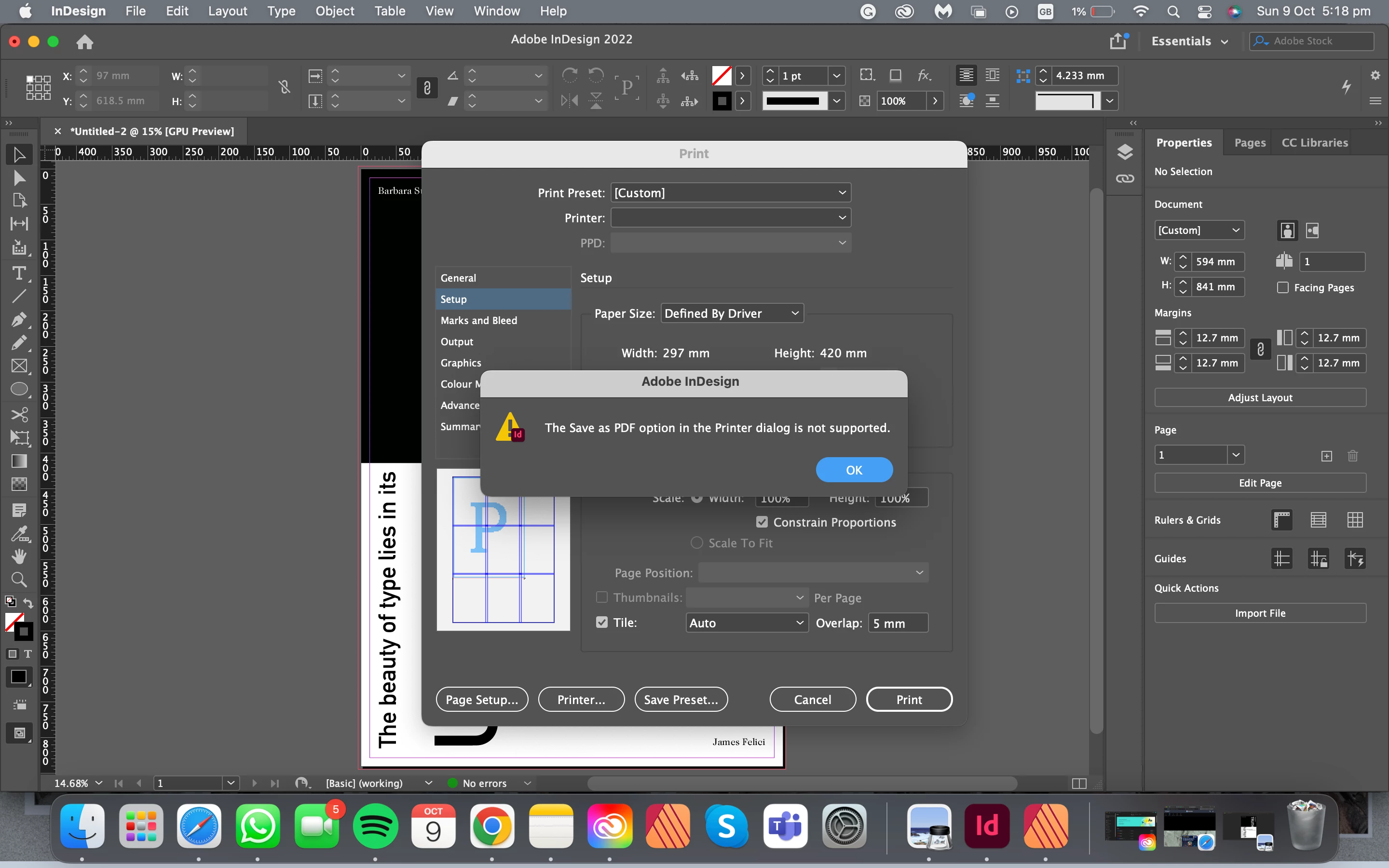
save as pdf option in the printer dialog is not supported error message

  • October 9, 2022
  • 1 reply
  • 643 views

I am doing an A1 print using a tiled format to print (using 4 A3s). I did the tiling settings using the print settings and then tried to save that as pdf which I could do in affinity but I recently made the change to indesign. but when I tried to do that in indesign it says it's not supported. I was wondering how I could fix that or save my tiled version as a pdf so I could print it in my unis printer (it has to be printed as a pdf).
This topic has been closed for replies.

1 reply

Willi Adelberger
Community Expert
Community Expert
October 9, 2022

Why does it has to printed as PDF? Export as PDF (Print). Printing PDFs need postscript and does not support transparency.

Build up your file as speads made from several columns and lines of pages and export them.

Inspiring
October 10, 2022

it has to be saved as a pdf to print cuz that's how my uni printers work. I tried to export it as pdf (print) but then it wouldn't save my tiling settings..

rob day
Community Expert
Community Expert
October 10, 2022

Hi @angelena chang , Acrobat’s Print dialog also lets you tile. Couldn’t you tile when you print the PDF from Acrobat?


If that’s not an option you’ll need to install the Adobe PDF 9.0 PPD and Distill the .ps file. Download is here, follow the install instructions carefullly


https://helpx.adobe.com/indesign/kb/add-acrobat-ppd.html