r.soracco
Participant
August 16, 2019
Question

Scale? Printer? What's wrong??

  • August 16, 2019
  • 2 replies
  • 854 views

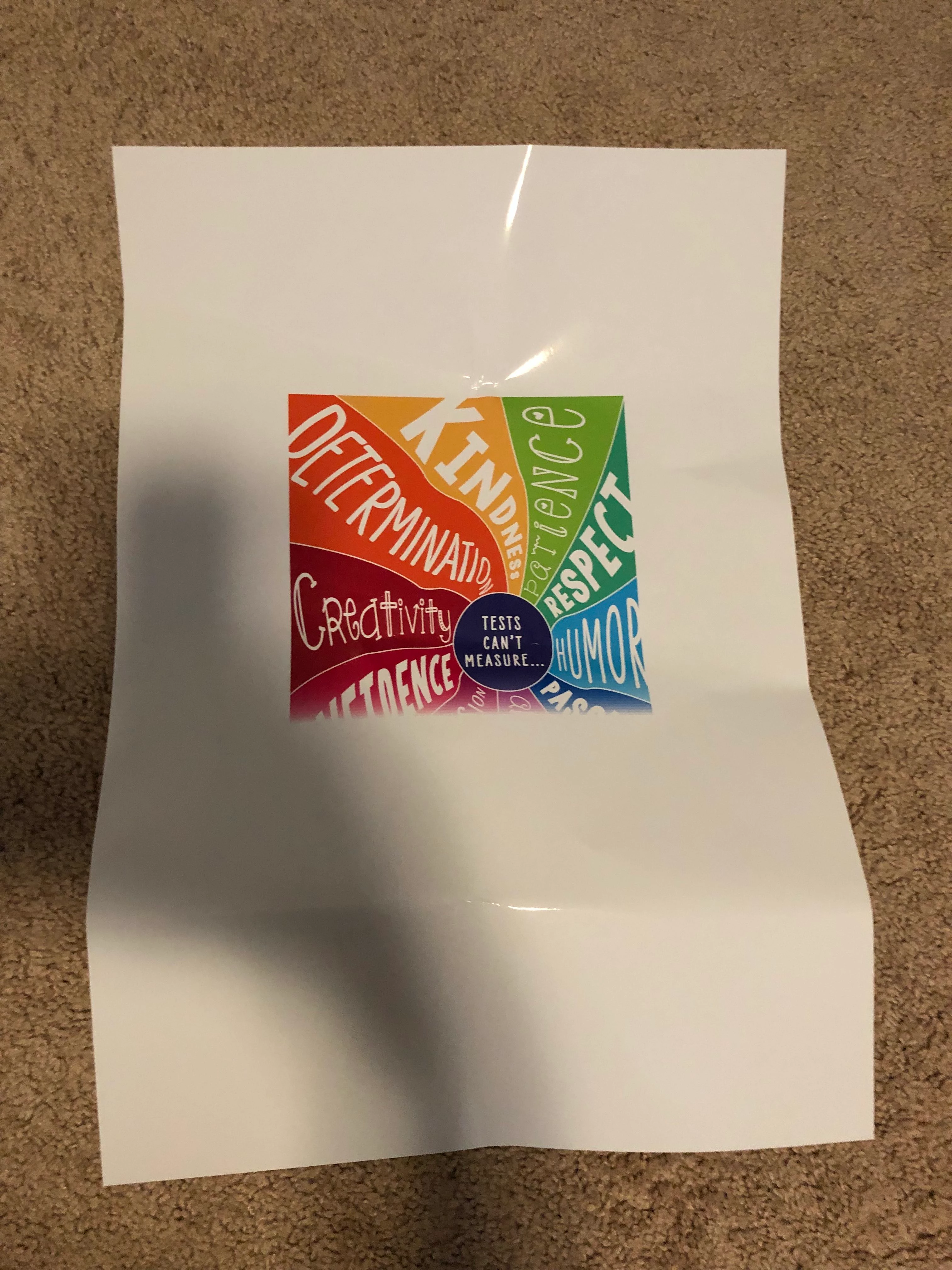
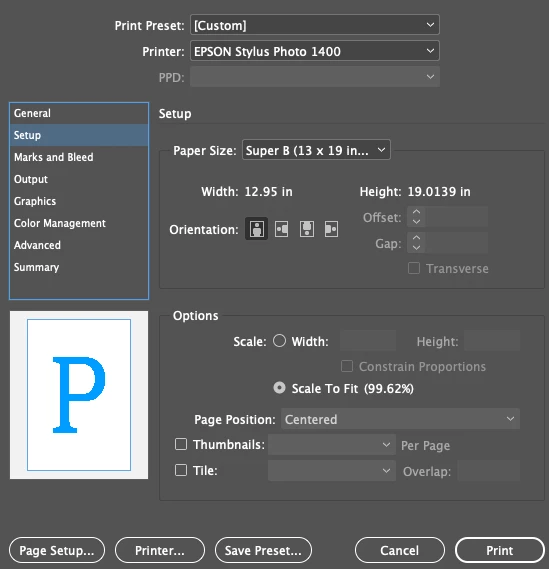
I have been baffling my mind to figure out what I'm doing wrong. The document is a 13x19 image, but yet when I try to print it is scaled down to the center of the page. I checked my settings which is in the picture provided, but yet it still prints it scaled down.  FIrst image is the printer setup for InDesign, the second is the failed version of what keeps coming out. The only solution I have found is exporting to PDF and it has been okay. I just can't print from InDesign.

Any suggestions??

Thank you!
This topic has been closed for replies.

2 replies

Randy Hagan
Community Expert
Community Expert
August 16, 2019

A couple of things:

1) Why is the page set to the Scale To Fit radio button? Does it print to the margins of your output device when you set it to 100% in the Height: and Width: edit boxes? If you need to reduce the graphic slightly to fit your sheet size, does changing those edit boxes to the Scale To Fit percentage (99.62%) get you a better result?

2) Do you actually want to scale the size in the first place? I'm not familiar with your Epson Stylus 1400 device, but if your sheet size comes up short compared to the graphic, can it handle a larger sheet you can cut down?

In both cases, I think that your issue comes down to using the Scale To Fit radio button is causing a conflict with automatically scaling down art that doesn't fit the sheet size. The fastest fix would likely be 1) manually setting the scale to a smaller sheet or 2) using a larger sheet and running at full size, then cutting it down. Rather than beating your head against the problem, it's often better to work around the problem to get to the solution.

Hope this helps,

Randy

Mike Witherell
Community Expert
Community Expert
August 16, 2019

I almost never print from InDesign. Better to print from a PDF out of Acrobat.

Mike Witherell