
Participant
April 20, 2018
Answered

Scale + resize text in frames

  • April 20, 2018
  • 2 replies
  • 1287 views

Hello,

I created an agenda at half-letter and would like to scale it down to 110mm W x 152mm H.

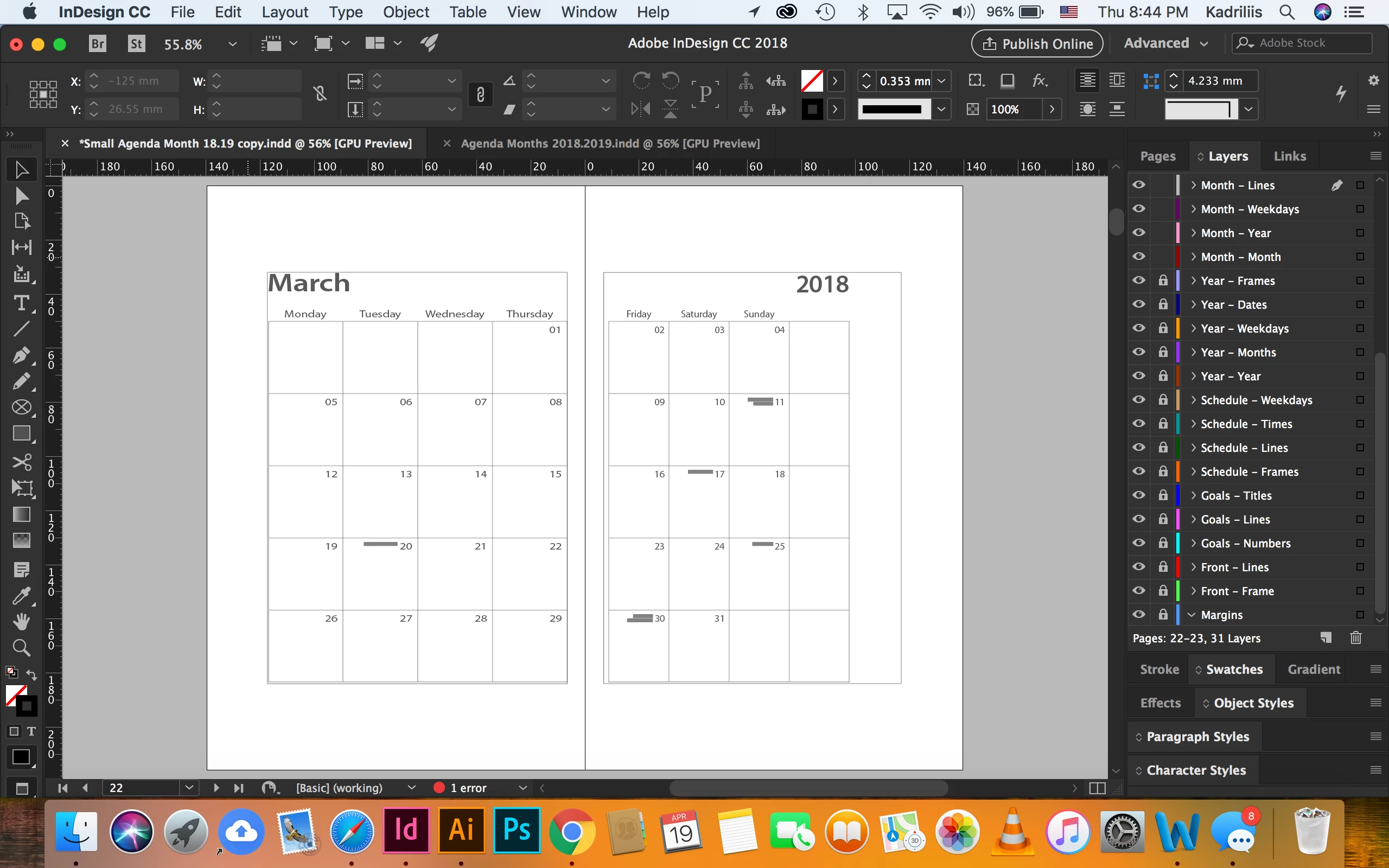
When I scale down to 75%, the text frames and text are resized and maintained proportionally.

I would then like to resize the text frames while constraining the text size.

This method stretches the text and I lose the text sizes and characteristics.

I have tried many functions for the past weeks and have not been able to figure this out.

I would then like to somehow like to set up the "Transform Sequence Again" tool so I can easily change the size of the spreads in the entire document.

I appreciate all the help and suggestions I can get.
Thank you

- Alex
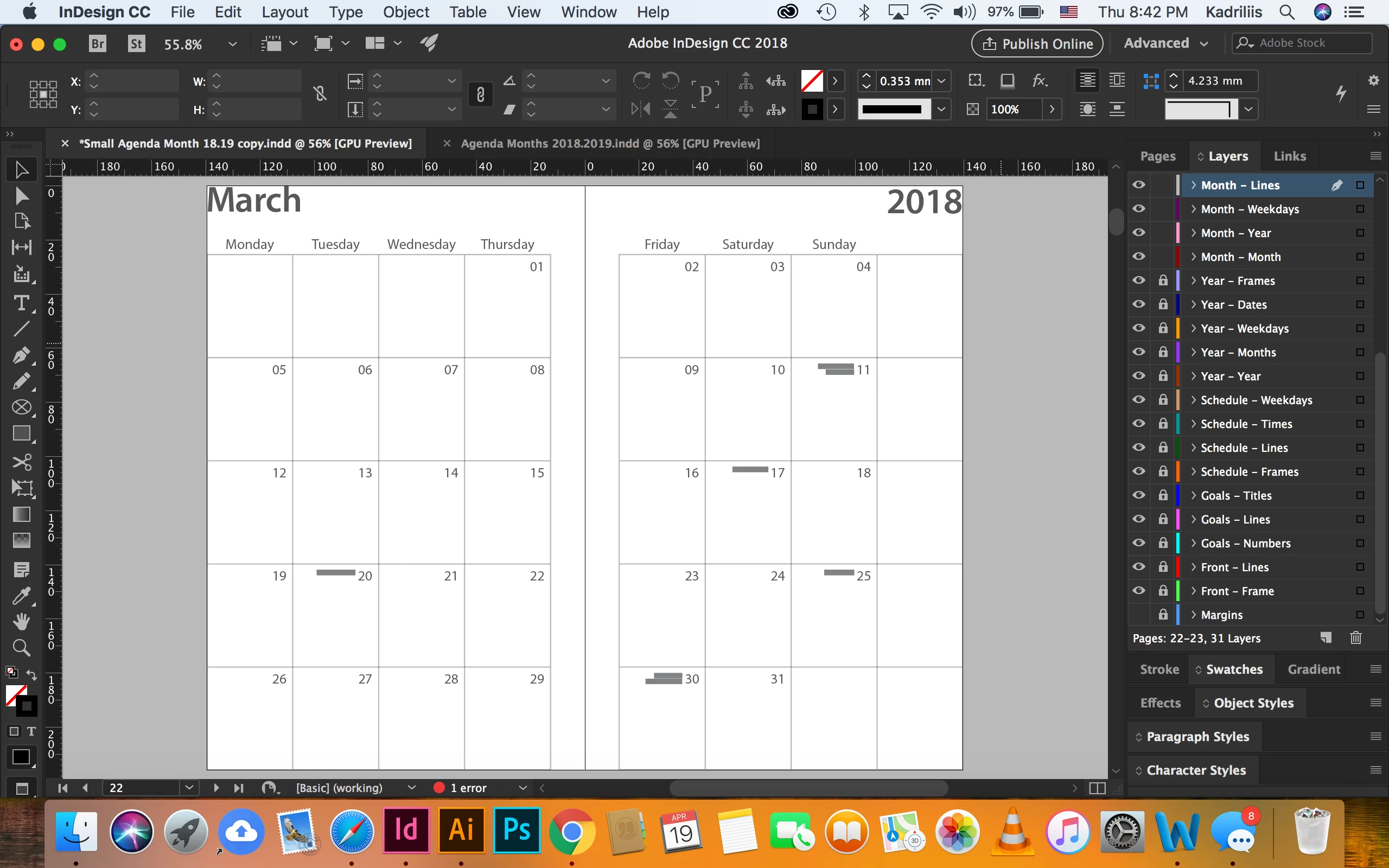
I am trying to make the content fit into it's respective frame. (110mm W x 152mm H)
This topic has been closed for replies.
Correct answer Laubender

Hi Alexander,

scaling and resizing are two different things as you may have found out by experimentation.

You said: "I would then like to resize the text frames while constraining the text size."

That's only possible if you do scaling where the x and y-factors are the same.

If you'd like to have a result where the aspect ratio is not the same compared to the original you have to do two things:

1. Scale with the same x- and y-factors.

2. Adjust the width or height of the text frame with one of the 9 handle points at the edges or the corners of the frame.

If a table is involved change the the width of columns in a separate step.

Just grab the right edge of the table ( a horizontally double-arrow is visible ), hold down the Shift key and drag it towards the right edge of the text frame.

You can do the same thing with the rows:

The point size of the text will not change.

Regards,
Uwe

2 replies

Srishti_Bali
Legend
May 16, 2018

Hi Alexander,

I would like to know if the steps suggested by Uwe worked for you, or the issue still persists.

Kindly update the discussion if you need further assistance with it.

Thanks,

Srishti

LaubenderCommunity ExpertCorrect answer
Community Expert
May 15, 2018

Hi Alexander,

scaling and resizing are two different things as you may have found out by experimentation.

You said: "I would then like to resize the text frames while constraining the text size."

That's only possible if you do scaling where the x and y-factors are the same.

If you'd like to have a result where the aspect ratio is not the same compared to the original you have to do two things:

1. Scale with the same x- and y-factors.

2. Adjust the width or height of the text frame with one of the 9 handle points at the edges or the corners of the frame.

If a table is involved change the the width of columns in a separate step.

Just grab the right edge of the table ( a horizontally double-arrow is visible ), hold down the Shift key and drag it towards the right edge of the text frame.

You can do the same thing with the rows:

The point size of the text will not change.

Regards,
Uwe