Participant
April 24, 2025
解決済み

Schrift hüpft/springt, Schrift ersetzen

  • April 24, 2025
  • 返信数 2.
  • 398 ビュー

Hallo, 
Ich habe folgendes Problem: 
Wenn ich ein Dokument, welches die Adobe Open Sans beinhaltet, in inDesign öffne, poppt das Schriften-ersetzen Fenster auf. Das ist okay, denn ich möchte die Google-Version der Schrift (die hat mehr Schnitte), welche ich intalliert habe und nicht die Open Sans von Adobe.
Wenn ich aber die Schriften korrekt ersetze ("Open Sans (OTF) Regular"= Adobe, gegen "Open Sans (TTF) Regular"=Google) springt der gesamte Text in den Textfeldern ein paar Pixel nach unten, was in einem festen Magazin Layout natürlich fatal ist! Wenn der Text am Raster verankert ist dann springt er nicht. Ich kann aber nicht alles an das Raster ketten, da es nicht überall anwendbar ist.

Weiß jemand, warum der Text springt?
Hat jemand eine Lösung?

解決に役立った回答 rob day

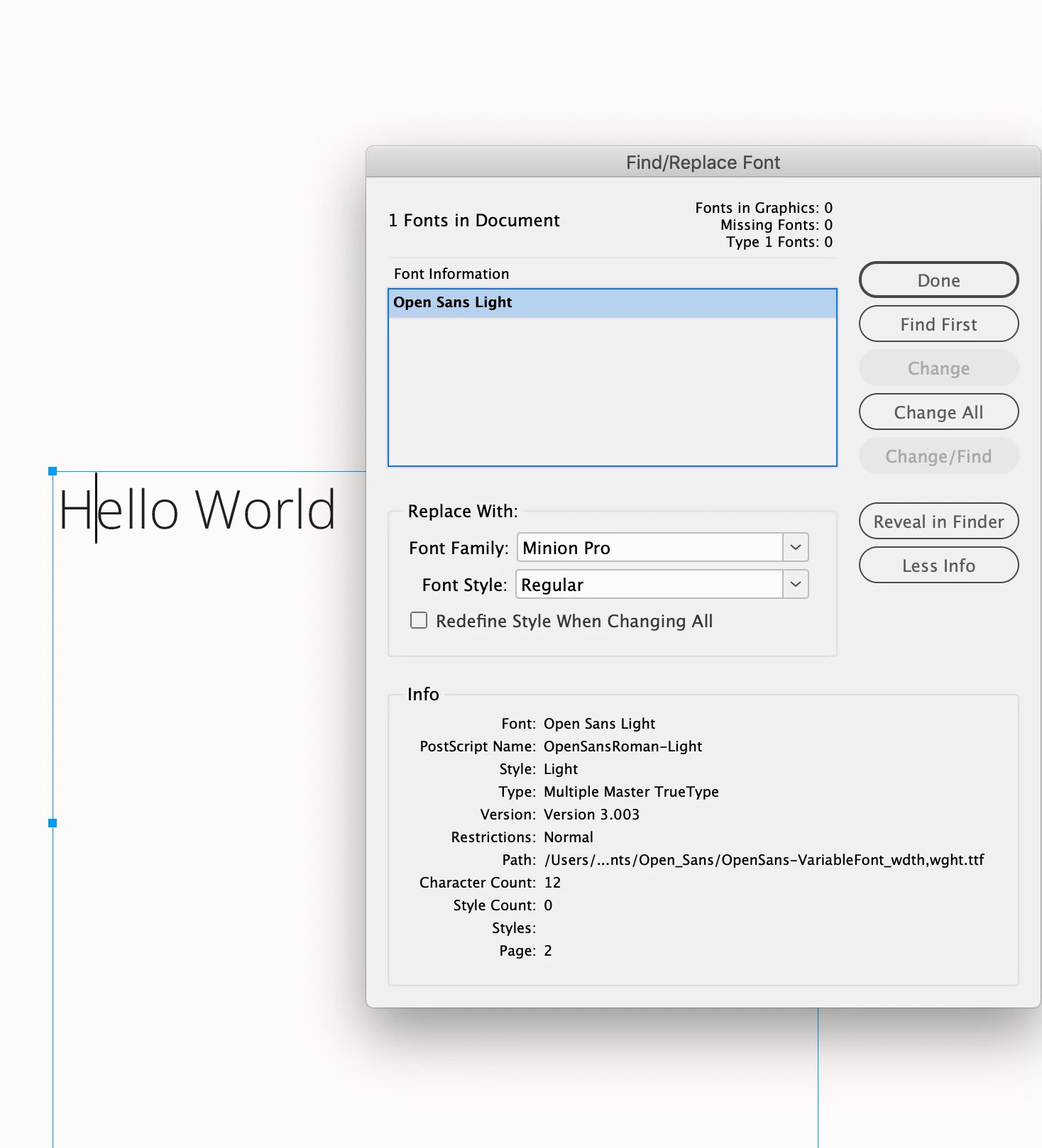
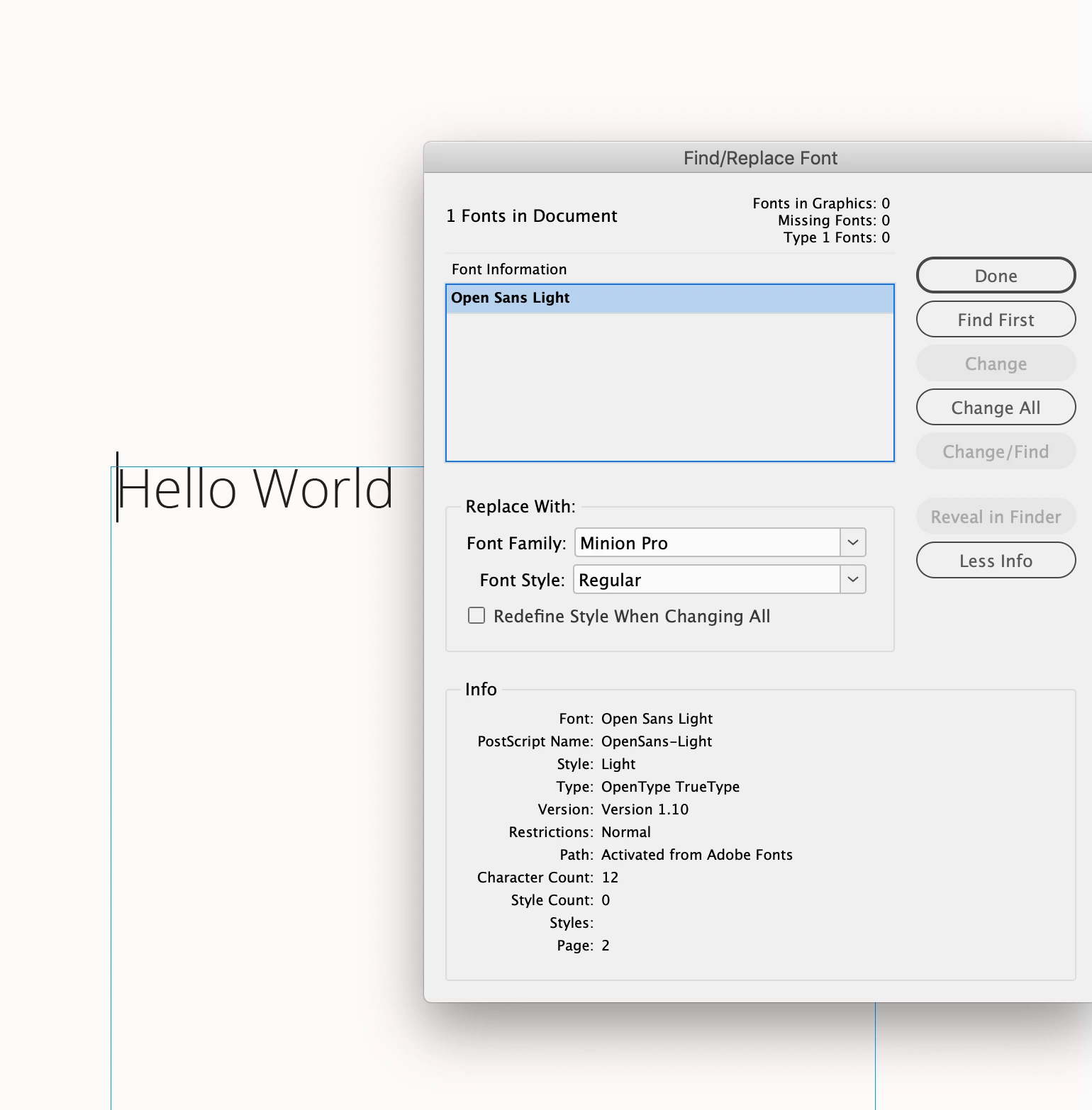
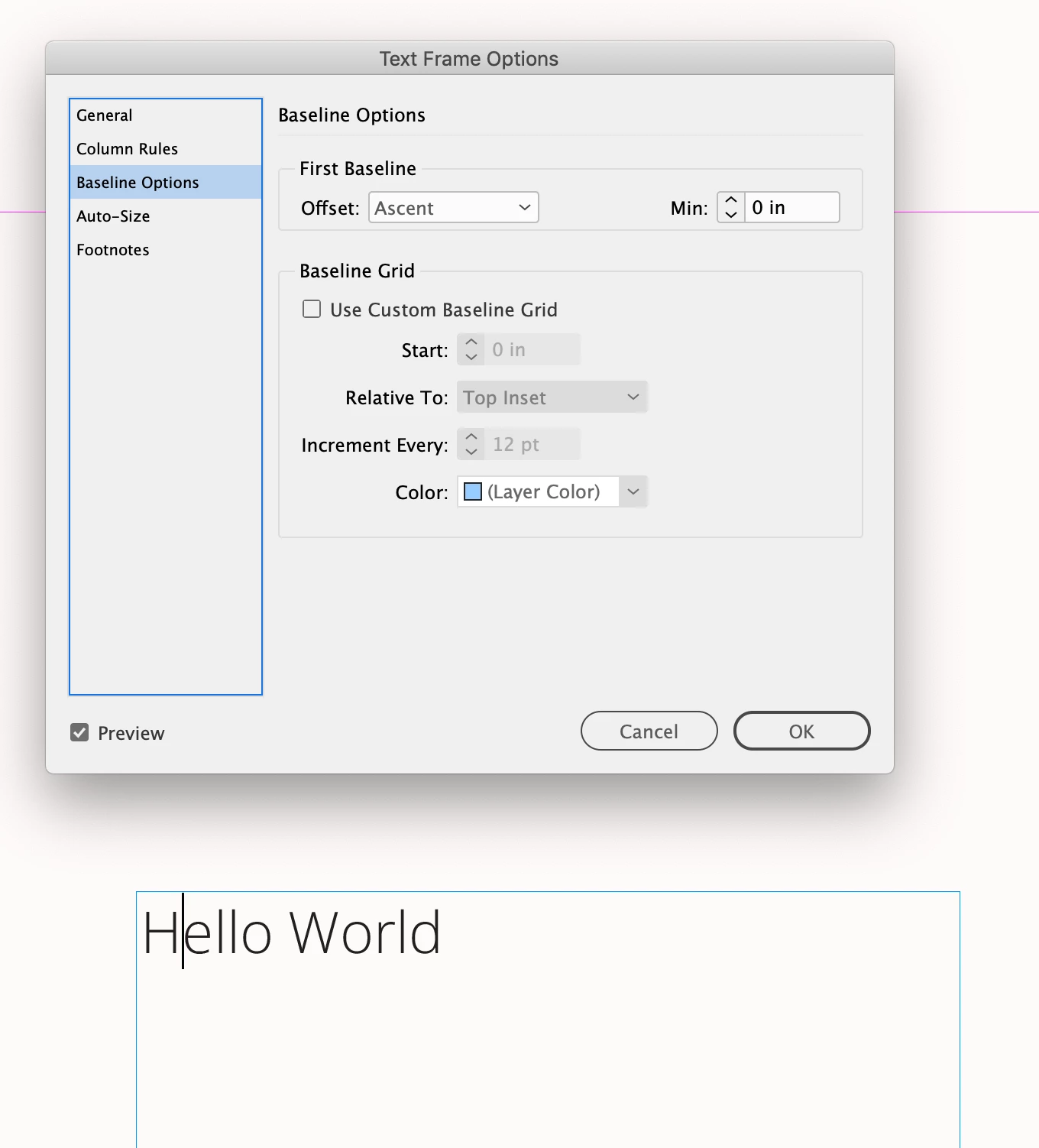
Hi @Electric_Mercury5742 , Also this has come up before, there is the free version from Google (3.003) and the Adobe Type version (1.10). The two versions are nearly identical but they have different Ascent lines which would show up if your text frame’s First Baseline Offset is set to Ascent.


The Adobe version is 1.10, the Google version is 3.0023—check Version in Find/Replace Font


The first Baseline Offest:


返信数 2

rob day
Community Expert
rob dayCommunity Expert解決!
Community Expert
April 24, 2025

Hi @Electric_Mercury5742 , Also this has come up before, there is the free version from Google (3.003) and the Adobe Type version (1.10). The two versions are nearly identical but they have different Ascent lines which would show up if your text frame’s First Baseline Offset is set to Ascent.


The Adobe version is 1.10, the Google version is 3.0023—check Version in Find/Replace Font


The first Baseline Offest:


Participant
May 8, 2025

Hello @rob day ,
Thank you so much for your input!! This helped to find the root of the problem, now I can find a work-around! 

leo.r
Community Expert
Community Expert
April 24, 2025

I guess different versions of the same font can be different. Why not use the desired font from the start - or is it not under your control?


(Maybe there are other explanations for this too, I'm sure others will chime in.)