
Participant
January 2, 2020
Question

Screen flickering InDesign CC 2020 (MacBook Pro 15.1) 10.15.2

  • January 2, 2020
  • 3 replies
  • 2656 views

Hi All,

I have screen flickering while wokring on InDesign 2020 (15.0.1.209) whith GPU preview in full screen mood.
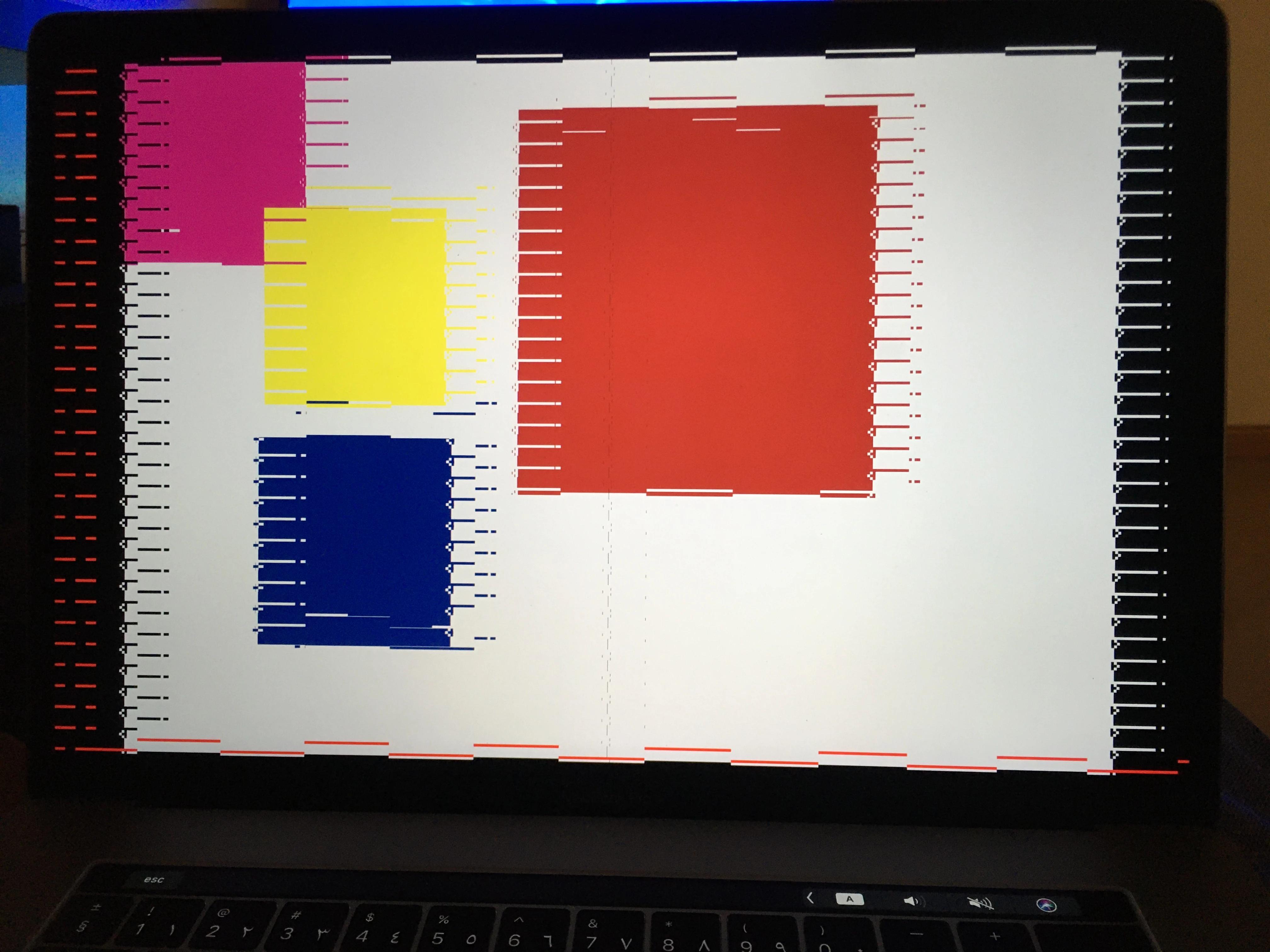
Hardware Overview:

  Model Name: MacBook Pro

  Model Identifier: MacBookPro15,1

  Processor Name: 6-Core Intel Core i7

  Processor Speed: 2.2 GHz

  Number of Processors: 1

  Total Number of Cores: 6

  L2 Cache (per Core): 256 KB

  L3 Cache: 9 MB

  Hyper-Threading Technology: Enabled

  Memory: 16 GB

  Boot ROM Version: 1037.60.58.0.0 (iBridge: 17.16.12551.0.0,0)

  Hardware UUID: 150E42ED-9A42-5833-8CC8-73927CBB8CCD


Please advise.


This topic has been closed for replies.

3 replies

Dave Creamer of IDEAS
Community Expert
Community Expert
January 2, 2020

One other option would be to find out the GPU's exact make and model; go to the vendor's website; download and install any updated drivers. (Don't go by the OS update, it doesn't always update to the latest version.)

David Creamer: Community Expert (ACI and ACE 1995-2023)
basilooozAuthor
Participant
January 5, 2020

Thanks for the suggestion, Unfortunately, I didn't find any update for the same model.

Steve Werner
Community Expert
Community Expert
January 2, 2020

I agree with Bob. It's unlikely that much has been done to improve GPU performance on the Macs which are supported and there may  be some GPUs that are not fully supported.

BobLevine
Community Expert
Community Expert
January 2, 2020
Turn off GPU performance. It's been troublesome for years and InDesign 2020 has a particularly bad problem with presentation mode.
basilooozAuthor
Participant
January 2, 2020

Thank you Bob.