Participant
March 16, 2022
Question

Screen tearing and weird lines

  • March 16, 2022
  • 6 replies
  • 5819 views

Hello, 


I just got a new computer and ever since this has startet to happen:


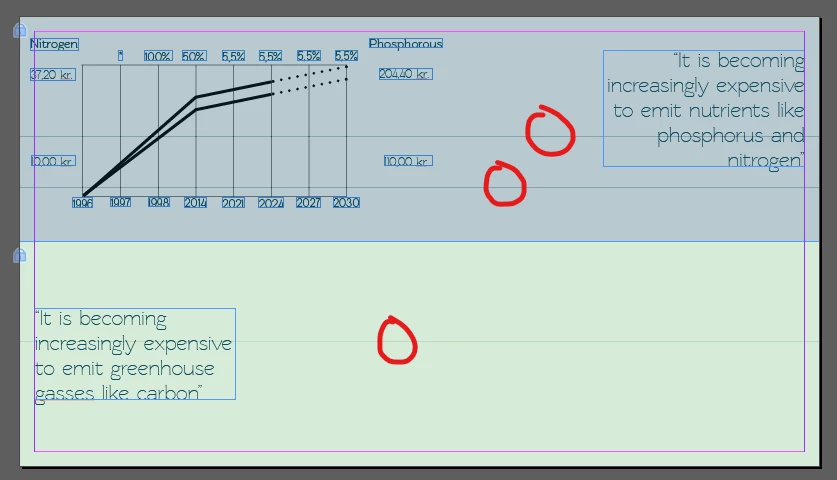
Whenever i move objects this "tearing" with the color of the background appears. This can make it hard to move objects precisely. See picture 1. 

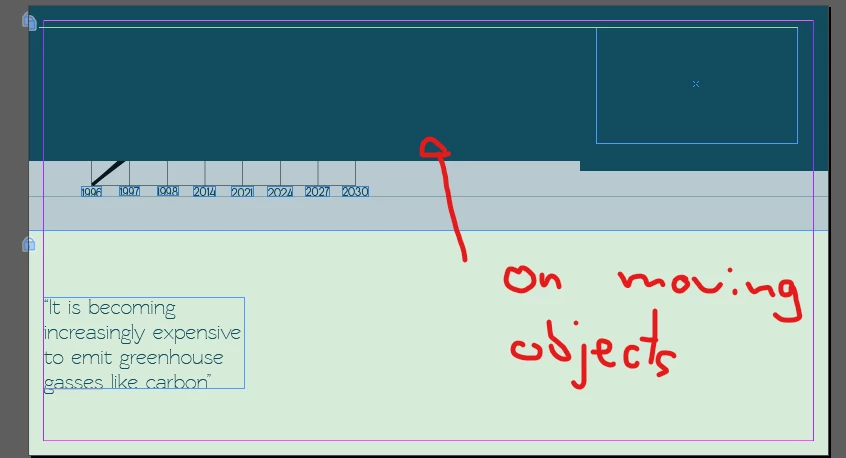
Also i have these lines across the page i'm working on. See picture number 2. 
 

This topic has been closed for replies.

6 replies

Known Participant
March 11, 2024

I am getting this issue too. This isn't an isolated issue. I just bought a new notebook and the screen tearing only happens in indesign and is absolutely horrendous.

It happens at both 60hz and 120hz.

I think it has to do with the resolution of the monitor.  The resolution of my monitor is 2056 x 1440.

This is a nightmare working on a notebook. How can we get this fixed. This makes indesign almost unusable.

I get both the lines and the screen tearing.

I have attached an image of what is occurring. It sometimes makes entire lines unreadable. 

How can we escalate this.

Known Participant
March 11, 2024

This is definitely a problem with indesign and screen resolution. I change the resolution of my screen to 1920x1080 from 2056x1440 and the screen tearing disappears. 


So, this is a bug with adobe indesign 19.2.

It is not compatible with a monitor resolution of 2056x1440.

Known Participant
March 11, 2024

Here is an example of the line that is added when scrolling up and down.

Nicholas5C24
Participant
February 28, 2023

I have this problem too. Never seen it happen before until ID 2023

- 32 gigs of RAM, a 6 gigabyte graphics card, an I7 processor, all GPU drivers updated, scaling set to small. Window 10.


A bit ridiculous really.

doug_bc
Participant
January 26, 2023

I'm having this same issue on my PC and my drivers are up to date. This is a really irritating problem that never used to exist. 

Barb Binder
Community Expert
Community Expert
March 17, 2022

Hi @Nicolai0D4418220271:


Try Preferences > User Interface Scaling > UI Sizing > Small.


~Barb

~Barb at Rocky Mountain Training
Participating Frequently
April 24, 2022

Doesn't work. Mine is set to as small as possible.

Barb Binder
Community Expert
Community Expert
April 24, 2022

@Pam23944300tltq:


  1. What version of InDesign, exactly?
  2. What operating system?
  3. Is your video driver up-to-date?
  4. Did you disable GPU Performance?


~Barb

~Barb at Rocky Mountain Training
Participant
March 16, 2022

My computer is a ASUS TUF15


11th Gen Intel(R) Core(TM) i7-11370H @  3.30GHz

NVIDIA GeForce RTX 3070 Laptop GPU GDR6 @ 8GB (256 bits)

Inspiring
March 16, 2022

Update your GPU drivers, restart your laptop, and report back.

Participant
March 17, 2022

I've done this. No change

BobLevine
Community Expert
Community Expert
March 16, 2022

Turn off GPU performance.

Participant
March 16, 2022

I'm running windows