
Answered
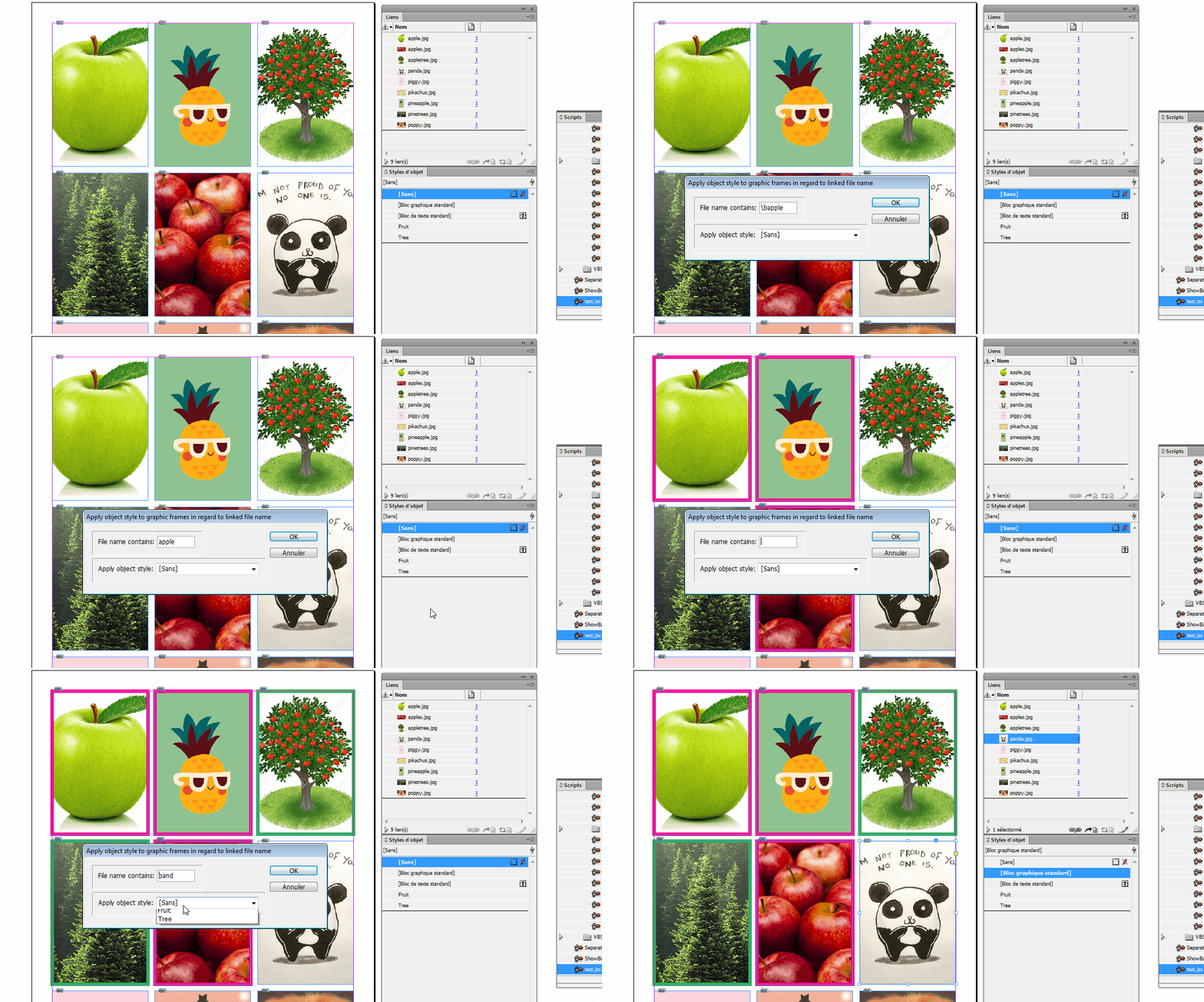
Script to apply an Object Style to the frames those has same specific link image?
Script to select a specific link and an object style to apply to.
It searches document and applies the style to all frames contents that link.

Script to select a specific link and an object style to apply to.
It searches document and applies the style to all frames contents that link.
Something like this maybe?
(comments from experts are more than welcome)
// [310718] Link2ObjectStyle
// Apply object style to graphic frames in regard to linked file name
// written by Vinny
if (parseFloat(app.version) < 6) {
main();
} else {
app.doScript(main, ScriptLanguage.JAVASCRIPT, undefined, UndoModes.ENTIRE_SCRIPT, "Link2ObjectStyle");
}
function main() {
if (app.documents.length > 0) {
//------------
//Variables
var
myDoc = app.documents[0],
myObjectStyles = myDoc.objectStyles.everyItem(),
myLinks = myDoc.allGraphics;
//------------
//Dialog box
var myDialog = app.dialogs.add({
name: "Apply object style to graphic frames in regard to linked file name",
canCancel: true
});
with(myDialog) {
with(dialogColumns.add()) {
with(borderPanels.add()) {
with(dialogColumns.add()) {
staticTexts.add({
staticLabel: "File name contains:"
});
}
with(dialogColumns.add()) {
var myTextEditField = textEditboxes.add({});
}
}
with(borderPanels.add()) {
with(dialogColumns.add()) {
staticTexts.add({
staticLabel: "Apply object style:"
});
}
with(dialogColumns.add()) {
var myObjectStylesMenu = dropdowns.add({
stringList: myObjectStyles.name,
selectedIndex: 0
});
}
}
}
if (myDialog.show() == true) {
var myString, myObjectStyle, myObjectStylesMenu, fileName, j = 0;
myString = myTextEditField.editContents;
myObjectStyle = myDoc.objectStyles[myObjectStylesMenu.selectedIndex];
myDialog.destroy();
//------------
//let's rock
if (myString == "") {
alert("you didn't enter any string");
return null;
} else {
for (i = 0; myLinks.length > i; i++) {
if (myLinks.itemLink.name.search(myString) != -1) {
myLinks.parent.applyObjectStyle(myObjectStyle);
j++;
}
}
//------------
//end
if (j == 0) {
alert("String could not be found\nScript ends");
} else {
alert(j + " objects found.\nYou're done");
}
}
} else {
myDialog.destroy()
}
}
} else {
alert("Open a document");
return null
}
}
Already have an account? Login
Enter your E-mail address. We'll send you an e-mail with instructions to reset your password.
 AdChoices