Inspiring
May 8, 2024
Answered

Searching for lines

  • May 8, 2024
  • 3 replies
  • 947 views

I have a document that has a number of lines drawn with the line tool. Now I want to search for the lines so I can edit some of them. Can that be done?

This topic has been closed for replies.
Correct answer Laubender

Hi @m5heath ,

what can be done is to select the graphic lines spread by spread using a script that comes with all versions of InDesign:

SelectObject.jsx
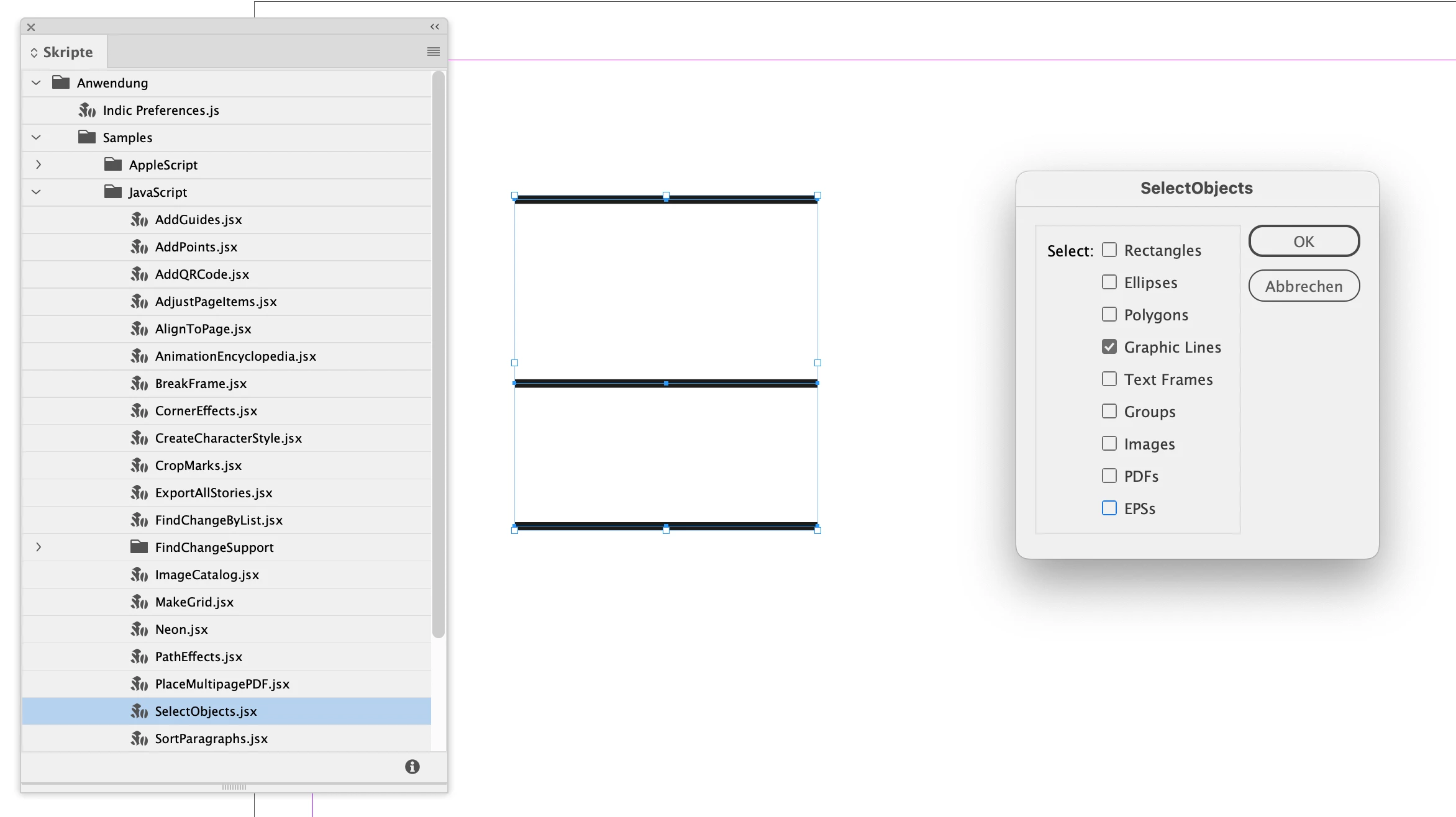


However, the original script's UI comes with all options selected by default.

One could change that with a little editing of the code where it says checkedState==true.

Simply exchange true with false so that the option is not selected by default.


Example for the Ellipsis check box:

// Original code:
if(myEllipsesCheckbox.checkedState==true){
			myObjectTypes.push("ovals");
// Edited code:
if(myEllipsesCheckbox.checkedState==false){
			myObjectTypes.push("ovals");

Regards,
Uwe Laubender
( Adobe Community Expert )

3 replies

LaubenderCommunity ExpertCorrect answer
Community Expert
May 22, 2024

Hi @m5heath ,

what can be done is to select the graphic lines spread by spread using a script that comes with all versions of InDesign:

SelectObject.jsx


However, the original script's UI comes with all options selected by default.

One could change that with a little editing of the code where it says checkedState==true.

Simply exchange true with false so that the option is not selected by default.


Example for the Ellipsis check box:

// Original code:
if(myEllipsesCheckbox.checkedState==true){
			myObjectTypes.push("ovals");
// Edited code:
if(myEllipsesCheckbox.checkedState==false){
			myObjectTypes.push("ovals");

Regards,
Uwe Laubender
( Adobe Community Expert )

m5heathAuthor
Inspiring
May 22, 2024

Brilliant! That completely solves my problem - and possibly many other problems in the future. Thank you very much for helping me out.

Robert at ID-Tasker
Legend
May 8, 2024

@m5heath


What kind of editing are you planning to do?


If you work on a PC - you could use free version of my ID-Tasker tool - it will let you to quickly get a list of all Lines, then sort and filter them - and then quickly access them. 


m5heathAuthor
Inspiring
May 16, 2024

I use a PC with Windows 11 and I have tried to install ID-Tasker. I got the AVG warnings but that was cleared and then I got the DEP access violation - as forecast. See attached screenshot. As far as I can see, Windows 11 only allows DEP to be on or off for all programs so I am unable to make an exception of ID-Tasker. Can you give me any further advice?

Robert at ID-Tasker
Legend
May 16, 2024

@m5heath


Do you have BitDefender active?


My friend had this kind of error because of the BitDefender - we've spent few hours to find the culprit. After "whitelisting" - it was plain sailing. 


If you don't have BitDefender enabled - then you have something else in the system that is checking for viruses / malvare.


Steve Werner
Community Expert
Community Expert
May 8, 2024

The Find/Change dialog box > Object tab lets you search and replace frames but not lines.


So it can't be done natively in InDesign. Maybe someone has (or could) write a script to do that.