Participating Frequently
July 27, 2023
Answered

Set label on a paragraphstyle

  • July 27, 2023
  • 3 replies
  • 1566 views

Hello Great people
Hope everyone doing good,
I want to create a script for selcting a pragraph style in Indesign and I wanto give a script lable that particular paragaraph style. Can any help on this? Please find the code which is I am using now

app.selection[0].paragraphStyles.item = "heading1";

Please guide me with the correct code.

Thanks in advance
Sandeep.
This topic has been closed for replies.
Correct answer rob day

so Sorry I have tried multiple time, but I not fimiler with code I think it happing due to that.

please accept my apologies


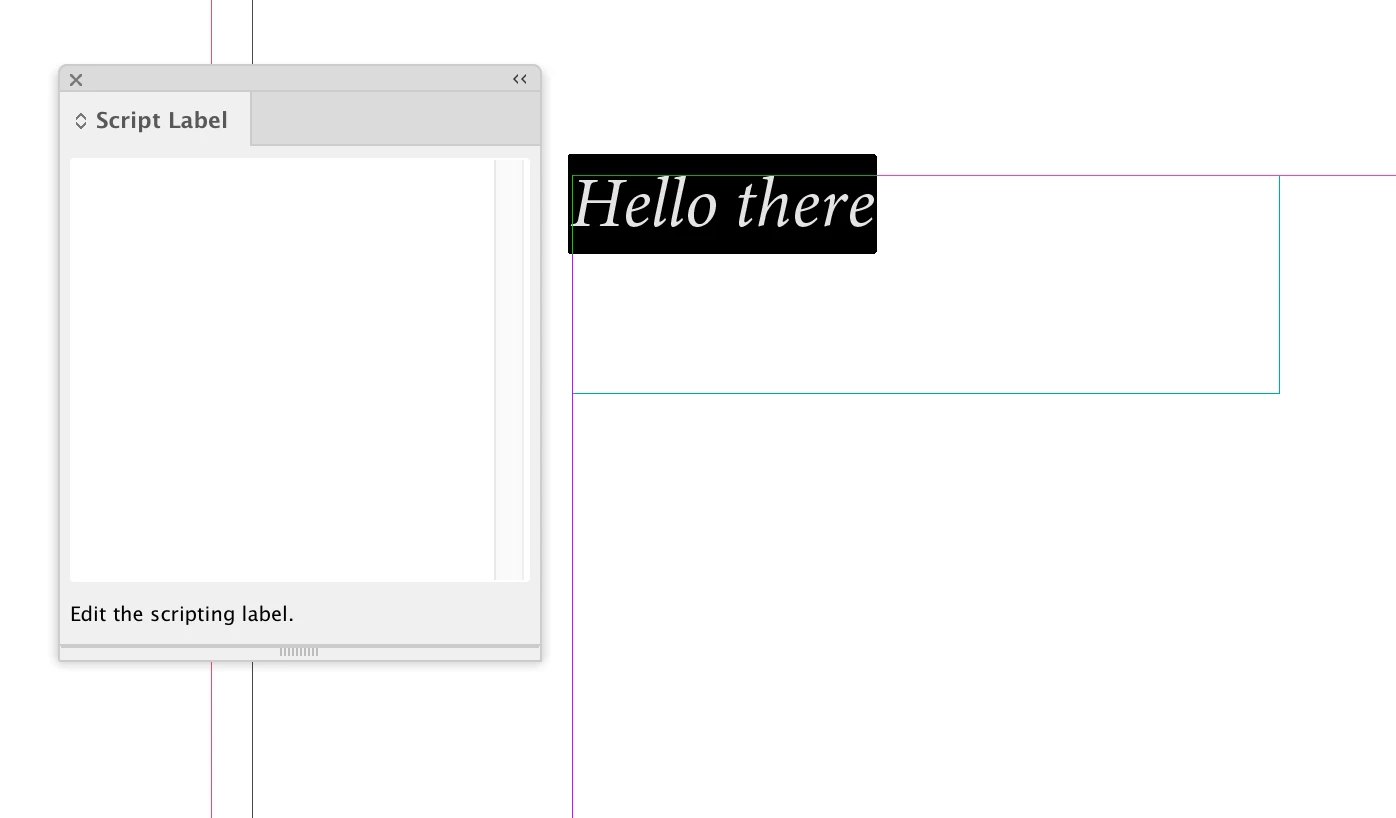
Hi @Sandeep27041541kg7t , If you check the Script Label panel, you will find that you can’t apply a label to a selected paragraph, which is why you get an error in your script when it selects a paragraph and tries to set a label.


If I select some text, I can’t edit the Script Label field:


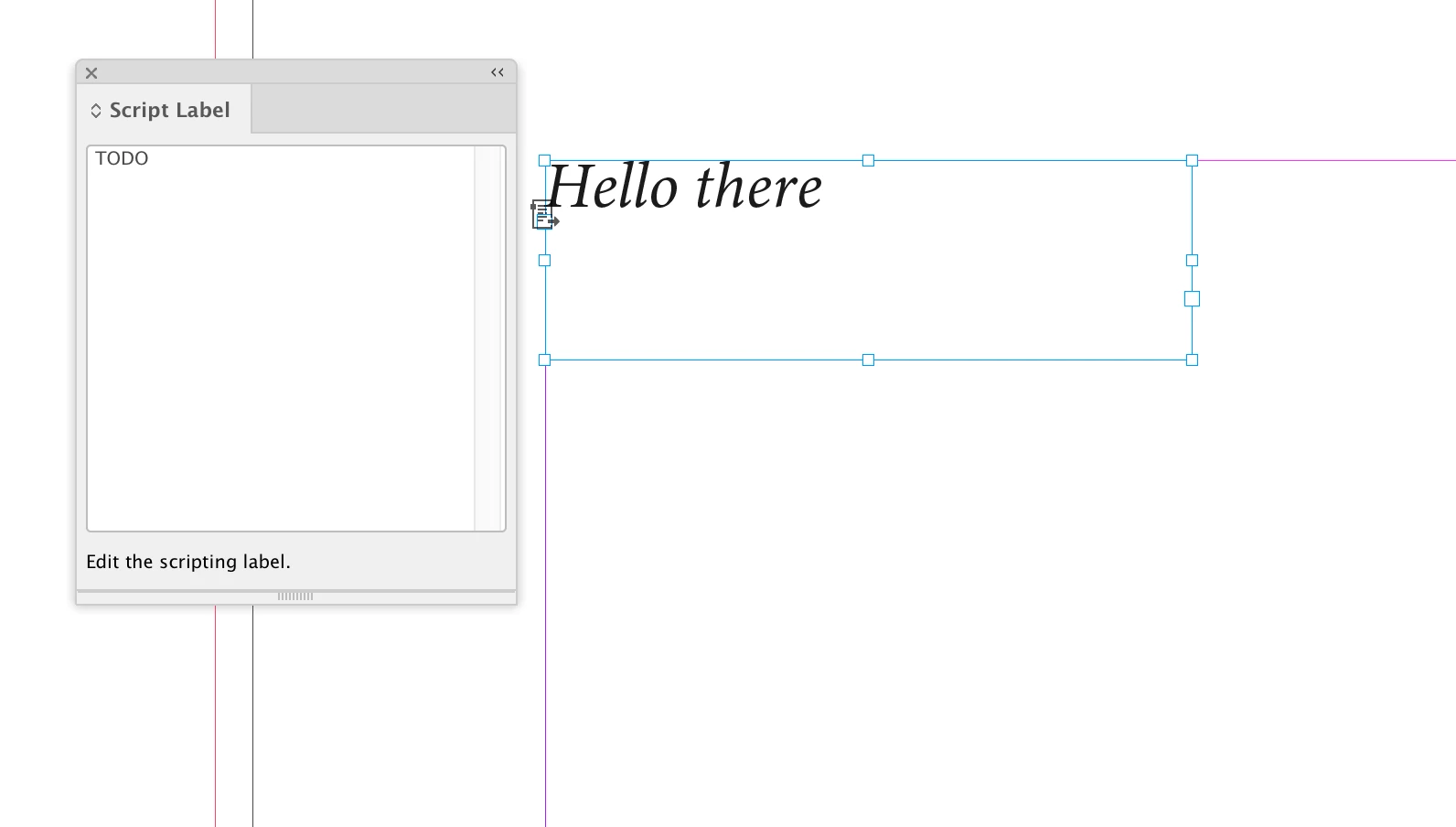
But if I select a page item or a text frame, the Script Label field is editable. A paragraph’s parent text frame could have a label set—myParas[i].parentTextFrames[0].label = "TODO"—but not the paragraph itself:

3 replies

Participating Frequently
July 27, 2023

Now I am getting this error please find the code which I have used


function applyLabelToStyle1() {
var myDoc = app.documents[0];
var myParas = myDoc.stories.everyItem().paragraphs.everyItem().getElements();
var myPage = myDoc.pages;

for(var i=0; i<myParas.length; i++) {
app.select(myParas[i]);
var paraStyleName = myDoc.selection[0].appliedParagraphStyle.name;

if (paraStyleName == "MM_NL_Preis") {
app.selection[0].label = "TODO";
}
}
}

applyLabelToStyle1();

Community Expert
July 27, 2023

@Sandeep27041541kg7t are you even reading our posts? The reason for your error was already explained by @Laubender. You are not even trying what we are suggesting, then how can we help you?

-Manan

-Manan
Loic.Aigon
Legend
July 28, 2023

Thanks you it is working. Great work.


Just curious, what was the need exactly?


Community Expert
July 27, 2023

If you want to start out from the applied paragraph style of a text selection, you could do:

app.selection[0].appliedParagraphStyle.insertLabel( "key" , "value" );


But that would not help much if you want to "label" paragraphs, formatted text, where a certain paragraph style is applied.

There is no "label" for text.


Instead:

You could use the property previewColor of a paragraph style that is not available from the GUI.

Marc Autret once built a full script around this feature, StyLighter:


https://indiscripts.com/post/2012/05/the-hidden-way-to-highlight-styles


StyLighter is still working with InDesign 2023.

You could highlight paragraphs in your text where a distinct paragraph style is applied to.


Regards,
Uwe Laubender
( Adobe Community Expert )

Community Expert
July 27, 2023

If you want to set label on paragraphstyle then you can use the following code


var ps = app.documents[0].paragraphStyles.itemByName("Name of your style")
ps.insertLabel("key", "value")

P.S.:- This will not work with styles inside groups.


-Manan

-Manan
Participating Frequently
July 27, 2023

Thanks Manan your quick response but it is not working for me
Paragrah Style Name is : Heading and Lable name is : Sandeep

Please guide me on this.

Participating Frequently
July 27, 2023

ar myDoc = app.documents[0];
var myParas = myDoc.stories.everyItem().paragraphs.everyItem().getElements();
var myPage = myDoc.pages;
for(i=0; i<myParas.length; i++)
{
app.select(myParas[i]);
var paraStyleName=myDoc.selection[0].appliedParagraphStyle.name;
if (paraStyleName=="Style1")
{
app.selection[0].label = "TODO";
}


Hello Great people
Hope everyone doing good,
I want to create a script for selcting a pragraph style in Indesign and I wanto give a script lable that particular paragaraph style. Can any help on this? Please find the code which is I am using now

app.selection[0].paragraphStyles.item = "heading1";

Please guide me with the correct code.

Thanks in advance
Sandeep.