Hi Jacob,
Some pointers for you, VS 2015 is not the recommended environment for plugin dev. of InDesign CS6. You will run into all sorts of issues if you use 2015 for building CS6 plugins, some of the issues that you might face are
- Compilation or Linking errors
- Random Crashes while the plugin executes, if you manage to get this far.
The main reason for this is the different versions of CRT libraries used by different VS versions, which when used together causes all sorts of compatibility issues.
I would recommend that you stick to the VS version recommended by Adobe in the SDK.
Now with regards to setting up the project settings, you would need to setup mainly the following paths to point to different paths of the SDK
- Include paths for C++ compiler, these are directories that hold different header files. This will contain multiple paths, refer the SDK sample project for more details
- Path for the libraries that needs to be linked against your project, refer the Linker section of a SDK project.
- Include path for Resource compiler
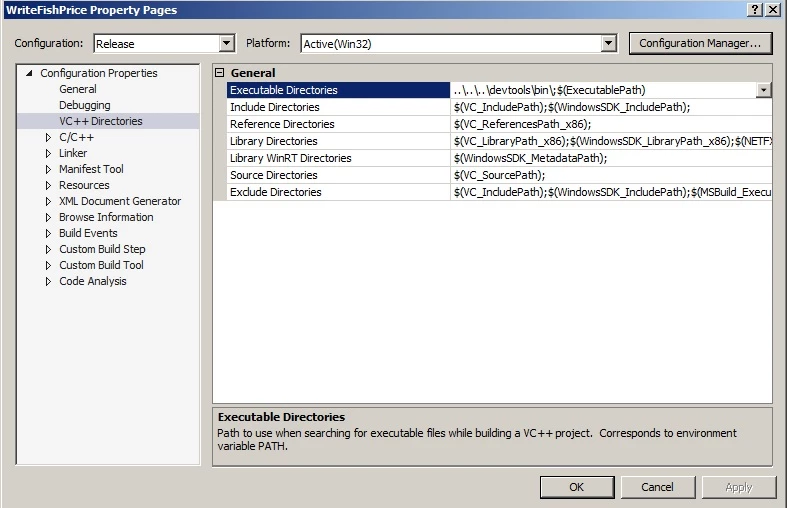
- Apart from that you could also set the executable directories, as highlighted in the screenshot you attached. This is used to refer to some executables that are used during the post build phase of the project build.
You could refer the SDK sample project for more details, i would recommend that you base your new project on a SDK sample project for starters and once you are comfortable with the settings, you could go ahead and write your own project configuration files for the project based on how you like to setup your project. For more details on how to write configuration files for VS projects do a google search on it.
Hope this info gets you started.
-Manan


 AdChoices