Participant
October 26, 2020
Answered

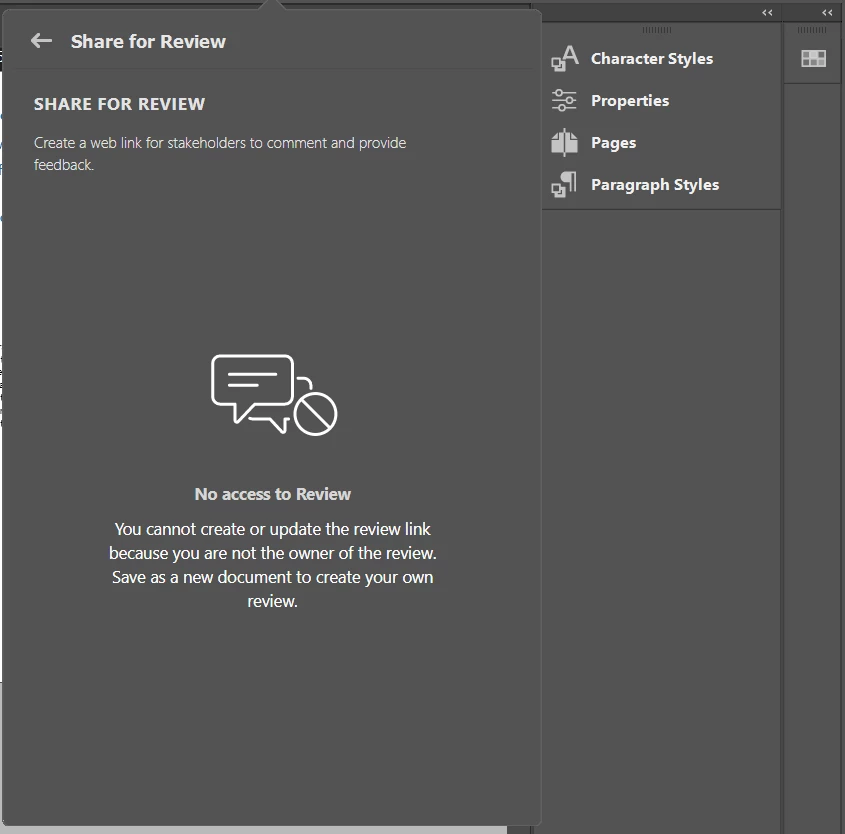
Share for Review: "No access to Review" even though I'm the owner

  • October 26, 2020
  • 1 reply
  • 1205 views

Hi there,

I'm the creator and the owner of my InDesign document.

I shared the doc with stakeholders - but now, I'm not able to use/update/or send the invite to more individuals anymore. Apparently, I am not the owner of this document (?).


I packaged the InDesign file with a new name, shared the link to stakeholders again, but Share for Review is blocked again/not available to update. 


I updated my Indesign, logged out/logged in new to my Adobe account.

The issue remains. 


Any suggestions what to do?

Thanks!
 

This topic has been closed for replies.
Correct answer Anasuiya Gupta

Hi


Could you go https://assets.adobe.com/links and see if the link exists here, if it does, it will have all the review comments bu your stakeholders. Also, in order to share this file again now, you will have to Save As the document and from the new file created, you will then have to create a new review.


In the meantime, we'll look at the possible cause for this issue.


Regards

Anasuiya Gupta

1 reply

Anasuiya Gupta
Adobe Employee
Anasuiya GuptaCorrect answer
Adobe Employee
October 29, 2020

Hi


Could you go https://assets.adobe.com/links and see if the link exists here, if it does, it will have all the review comments bu your stakeholders. Also, in order to share this file again now, you will have to Save As the document and from the new file created, you will then have to create a new review.


In the meantime, we'll look at the possible cause for this issue.


Regards

Anasuiya Gupta