SangeethaRajeshkumar
Inspiring
April 13, 2018
Answered

Shortcut key for minus sign in indesign

  • April 13, 2018
  • 1 reply
  • 5339 views

Hi Friends,

What is the shortcut key for minus sign (−) in indesign. I have searched in google but could not find. Please help.

Thanks,

Sangeetha

    This topic has been closed for replies.
    Correct answer amaarora

    Hi,

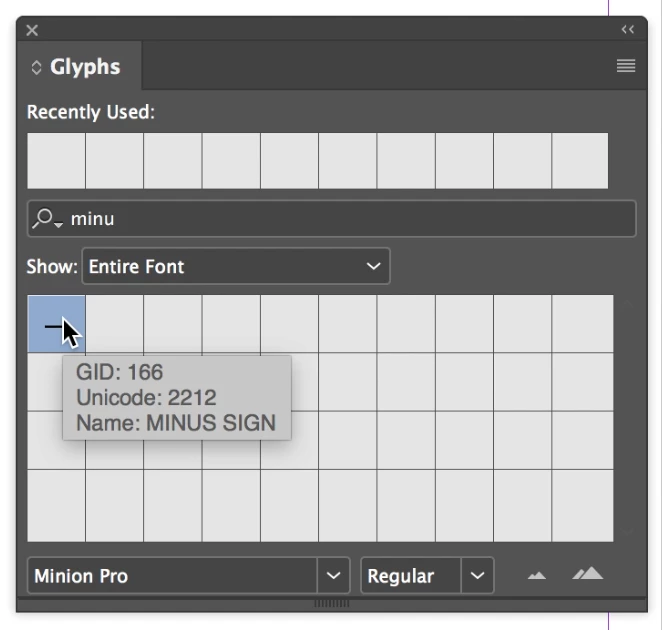
    Like said, use the Glyph panel for the insertions.

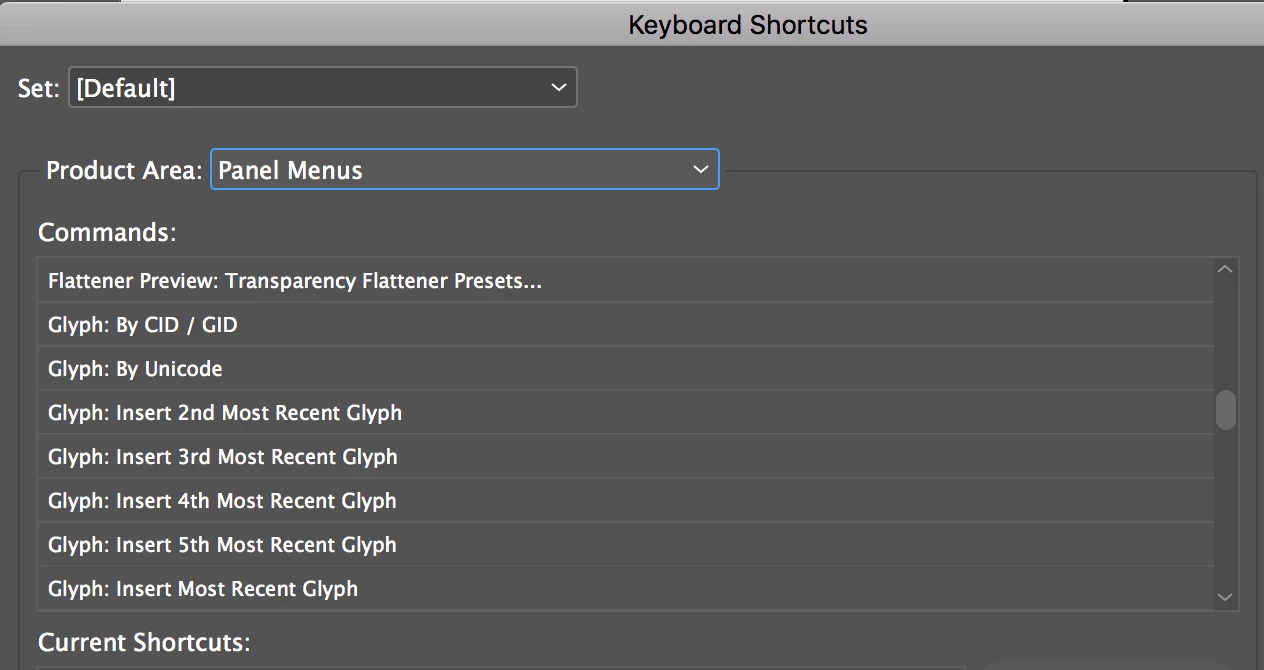
    You can also assign shortcuts to Glyphs inserted.

    -Aman

    1 reply

    amaarora
    Community Manager
    Community Manager
    April 13, 2018

    Hi,

    Minus sign? You can find that on the keyboard.

    If you need a specific type of glyph, search the type menu->Glyph panel.

    -Aman

    SangeethaRajeshkumar
    Inspiring
    April 13, 2018

    Hi Aman

    I want to insert exact minus sign (not hyphen) by shortcut key without using glyphs.

    Thanks for your reply.

    Regards

    Sangeetha

    amaarora
    Community Manager
    amaaroraCommunity ManagerCorrect answer
    Community Manager
    April 13, 2018

    Hi,

    Like said, use the Glyph panel for the insertions.
    You can also assign shortcuts to Glyphs inserted.
    -Aman