
Answered
Space after every character. GREP?
Hi all,
I need indesign to put a space behind every character i type.
Is this something i can do with GREP?
Thanks

Hi all,
I need indesign to put a space behind every character i type.
Is this something i can do with GREP?
Thanks
Hi Bart,
I see two solutions.
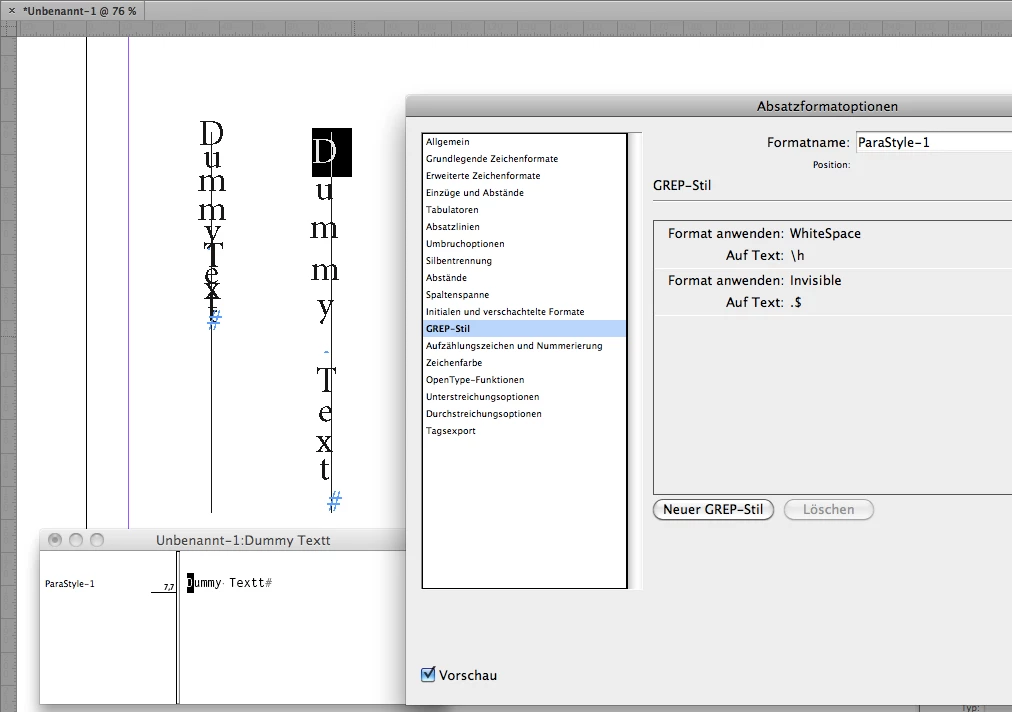
1. Working with a text path like you did:
Apply tracking to e.g. 300.
For all white space use a GREP Style that scales it to e.g. 200% horizontally.
GREP: \h
Note: The last character of the text will not react to kerning tracking.
Add a character at the end of all texts on path and use a GREP Style to make it invisible.
Set that character style's fill color to "None".
GREP: .$
Here a screenshot of the result:
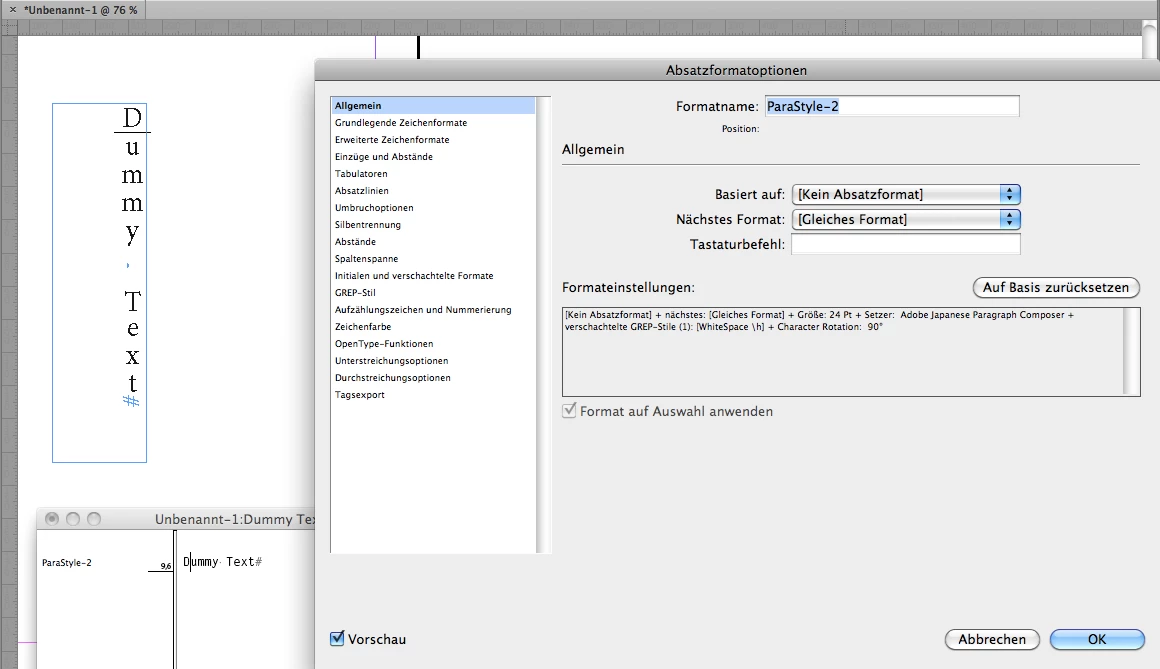
2. Use a rotated text frame (-90°) and rotate all characters to 90°. That can be done with a script that uses the Adobe Japanese Paragraph Composer and the character.rotate command that is not available in the UI for non-Japanese versions of InDesign.
For all white space use a GREP Style that scales it to e.g. 150% horizontally.
GREP: \h
Here a screenshot of the result:
A script that can do this can be found here:
https://indesignsecrets.com/free-script-to-rotate-selected-characters.php
The sample I am showing above was done by my own script, but Keith Gilbert's version should do it as well.
EDIT: Forgot one thing.
If you did the rotation of characters you could save the formatting as paragraph style as I was showing this in the screenshot above.
All tests done with InDesign CS6 8.1.0 on Mac OS X 10.6.8. Keith' script will run on Mac or Windows because it's written in ExtendScript (JavaScript).
Regards,
Uwe
Already have an account? Login
Enter your E-mail address. We'll send you an e-mail with instructions to reset your password.
 AdChoices