
danis14154847
Participant
June 29, 2017
Answered

Spacing at top of text box

  • June 29, 2017
  • 3 replies
  • 52346 views

There is a default spacing between the top of the text box (blue line) and the start of the text. How do I set my preferences so the top of the first line of text touches the blue line? This is super maddening when try to center text vertically. Any help would be greatly appreciated!
Correct answer Steve Werner

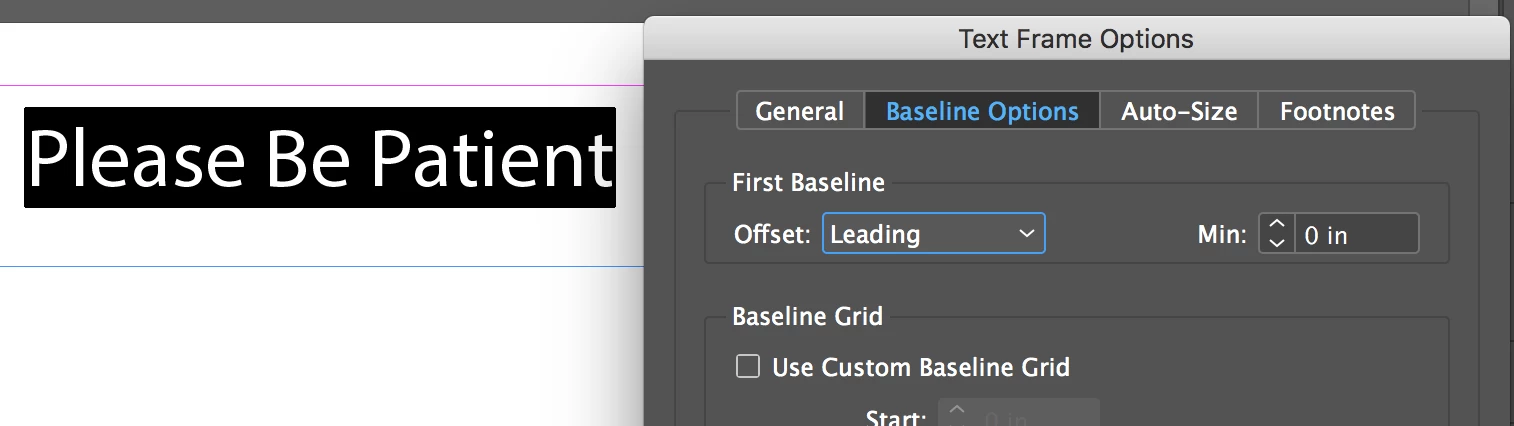
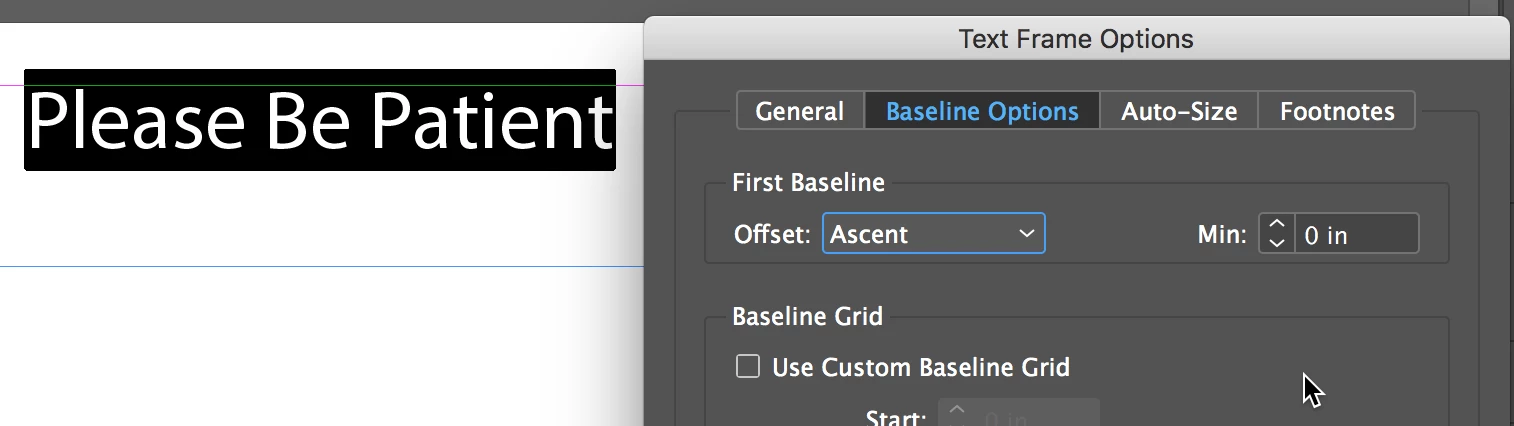
Select the type frame. Choose Object > Text Frame Options > Baseline Options.

It could be a difference in the First Baseline Offset. Try Ascent or Cap Height:

3 replies

Phoenix15
Known Participant
May 11, 2023

I cannot resolve this. I'm using the same font but in different weights, I cannot get the words to align to bottom or top. I've tried Cap Height, Leading, Ascent. The tiny gap doesn't go. Screenshot attached.

Legend
May 11, 2023

Have you checked for active baseline grid? Also watch out for different metrics from bullet fonts (not your case, but had that myself), or other ways to use multiple fonts within the line (grep styles etc.). Does the selection outline appear consistent?

Participant
May 2, 2025

Imagine this being available in paragraph styles.... would be so much more useful.

danis14154847
Participant
June 29, 2017

Ascent didn't work. But Cap Height did! Thank you!!!

Community Expert
June 30, 2017

FWIW: Depending on the used font you can have problems with Ascent and/or Cap Height if you want to have an exact alignment with the top edge of the text frame:

Regards,
Uwe

Participant
June 4, 2019

I have the same problem.

I use the regular AlbertaExtralight type, and in some boxes the text does not line up to the top of the project's default text box in indesign, even though I change it to: TextBox Options> Baseline Options for Leading or Ascending.

Note: My vertical alignment is enabled for "Align to top".

What can I do?

Steve Werner
Community Expert
Steve WernerCommunity ExpertCorrect answer
Community Expert
June 29, 2017

Select the type frame. Choose Object > Text Frame Options > Baseline Options.

It could be a difference in the First Baseline Offset. Try Ascent or Cap Height: